Need help?
Do you have a question about the Daikin FTKZ25VVMV and is the answer not in the manual?
Key benefits of the air conditioner including comfort, energy efficiency, and air purification.
OUTDOOR UNIT QUIET and ECONO functions for reduced noise and efficient operation.
Distinguishes WARNING and CAUTION levels for personal and property safety.
Covers essential operation, maintenance, environment, and electrical safety rules.
Details prohibited uses, child/pet safety, and installation area advice.
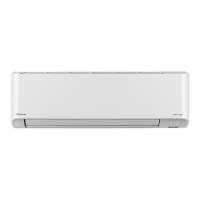
Identifies front panel, air inlets/outlets, flaps, louvres, and sensors.
Explains the remote control display, unit lamps, and signal receiver.
Details outdoor unit parts like air inlet/outlet and filters.
Describes the Streamer unit and Wireless LAN connecting adapter.
Details the importance of the SSID&KEY sticker for wireless connection.
Lists necessary devices, OS versions, and the DAIKIN Mobile Controller app.
Explains the meaning of the orange lamp for the wireless LAN adapter.
Warnings about potential interference with other devices.
Explains signal transmission, LCD display, and core buttons like ON/OFF, Temp, Fan.
Details buttons for POWERFUL operation and Wireless LAN connection.
Covers MODE selector, CEILING, and SWING buttons.
Explains ECONO/QUIET, MENU, MOLD PROOF, STREAMER, and Timer buttons.
Instructions for battery insertion, safety, and holder installation.
Procedures for setting the unit's clock and display brightness.
Configuring indoor unit position to optimize airflow direction.
Guide to operating the unit in COOL, DRY, or FAN modes.
How to change temperature settings and airflow rates for comfort.
Adjusting horizontal flaps and vertical louvres for desired airflow.
Activating and canceling the 3-D airflow feature for enhanced circulation.
Drying the unit to prevent mold and odor development.
Using streamer discharge to decompose odors and allergens.
Setting upward airflow for comfortable wind distribution.
Automatic airflow adjustment based on human presence for energy saving.
Activating rapid cooling or heating at maximum capacity.
Functions for power saving and reduced outdoor unit noise.
Setting the unit to turn on or off at specific times.
Using timers with remaining hours display and combining modes.
Connecting the adapter, installing the mobile app, and checking LED status.
Enabling/disabling the adapter and resetting connection settings.
Connecting via WPS or Access Point for network integration.
Instructions for cleaning the front panel, air filters, and units.
Details on deodorizing and air quality filters, their cleaning, and replacement.
Steps for storing the unit, including MOLD PROOF, cleaning, and battery removal.
Importance of professional maintenance for optimal performance.
Addressing flap movement, delayed starts, and unusual sounds.
Diagnosing no operation, sudden stops, and cooling performance.
Resolving signal problems, faint displays, odors, and lamp indicators.
Procedure to display error codes on the remote controller.
Explanation of various error codes for system and unit faults.
 General
| Type | Split Air Conditioner |
|---|---|
| Cooling Capacity | 2.5 kW |
| Heating Capacity | 3.2 kW |
| Inverter | Yes |
| Power Supply | 220-240 V, 50 Hz |
| Indoor Unit Dimensions (W x H x D) | 798 x 295 x 372 mm |
| Outdoor Unit Dimensions (W x H x D) | 800 x 550 x 285 mm |
| Weight (Indoor Unit) | 12 kg |
| Noise Level (Indoor) | 19 dB(A) |
| Refrigerant | R32 |
| Indoor Unit Weight | 12 kg |
| Energy Efficiency Ratio (Heating) | 4.00 |

 To Next Page