13
Read Before Operation
To set the position where the indoor unit is installed
Set the indoor unit position to avoid direct airow to walls.
To set
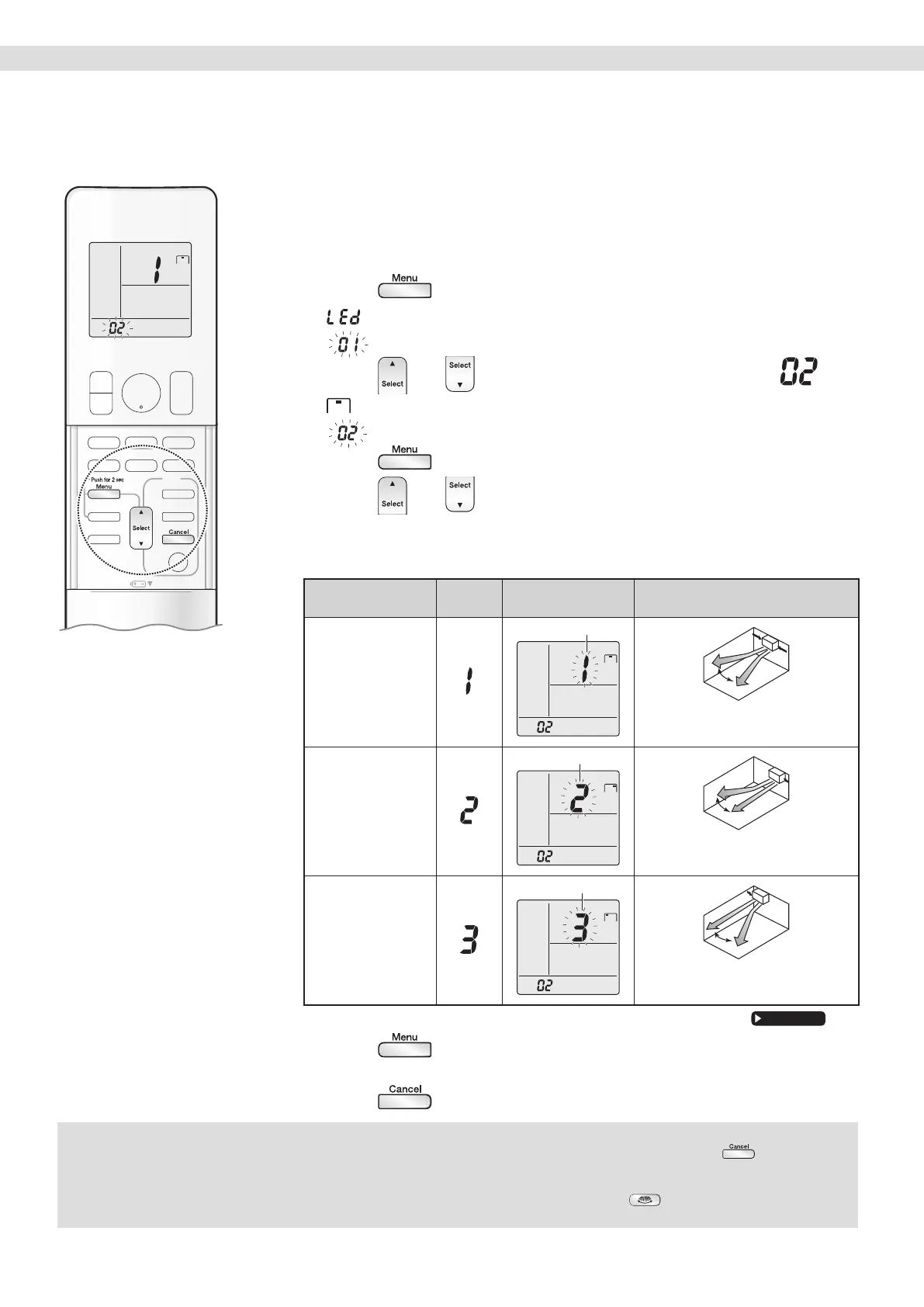
1. Press and hold the button for 2 seconds.
• ‘‘ ” appears on the LCD.
• ‘‘
” (menu number) blinks.
2. Press or and select menu number .
• ‘‘ ” appears on the LCD.
• ‘‘
” (menu number) blinks.
3. Press to conrm the selected setting.
4. Press or and select the indoor unit
position as follows:
¡ Installation position
If the unit is…
Position
number
LCD Installation position
In the middle of the
wall (factory default
seting)
Blinks
Centre : The horizontal airow direction
blows air evenly to the right and left.
≤500 mm from the
wall on right
Blinks
Right corner : The horizontal airow
direction blows air to the left.
≤500 mm from the
wall on left
Blinks
Left corner : The horizontal airow
direction blows air to the right.
• The airow range will be adjusted to avoid direct contact with the wall.
5. Press again.
• The installation position of the indoor unit will be set.
6. Press to return to the default screen.
Timer
Preparation Before Operation
NOTE
Notes on setting the position where the indoor unit is installed
• The display automatically returns to the default screen after 60 seconds. To return to the default screen sooner, press twice.
• The airow direction is properly controlled by inputting a number representing the installation position of the indoor unit into the remote controller.
• If you do not set the right corner and left corner correctly, the airow direction may not be properly controlled in some airow settings.
• The airow direction range at the horizontal airow setting (airow direction that can be selected with ) will change according to the
settings for the installation position.


 To Next Page