31
System control via Smart Control
Enabling/disabling the wireless LAN connecting adapter
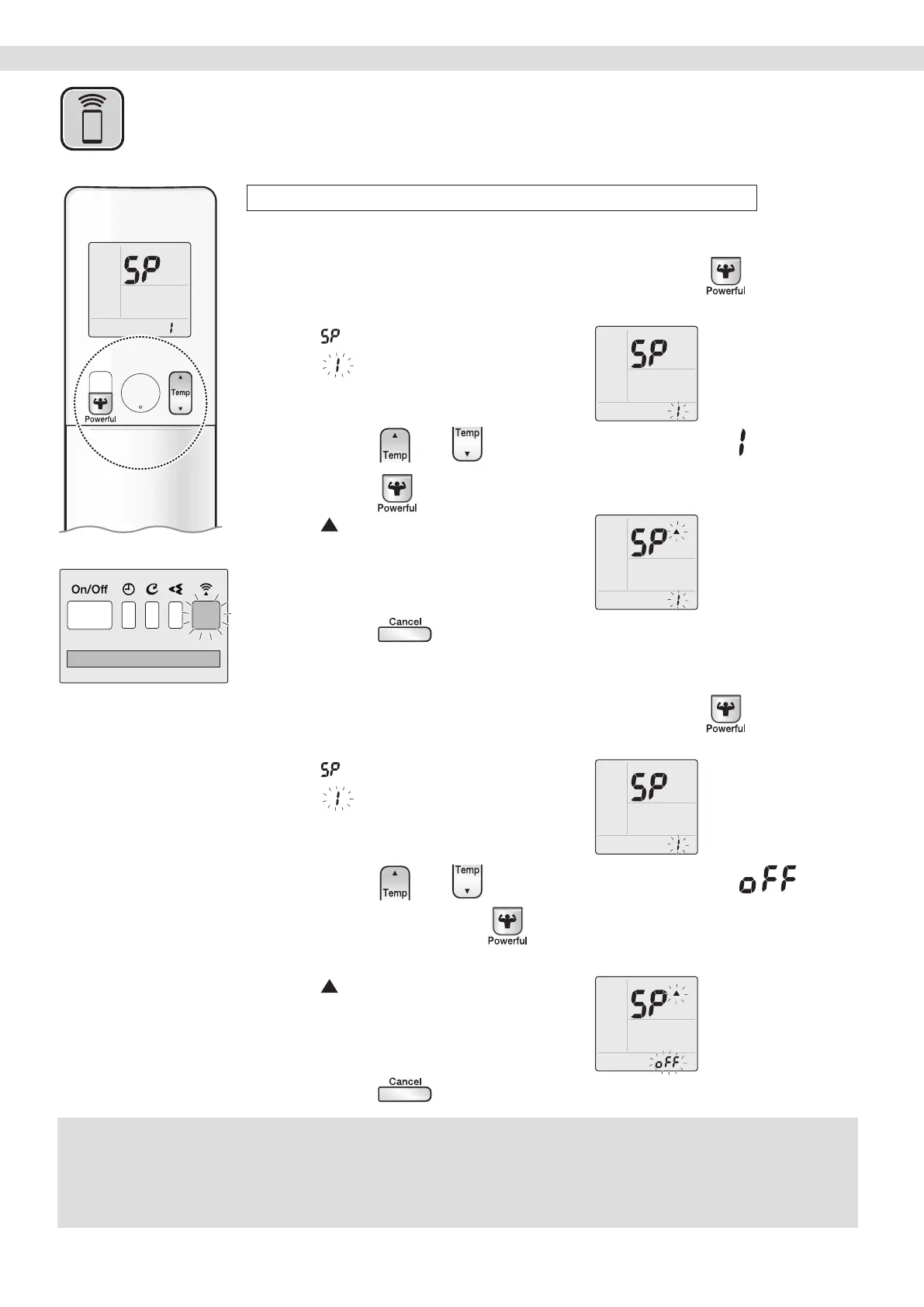
To enable
1. While operation is stopped, press and hold
the button for 5 seconds.
• “ ” appears on the LCD.
• “
” (SP menu) blinks.
2. Press or and select SP menu .
3. Press to conrm the selected setting.
• “ ” blinks briey.
• The wireless LAN connecting adapter
lamp (orange) blinks for one second.
4. Press to return to the default screen.
To disable
1. While operation is stopped, press and hold
the button for 5 seconds.
• “ ” appears on the LCD.
• “
” (SP menu) blinks.
2. Press or and select SP menu .
3. Press and hold for 2 seconds to conrm
the selected setting.
• “ ” blinks briey.
• The wireless LAN connecting adapter
lamp (orange) goes off.
4. Press to return to the default screen.
Wireless LAN connection
NOTE
Notes on SP-3 menu
•
SP-3 menu cannot be used on this air conditioner. Do not need to activate.
If you accidentally activated this menu, the wireless LAN connecting adapter lamp blinks constantly. Please follow the steps below to solve the problem.
There are 2 ways to deactivate SP-3 menu.
1) Turn off the wireless LAN connecting adapter and then turn it on again.
2) Turn off the air conditioner circuit breaker and then turn it on again.
Display


 To Next Page