7 | Maintenance and service
User reference guide
45
FTXTA30A2V1BW
Split system air conditioner
4P518786-4F – 2020.05
4 Gently press the front panel down until it clicks.
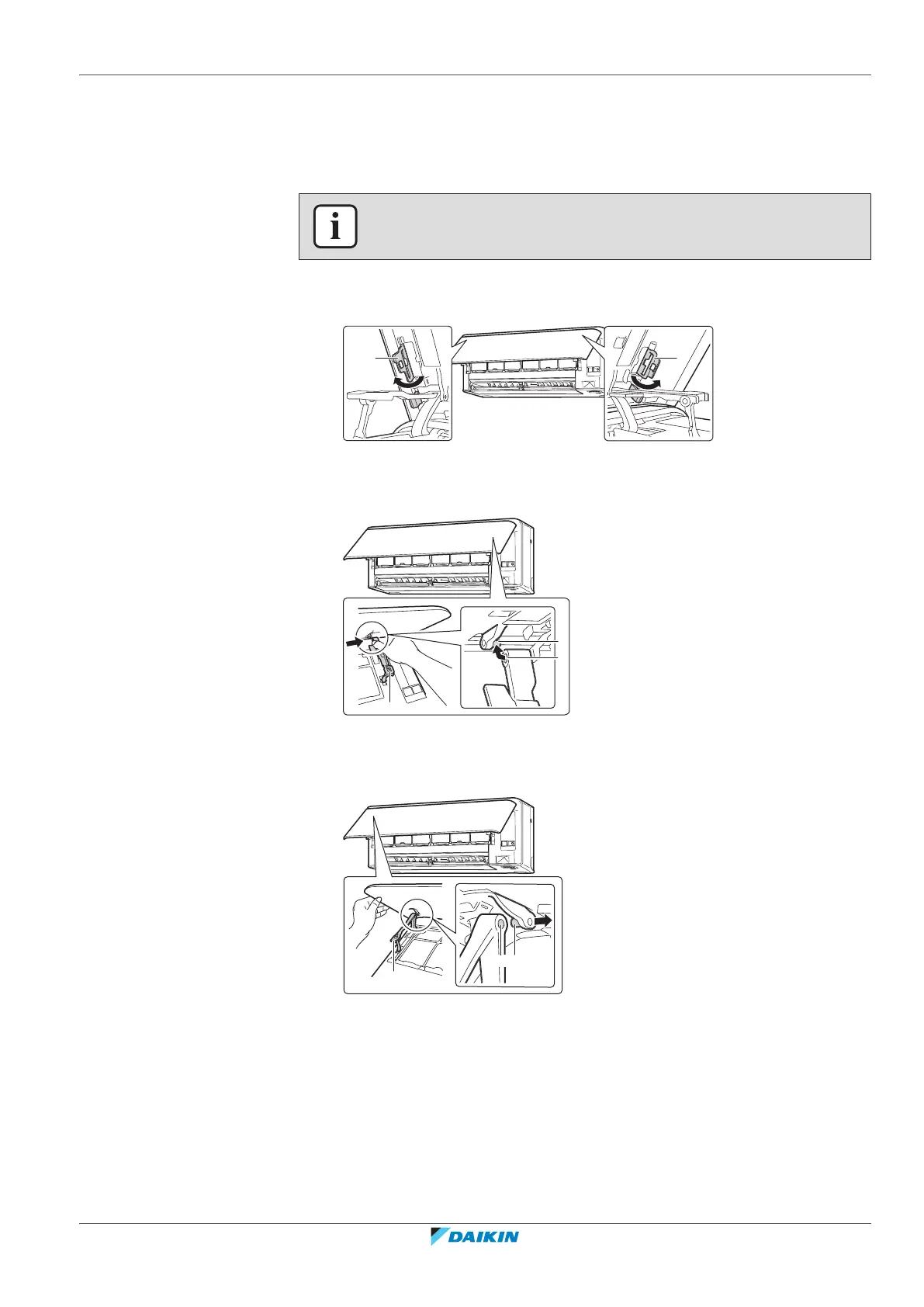
7.10 To remove the front panel
INFORMATION
Remove the front panel only in case it MUST be replaced.
1 Open the front panel. See "7.4To open the front panel"[442].
2 Open the panel locks located on the back side of the panel (1on each side).
a Panel lock
3 Push the right arm lightly to the right to disconnect the shaft from the shaft
slot on the right side.
a Arm
b Shaft
c Shaft slot
4 Disconnect the front panel shaft from the shaft slot on the left side.
a Arm
b Shaft slot
c Shaft
5 Remove the front panel.
6 To re-install the front panel perform the steps in the opposite order.
7.11 To take following items into account before a long idle period
Operate the unit several hours in fan only mode to dry the inside of the unit.















 To Next Page