1.
Select
Icon color
at Screen 2(A) on
page 63.
2.
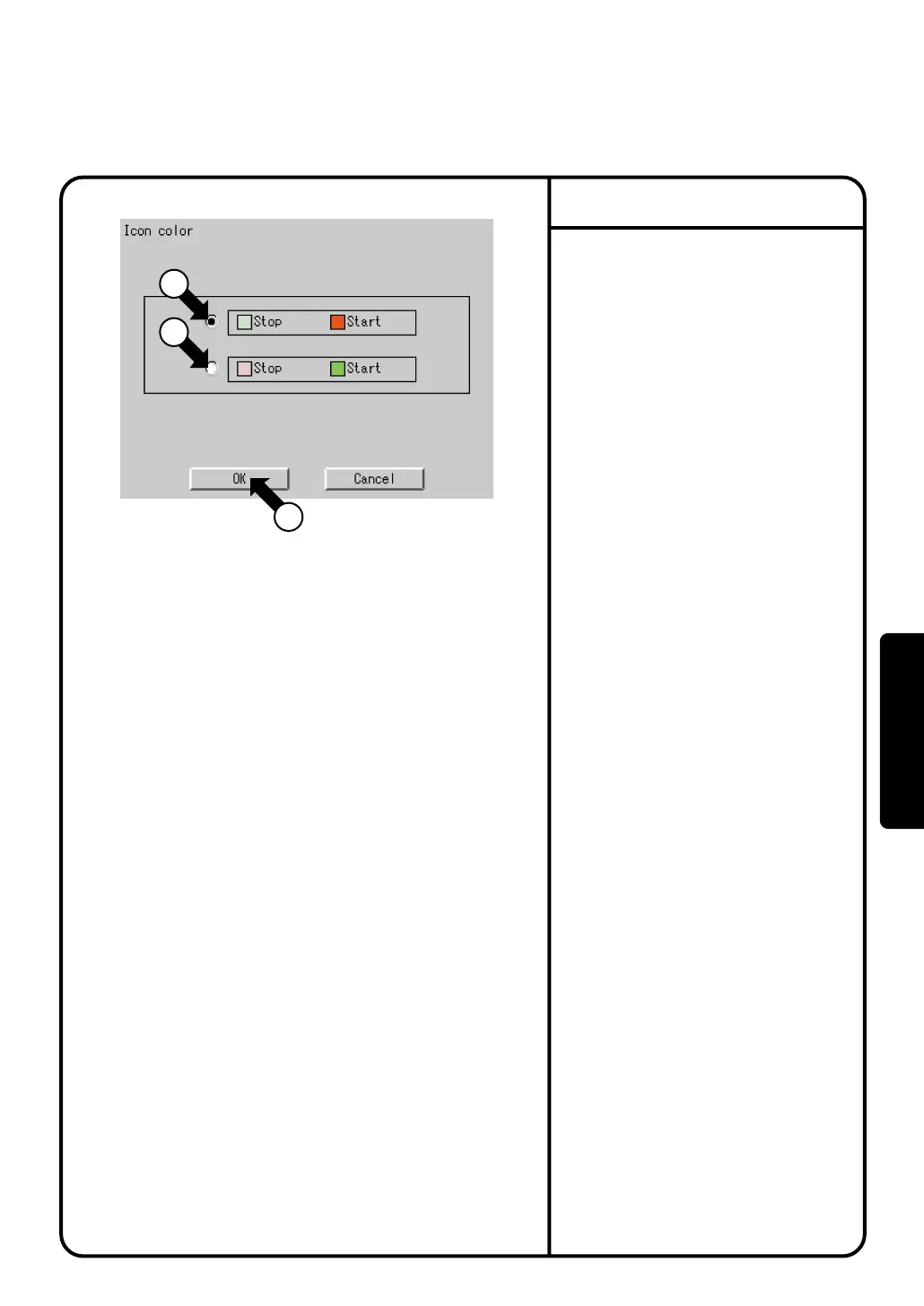
Confirm that the Icon color screen
Screen 1 will be displayed as shown in
the left-hand column.
3.
Select a desired color via the radio
button q to change the start/stop icon
color on the Icon color screen. Note
that the stop icon color is light green
and the start icon color red at factory
setting, and the start icon color red at
factory setting.
4.
Push the [OK] button w.
To cancel the settings made, push the
[Cancel] button.
Icon Color
Screen 1 Icon color
2
1
1
System Settings Menu Operation
72
Operation



 To Next Page