Read First
17
Operating the Air Purifier via Smartphone
2
If router does not have built-in WPS
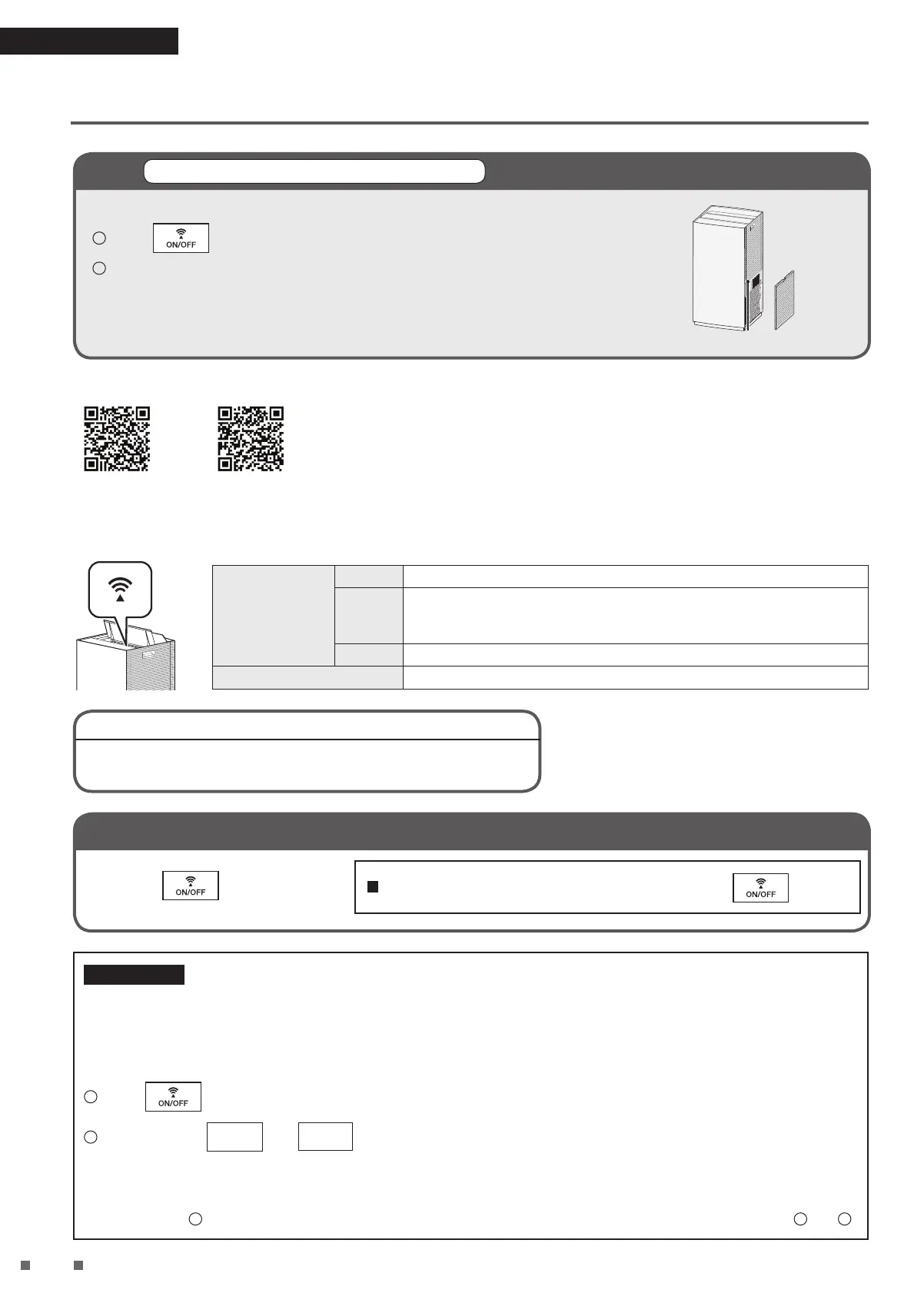
Connect the Air Purifier to the Network
Follow the steps below even if you are choosing to not use WPS.
1
Press to activate the wireless LAN connection adaptor.
Location of SSID and KEY
2
Launch the app and follow the guidance to connect the air purifier and router.
• SSID and KEY are required for connection.
(A sticker with the SSID and KEY can be found in the location shown in the illustration
on the right.)
Scan the QR code below to download D-MOBILE application.
iOS App Store Android Play Store
Communication lamp status
Lights up or blinks according to the wireless LAN communication status, as shown below.
Lit up
Green Wireless LAN connection adaptor is connecting to router.
Orange
• Wireless LAN connection adaptor and router connection not set.
• Wireless LAN connection adaptor is connecting to router (immediately
after turning communication ON).
Red Wireless LAN connection adaptor cannot connect to the Internet.
Unlit Wireless LAN connection adaptor function is OFF.
• Perform connection settings again.
• Move the router closer to the air purifier.
If the unit (air purifier) can’t be found with the app
If you want to turn the wireless LAN connection adaptor function OFF
Press the .
If you want to turn the adaptor function “ON”, press again.
If necessary
If you want to reset the wireless LAN connection adaptor to factory default settings
• If you want to redo the settings, etc., the wireless LAN connection adaptor can be reset to the factory default settings from
the time of purchase.
If you reset to factory default settings, network settings will be erased, as well as historical data such as the number of
sensor responses.
• If disposing of the unit or transferring it to a new user, reset it to factory default settings in order to erase the internal data.
1
Press to turn on the Communication lamp.
2
Press and hold
FAN
and
MODE
at the same time for about 5 seconds while the unit is stopped.
• A short beep sounds, and the Communication lamp [orange] and the AUTO FAN MODE lamp [white] blink for about
20 seconds.
• When reset to factory default settings is completed, a long beep sounds and all lamps turn off.
• If, after step
2
, the Communication lamp lights up and only the AUTO FAN MODE lamp turns off, repeat steps
1
and
2
.


 To Next Page