SiBE041401E Main Functions
Function and Control 28
The lamp color changes according to the operation.
∗
AUTO ........................................................Red / Blue
∗
DRY ..........................................................Green
∗
COOL........................................................Blue
∗
HEAT ........................................................Red
∗
FAN...........................................................White
∗
TIMER.......................................................Orange
Brightness
Setting
Each time the Brightness button on the remote controller is pressed, the brightness of the
multi-monitor lamp changes to high, low, or off.
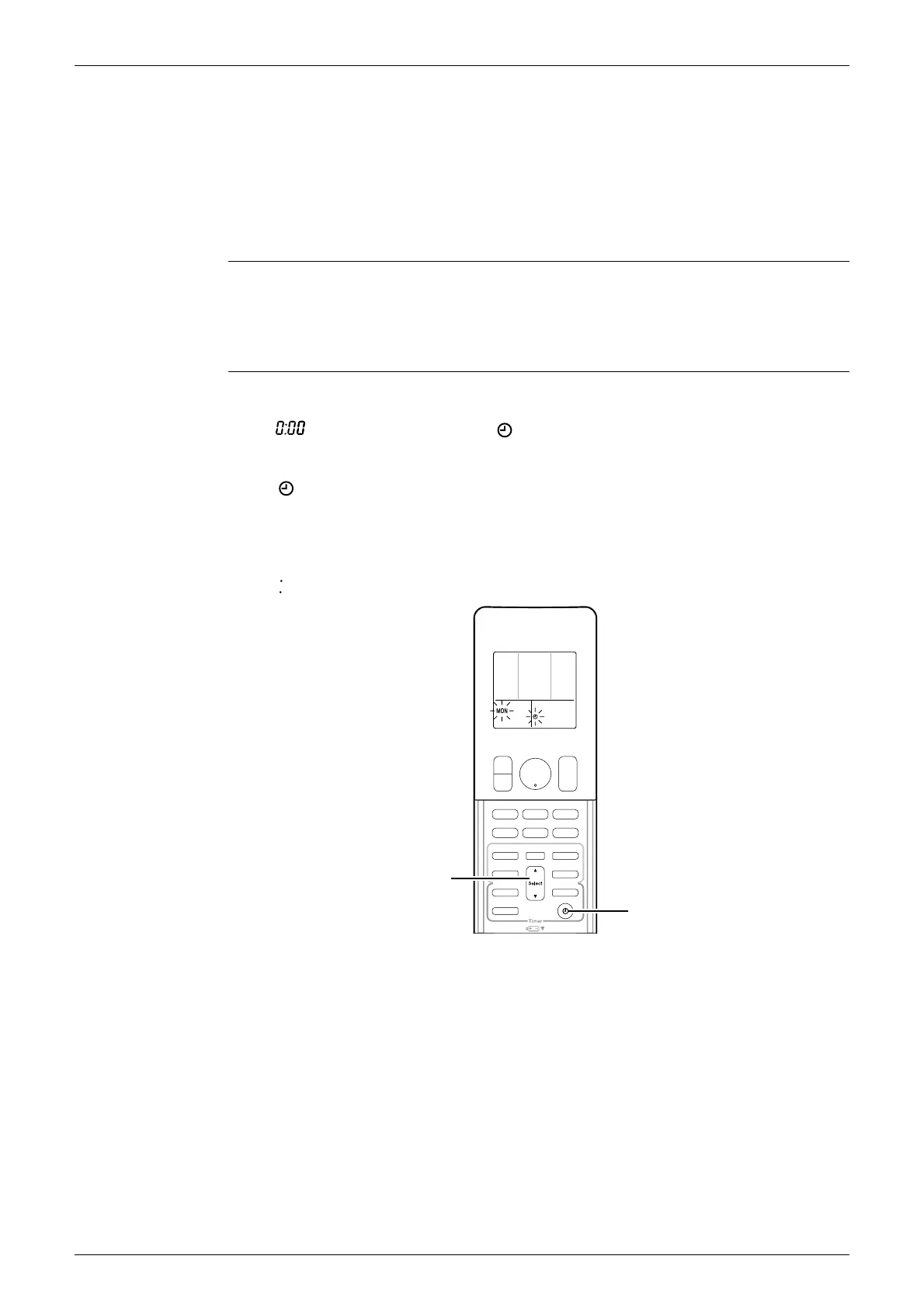
1.14 Clock Setting
ARC466 Series The clock can be set by taking the following steps:
1. Press the CLOCK button.
→
is displayed and MON and blink.
2. Press the SELECT ▲ or ▼ button to set the clock to the current day of the week.
3. Press the CLOCK button.
→
blinks.
4. Press the SELECT ▲ or ▼ button to adjust the clock to the present time.
Holding down the SELECT ▲ or ▼ button increases or decreases the time display rapidly.
5. Press the CLOCK button to set the clock. (Point the remote controller at the indoor unit
when pressing the button.)
→
blinks and clock setting is completed.
(R19926)
0:00
SELECT
button
CLOCK
button





 To Next Page