SiBE041401E Service Diagnosis
Service Diagnosis 56
Method 2
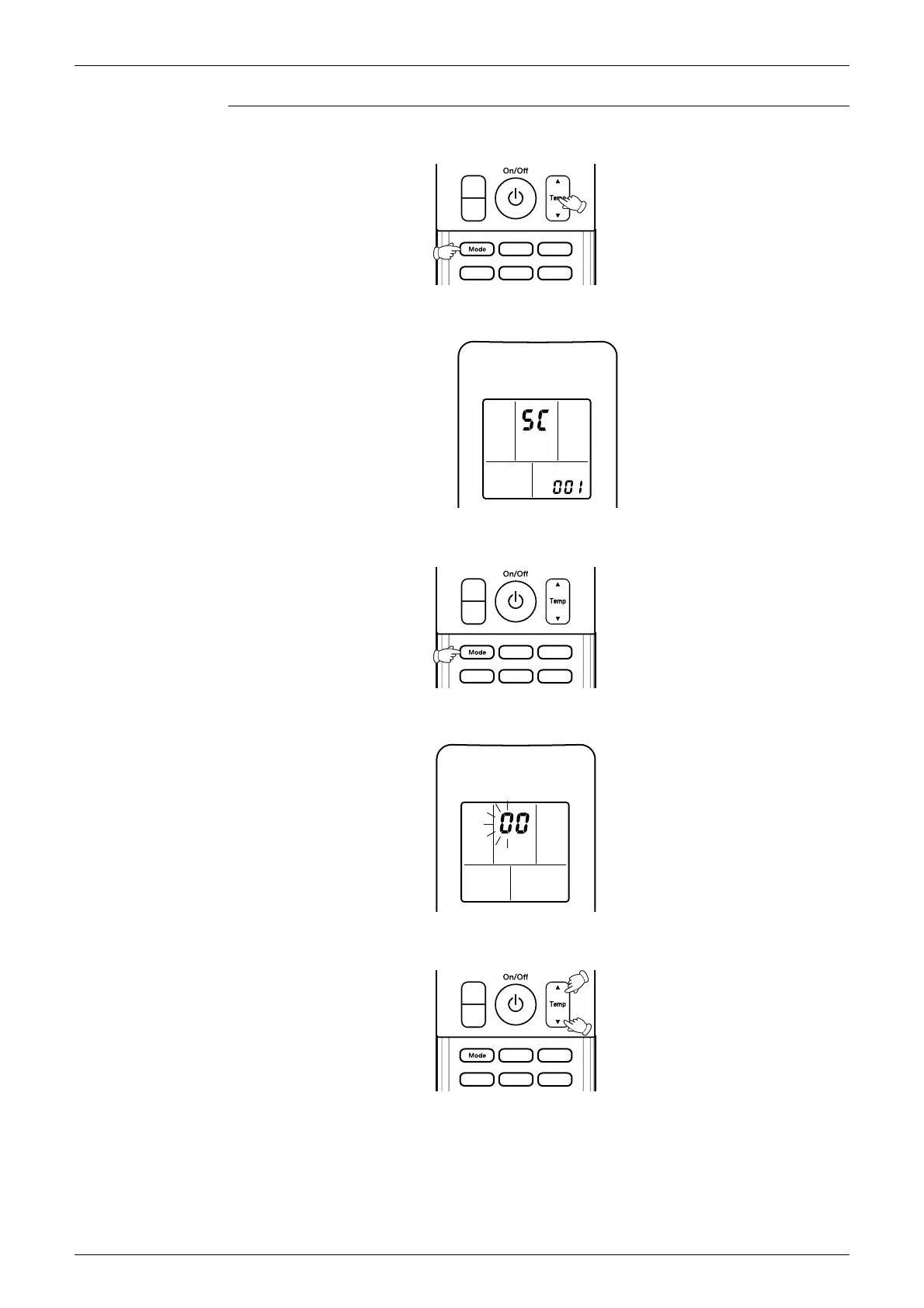
1. Press the center of the Temp button and the Mode button at the same time.
5C
is displayed on the LCD.
2. Select
5C
(service check) with the Temp ▲ or Temp ▼ button.
3. Press the Mode button to enter the service check mode.
The left-side number blinks
4. Press the Temp ▲ or Temp ▼ button and change the number until you hear the two
consecutive beeps or the long beep.
(R11669)
(R11821)
(R11672)
(R11670)
(R11671)



 To Next Page