Table of Contents
i
Table of Contents
Section 1: Introduction ............................................................................................................................ 1
1.1 Resources .................................................................................................................................. 1
1.2 Daktronics Nomenclature ...................................................................................................... 2
1.3 Model Number ........................................................................................................................ 3
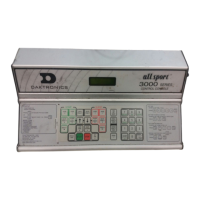
1.4 Scoreboard Controllers ........................................................................................................... 3
1.5 Product Safety Approval........................................................................................................ 3
Section 2: Specifications .......................................................................................................................... 5
Section 3: Mechanical Installation ...................................................................................................... 11
3.1 Footings & Beams .................................................................................................................. 11
3.2 Lifting the Scoreboard .......................................................................................................... 11
3.3 Scoreboard Mounting ........................................................................................................... 13
Scoreboard Mounting Using Vertical Spacers ........................................................... 14
3.4 Scoreboard Protective Devices ............................................................................................ 14
3.5 Ad Panel Mounting............................................................................................................... 15
Section 4: Electrical Installation .......................................................................................................... 17
4.1 Installation Overview ........................................................................................................... 17
4.2 Power ...................................................................................................................................... 18
Grounding ....................................................................................................................... 18
Connection ...................................................................................................................... 19
4.3 Power-On Self-Test (POST) ................................................................................................. 20
Radio Settings ................................................................................................................. 20
4.4 Signal Connection ................................................................................................................. 21
Fiber Optic ...................................................................................................................... 21
Multiple Driver Connections ........................................................................................ 21
4.5 Power/Signal Connections Between Sections ................................................................... 21
4.6 Lightning Protection ............................................................................................................. 22
Section 5: Scoreboard Troubleshooting ............................................................................................. 23
5.1 Troubleshooting Table .......................................................................................................... 23
5.2 Component Locations ........................................................................................................... 26
5.3 Component Access ................................................................................................................ 26
5.4 Replacing Digits .................................................................................................................... 27
5.5 Replacing Digit Segments .................................................................................................... 28
5.6 Replacing Colons, Decimals & Indicators .......................................................................... 28
5.7 LED Drivers ........................................................................................................................... 29
Replacing a Driver ......................................................................................................... 30
Setting the Driver Address ........................................................................................... 31
Multiple Drivers ............................................................................................................. 31
5.8 Power Supplies ...................................................................................................................... 31
Replacing a Power Supply ............................................................................................ 32
5.9 Radio Connections ................................................................................................................ 32
Radio Interference .......................................................................................................... 33
5.10 Trumpet Horns ...................................................................................................................... 34
5.11 Segmentation and Digit Designation .................................................................................. 34
5.12 Schematics .............................................................................................................................. 34
5.13 Replacement Parts ................................................................................................................. 35



 To Next Page