70
• Once the setting is confirmed,
the next unit to be programmed
will be automatically highligh-
ted. Use (PD1) and (PD2) to
choose another unit to be pro-
grammed and repeat the above-
mentioned steps.
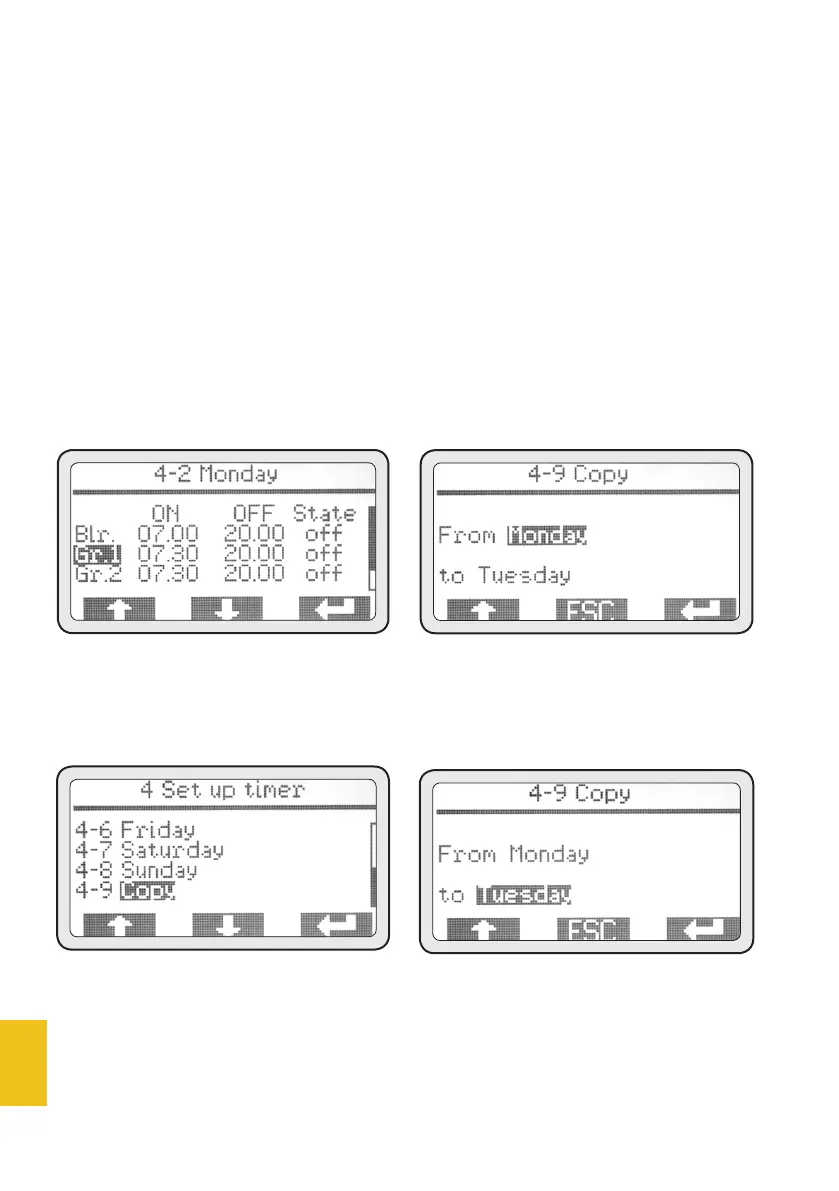
• Once the programming is over
and the last setting has been
confirmed, menu 4 will be auto-
matically displayed. At this point,
the programming of the first day
can be copied to other days.
• Use (PD1) and (PD2) to high-
light the menu ‘4-9 Copy’, then
push (PD3) to access this menu.
4-9 Copy
By default, Monday is the day of
origin and Tuesday the day of
destination; it is therefore suf-
ficient to push repeatedly to copy
all the days to be programmed.
• Push ESC to go back to menu 4.
In case a different program-
ming for each day is needed,
repeat step 4-2 for each day. To
program a day of inactivity, just
leave all on/off settings on 00.00
on that day.
• Once timer programming has
been completed, push ESC to go
back to main menu.














 To Next Page