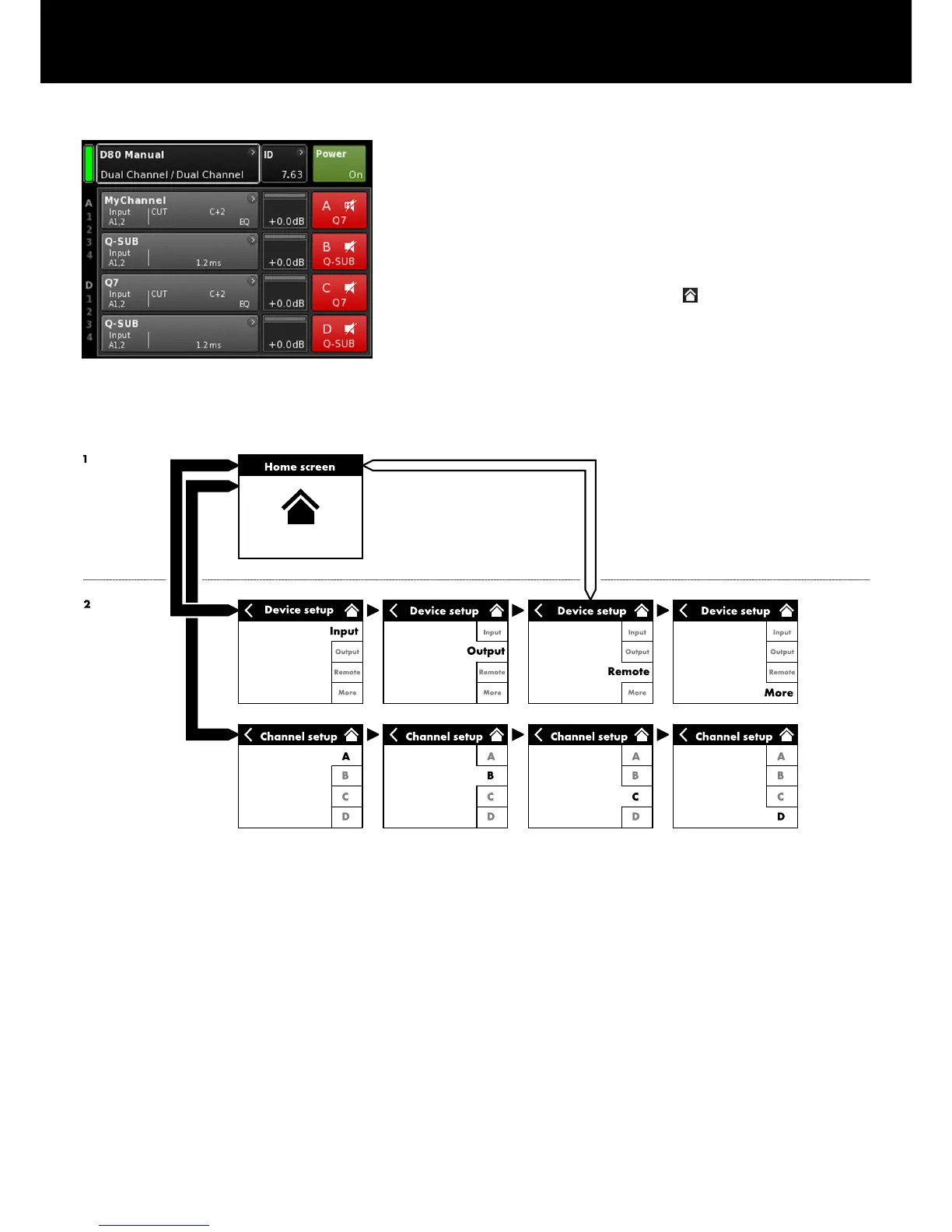
From the Home screen, the menu structure of the operating
software is divided into two main axes, the Device setup and the
Channel setup. The navigation buttons allow for direct vertical
access to the specific submenus while the tab structure on the right
side of each submenu provides a clear horizontal order.
In addition, the Home screen gives direct access to the Remote
subscreen.
The Home screen can be accessed from any screen or menu at
any level using the Home button (
).
Home screen access chart
Hierarchy level
6. Home screen
d&b D80 Manual 1.8 en26


 To Next Page