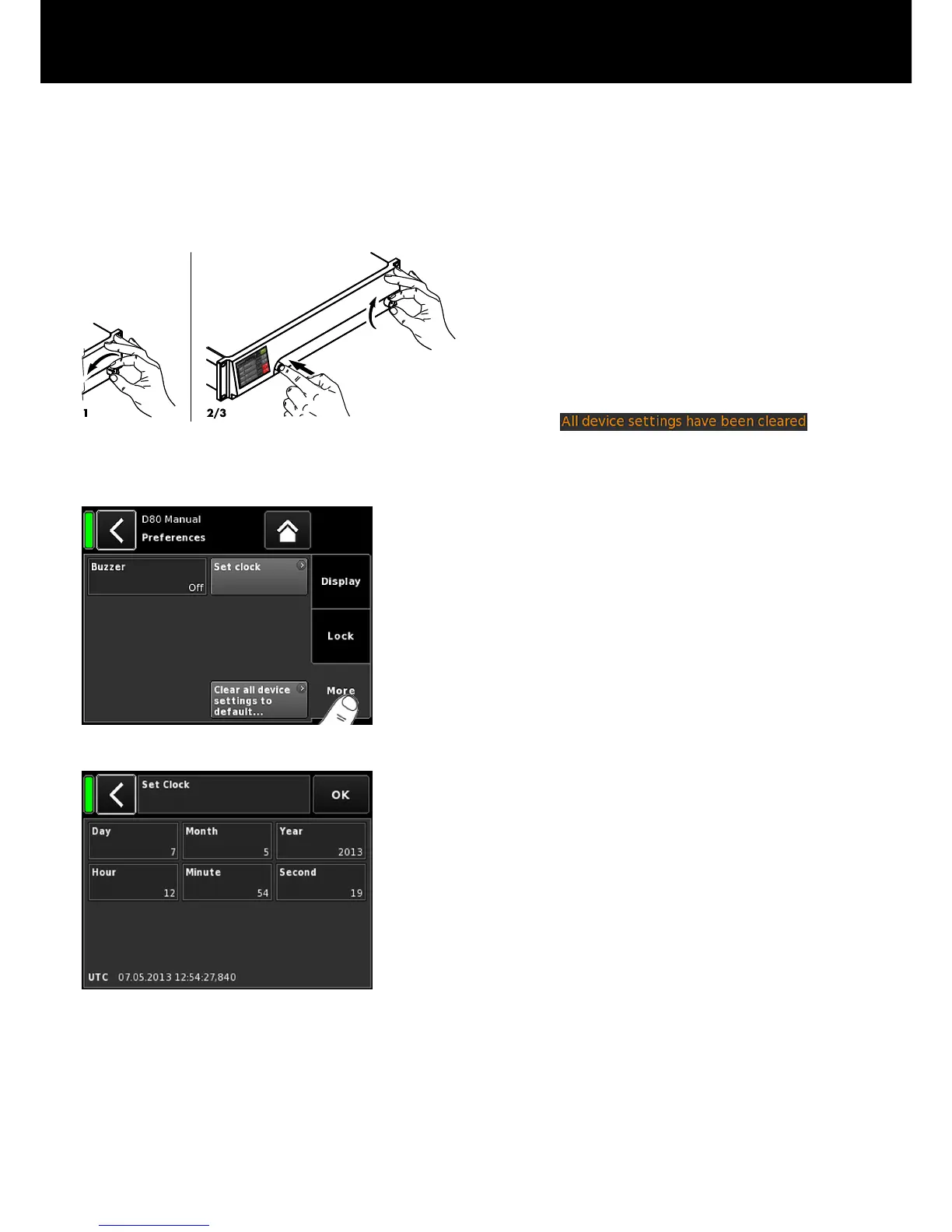
Note: All device preferences will be set to factory defaults
except for the network (CAN/Ethernet) and fixed device
settings.
If you execute this procedure, no dialog will be prompted and
the reset will start immediately.
1. Switch off the device.
2. Press and hold the encoder and repower the device.
Þ
Long confirmation beep.
3. Release the encoder and briefly press the encoder again
within 2 sec.
Þ
Short confirmation beep.
The device will boot up and will switch to the Home
screen. A corresponding message will be issued:
9.5.1.3. Preferences/More
Selecting the «More» tab opens the corresponding subscreen
which provides the following options.
Buzzer
Enables the following settings:
Off
The internal buzzer is switched off.
On The internal buzzer is switched on and serves as an
acoustic signal in case of a device or channel error.
Single The internal buzzer generates an intermittent single
tone.
Melody The internal buzzer generates a predefined sequence
of tones.
Set clock
Enables setting the internal clock while the current UTC
(Coordinated Universal Time) date and time are displayed at the
bottom of the screen.
Within a Remote network, the device's clock is synchronized with
the connected PC.
d&b D80 Manual 1.8 en 45


 To Next Page