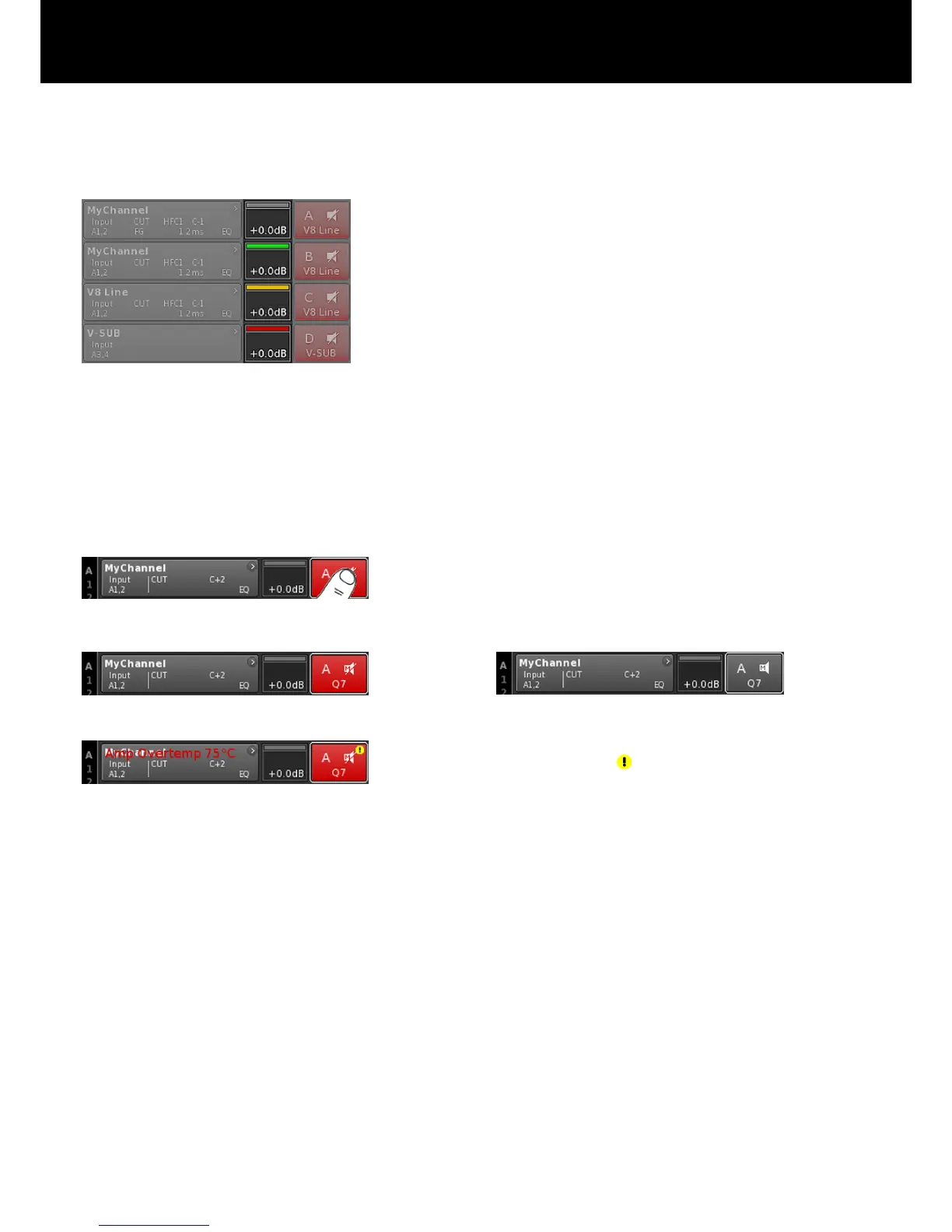
ISP/OSP/GR/OVL
Indicates whether the DSP receives an input signal and whether the
DSP output signal is present (provided the channel is not muted).
Grey No signal present.
Dark
green:
Channel input signal present (ISP).
Bright
green:
Controller (DSP) output signal present (OSP).
Yellow GR (Gain Reduction):
Illuminates when one limiter reduces the signal by a
predefined level (GR ³ 3 dB).
Red OVL (Overload):
Illuminates when ...:
– any signal within the channel exceeds
–2 dBFS.
– DSP suffers from an internal EQ filter overflow.
– any limiter causes a gain reduction of 12 dB
or more.
– the output signal is limited to prevent distortion
due to output peak current overload of >70 A.
Channel mute
Þ
To mute or unmute a single channel or a pair of channels,
simply tap the respective Channel mute button.
Þ
The Channel mute button displays the mute status of the
relevant channel or pair of channels and the loudspeaker
setup loaded.
Channel unmuted
A channel error is indicated on the Channel mute button by an
exclamation mark Þ .
A corresponding error message is issued on the Channel view
button.
Channel muted
d&b D80 Manual 1.8 en 29


 To Next Page