QUICK START GUIDE
Connect your instrument into the 1/4” INPUT.
Connect a compatible power supply (9V center
negative, min. 500 mA) to the power connector.
Connect at least one of the following:
· Headphones into the headphone jack
· USB-C cable between the USB connector and your
computer*
· Instrument cable between one of the balanced 1/4”
outputs and your amplifier’s input
· XLR cable between DIRECT OUTPUT and your
mixing desk or audio interface
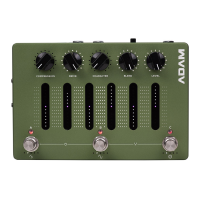
ADAM is pre-programmed with three presets,
A, B, and C that are selectable via the dedicated
footswitches. Press and hold one of the footswitches
for two seconds to save your changes into a preset.
Adjust the level (and headphone volume, if applicable)
to your liking and start playing!
*Using ADAM as an audio interface may require
some extra steps depending on your operating
system
CONNECTIONS
INPUT
This is the primary instrument input on ADAM.
Connect your instrument or output from your pedal
board to the 1/4” mono jack.
AUX IN
The stereo input of ADAM enables the playback
of backing tracks while practicing or recording.
Connect your mobile phone, laptop etc. to the 1/8”
stereo jack.
HEADPHONE OUTPUT
The headphone output can handle headphones with
an impedance of 16 - 600 ohms.
Connect your headphones to the 1/8” stereo jack
and set the desired level from the dedicated
potentiometer next to the jack.
BALANCED OUTPUTS
The two balanced outputs add routing versatility and
the option of using ADAM as a fully equipped audio
interface.


 To Next Page