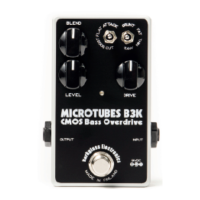
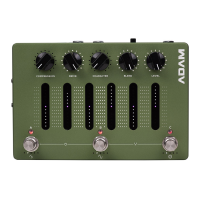
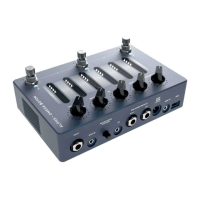
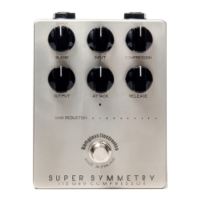
The Darkglass Microtubes Infinity is a versatile audio interface and signal processor designed for bass and guitar, offering a comprehensive suite of features for recording, practice, and live performance. It integrates compression, distortion, cabinet simulation, and a graphic equalizer into a single, compact unit.
Function Description:
The Microtubes Infinity serves as a central hub for your instrument's signal chain. It features a primary 1/4" mono input for your instrument or pedalboard output. For practice or recording with backing tracks, it includes a 1/8" stereo Aux In. The device offers multiple output options for various scenarios: a 1/8" stereo headphone output with a dedicated volume potentiometer, two 1/4" balanced outputs (TRS connector, Tip +, Ring -, Sleeve GND) for studio monitors, amplifiers, or other effects, and an XLR Direct Output with a ground lift switch for reliable connection to mixing desks or audio interfaces. MIDI capabilities are expanded through a standard 1/8" TRS (Type B) jack for external MIDI controllers and USB MIDI support. The USB-C port enables the Microtubes Infinity to function as a USB audio interface, allowing interaction with the Darkglass Suite desktop app for software updates, access to the Darkglass IR library, and advanced controls.
The internal signal chain is highly customizable, featuring several key blocks:
- Compressor: A one-knob solution with five selectable ratios (4:1, 8:1, 12:1, 20:1, and ALL IN). It intelligently applies makeup gain to maintain usable output levels.
- Distortion/Preamp: Offers five different modes: Clean tube preamp, Vintage Microtubes, Microtubes B3K, Vintage Microtubes multi-band, and Microtubes B3K multi-band. These modes provide a range of clean to heavily distorted tones. Additional controls like GRUNT, MIDBOOST, high-pass, and low-pass filters are accessible via Bluetooth/USB connection and the Darkglass Suite.
- Cabinet Simulation (Cabsim): Supports Impulse Response (IR) cabinet simulations with five onboard slots. Default IRs are pre-selected by Darkglass, and new IRs can be assigned via the Darkglass Suite. The position of the Cabsim block within the signal chain can be adjusted using the Suite.
- Blend: Allows mixing the distorted/preamp signal with the clean sidechain signal. Depending on the distortion/preamp setting, the clean sidechain can be either full-band or low-band.
- EQ: A programmable 6-band graphic equalizer, last in the signal chain, for fine-tuning your sound.
Important Technical Specifications:
- Input Impedance: 1 MΩ
- Output Impedance: 220 Ω
- Current Consumption: ~500mA
- Voltage: 9VDC (center negative)
- Power Supply: Compatible power supply (9V center negative, min. 500 mA)
- Headphone Output: Supports headphones with an impedance of 16 - 600 ohms.
- USB Audio Interface: Supports 48 kHz and 44.1 kHz sampling rates.
- USB Routing (Output to Microtubes Infinity):
- Output 1: Balanced left + Headphone left
- Output 2: Balanced right + Headphone right
- Output 3: Balanced left
- Output 4: Balanced right
- Output 5: XLR DI (mono)
- USB Input (from Microtubes Infinity):
- Input 1: Processed signal
- Input 2: Unprocessed raw signal
- Input 3: Aux left + Bluetooth left
- Input 4: Aux right + Bluetooth right
- Tuner: Five-octave chromatic tuner, tunes notes between A0 and A#5, derived from A4 = 440 Hz.
Usage Features:
The Microtubes Infinity is designed for intuitive control and flexibility:
- Smart Potentiometers: Five main potentiometers (Compression, Drive, Mod, Blend, and Level) sculpt the signal chain. Their positions are stored per preset, with an LED ring indicating the stored value, regardless of the physical knob position.
- DRIVE: Adds distortion/drive or blends in tube preamp emulation.
- TONE/ERA: Adjusts tone from dull to crisp. On Vintage Microtubes modes, it acts as an ERA control for classic bass tones.
- BLEND: Mixes distortion/preamp signal with the clean sidechain.
- LEVEL: Controls the master volume.
- Touch Sensitive Sliders: Six sliders control the 6-band graphic EQ. Each slider has a -12 dB to 12 dB range. Default frequency bands are low shelf, 250 Hz, 500 Hz, 1.5 kHz, 3 kHz, and high shelf. These can be changed to 100 Hz, 200 Hz, 400 Hz, 800 Hz, 1.6 kHz, 3.2 kHz via the Darkglass Suite. Swiping up boosts, swiping down cuts. Double-tapping resets to 0 dB.
- Rotary Footswitch Encoders: Three footswitch encoders (-∞, 0, +∞) can be pressed or rotated.
- Pressing A, B, or C: Switches between three pre-programmed presets.
- Rotating -∞: Changes compressor ratio or bypasses the compressor.
- Rotating 0: Changes distortion mode or bypasses distortion.
- Rotating +∞: Changes active IR or bypasses IR.
- LEDs under each encoder indicate rotational position and bypass status.
- Presets: The device comes with three pre-programmed presets (A, B, C). Changes can be saved to any of these presets by pressing and holding the corresponding footswitch for two seconds. Three additional presets can be accessed via MIDI or the Darkglass Suite.
- Audition Mode: When parameters are changed, the current preset's color LED gently breathes, indicating that edits are active. These can be saved or discarded.
- Tuner Mode: Activated by pressing 0 and +∞ simultaneously. Displays tuning status on the sliders and LEDs. The device mutes audio output in tuner mode.
- Bypass Mode: Activated by pressing -∞ and 0 simultaneously. Passes the unprocessed input signal directly to the outputs, turning off all LEDs.
- Performance Lock: Activated by pressing A and C simultaneously. Locks the device to prevent accidental parameter changes during live use, while still allowing preset changes and access to tuner/bypass modes.
- Bluetooth Pairing: Initiated by pressing and holding an encoder while simultaneously rotating it. The five LEDs under the encoder illuminate sequentially, and pairing begins when all five are lit. The device appears as "Microtubes Infinity" on available Bluetooth devices.
- USB Audio Interface Functionality: Allows recording processed and unprocessed signals simultaneously, as well as stereo tracks from the Aux input. Mac users do not require additional drivers. Windows users need to download the latest USB audio drivers from the Darkglass website.
- Audio Routing: The Level potentiometer controls instrument input volume across all four outputs when not bypassed. When bypassed, it has no effect. Media volume (Aux, Bluetooth) to headphones and balanced outputs is controlled by a small potentiometer. When using balanced outputs, media and instrument volumes are controlled separately. For headphones, the headphone volume potentiometer acts as an overall master volume for both media and instrument input. The XLR DI output is routed only with the instrument output and USB output 5.
Maintenance Features:
- Darkglass Suite: The desktop app allows for software updates, access to the extensive Darkglass IR library (containing hundreds of bass and guitar cabinet simulations), and advanced control over various parameters (GRUNT, MIDBOOST, high-pass, low-pass filters). It also enables managing, editing, sharing, and loading presets.
- IR Library: The Darkglass Suite provides access to a growing library of Impulse Response files, including captures of Darkglass Elite Series and Neodymium Series cabinets.

 Need help?
 General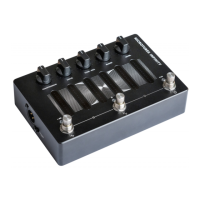

 To Next Page