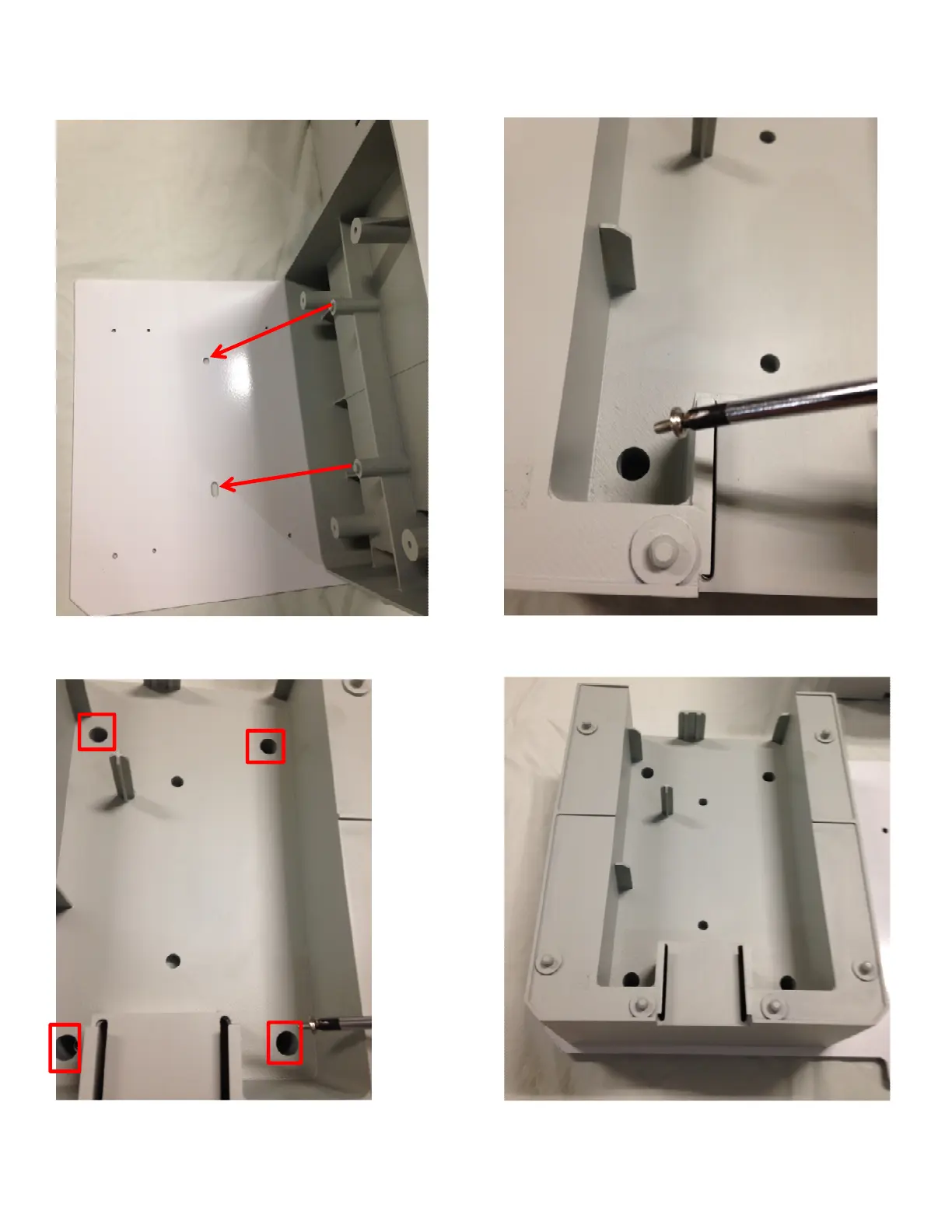
Step 2 – attach the Laminator Station Stand to the Mounting Plate.
2
) Place and align the Laminator Stand alignment 3) Using a magnetic #1 Phillips Screw driver and the
p
osts,
as noted, to the Mounting Plate. 4 supplied screws.
4) Fasten the Stand to the Mounting Plate
5) Stand fastened securely to Mounting Plate
in all four locations, securing it to the Plate.



 To Next Page