Sentry K350 hardware encrypted USB flash drive - User Guide
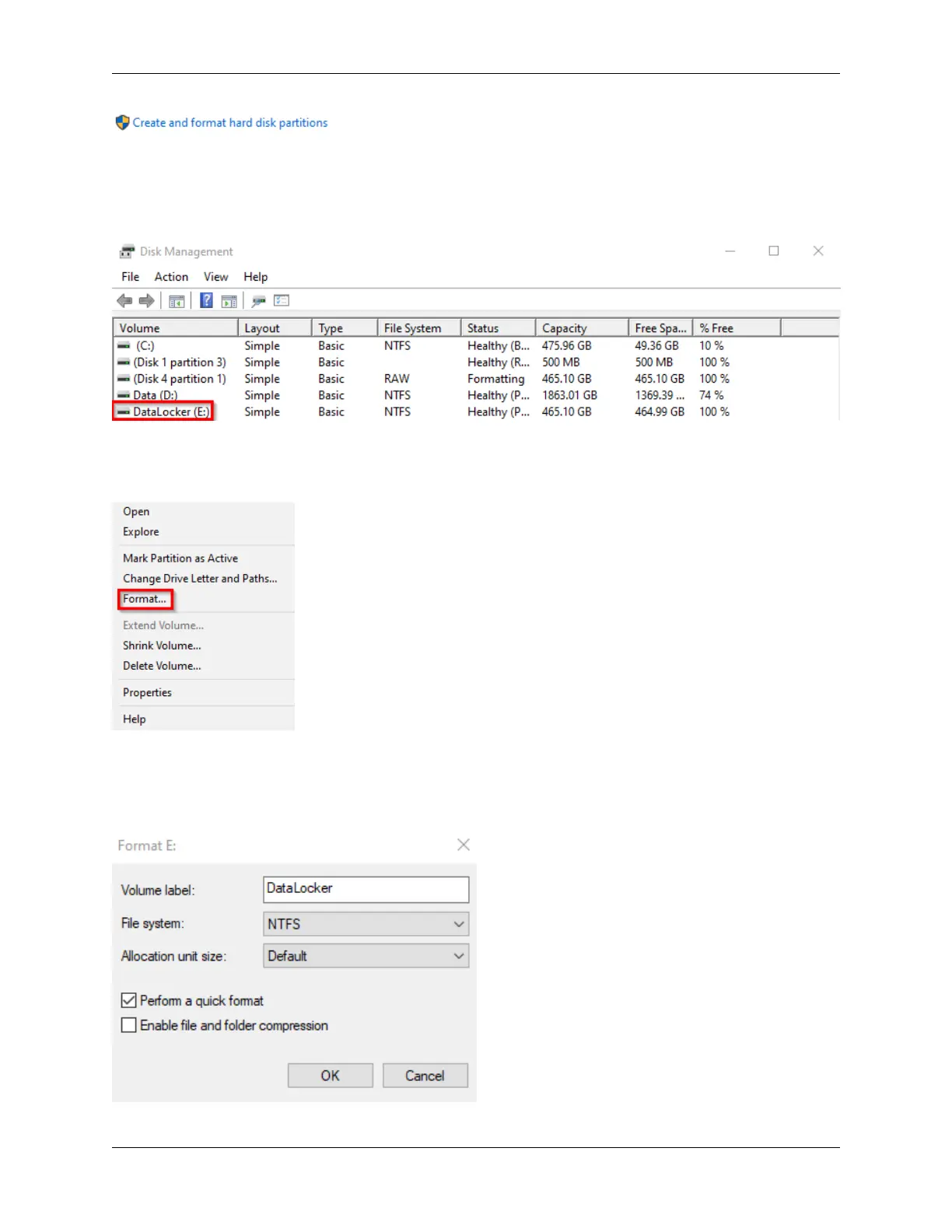
6. Right click on the drive letter that corresponds to your K350. This example shows (E:). If the
drive is not showing up you may need to right click and initialize the drive first.
7. Select Format.
8. Choose an appropriate ‘Volume Label’ and ‘File system’, default from the factory is exFAT.
Click OK.
© 2021 DataLocker Inc. All rights reserved. 24



 To Next Page