EasyManua.ls Logo

Datalogic Gryphon GD4130 - User Manual

Datalogic Gryphon GD4130
4 pages
Print Icon
To Next Page IconTo Next Page
Loading...
Page 1 of 4
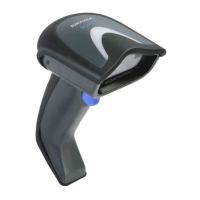
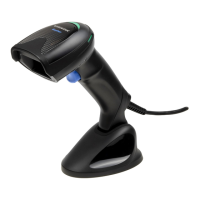
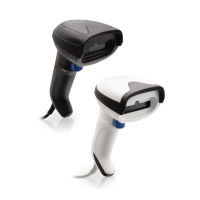
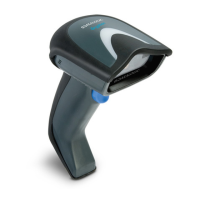
Gryphon™ I GD4130
General Purpose USB Corded Handheld - Linear Imager 1D Barcode Reader
DECODING CAPABILITY
1D / LINEAR CODES - Auto discriminates all standard 1D codes including
GS1 DataBar™ linear codes
WARRANTY
5-Year Factory Warranty – www.scanning.datalogic.com
DATALOGIC WEBSITE SUPPORT
The Datalogic website is the complete source for technical support and
information for Datalogic products. The site offers product support,
registration, warranty information, product manuals, product tech notes,
software updates, demos and instructions for returning products for repair.
TELEPHONE & TECHNICAL SUPPORT
If you do not have internet or email access, you may contact Datalogic technical support at (541)349-8283 or check the back
cover of your manual for more contact information.
Datalogic Scanning, Inc. - USA
959 Terry Street
Eugene, OR 97402
(541) 683-5700
UNPACKING
Check carefully to ensure the Reader and Cable are present and undamaged. If any damage has occurred in shipment or if
items appear to be missing, contact Technical Support immediately. This unit is powered through its USB connection to
your computer.
KEEP THE PACKAGING
Should the unit require service, it must be returned in its original shipping container with all
its original contents.
Resetting Standard Product Defaults
If you aren’t sure what programming options are in your Reader, or you’ve changed some options and want the factory
settings restored, the barcode below will restore the factory configuration for the currently active interface.
~ (tone pattern) # # > # # # # ~
DO NOT scan the ENTER/EXIT Programming Mode prior to scanning the Standard Product Default Settings.
PDS Tech Support 800.286.8929 option 2 Datalogic Tech Support 541.349.8283
Question and Answer IconNeed help?

Do you have a question about the Datalogic Gryphon GD4130 and is the answer not in the manual?

Summary

Product Information and Support

Warranty Details

Provides information on the 5-Year Factory Warranty and the website for related support.

Technical Support Access

Details website support resources and provides telephone contact for technical assistance.

Unpacking and Packaging Instructions

Guidance on checking contents for damage or missing items and retaining original packaging for service.

Configuration and Operation

Resetting Standard Product Defaults

Instructions and barcode to restore the reader to its factory default configuration.

Programming Barcodes for USW

Enter;Exit Programming Mode

Barcode to initiate and conclude the reader's programming sequence.

Enable Interleaved 2 of 5 Standard

Barcode to enable the scanner to read Interleaved 2 of 5 symbology used by the USW program.

Set Interleaved 2 of 5 Minimum Reads

Barcode to specify the minimum consecutive reads for Interleaved 2 of 5 labels.

Interleaved 2 of 5 Length Settings

Length Control for Interleaved 2 of 5

Setting to specify Fixed Length Decoding for the Interleaved 2 of 5 symbology.

Set Fixed Length 1 for I 2 of 5

Instructions to set the first fixed length value for Interleaved 2 of 5 symbology.

Advanced Interleaved 2 of 5 Configuration

Set Fixed Read Length 2 for I 2 of 5

Instructions to configure the second fixed length setting, which is ignored in this setup.

Exit Programming Mode and Save

Barcode to exit programming mode, save settings, and confirm reader setup for USW program.

Summary

Product Information and Support

Warranty Details

Provides information on the 5-Year Factory Warranty and the website for related support.

Technical Support Access

Details website support resources and provides telephone contact for technical assistance.

Unpacking and Packaging Instructions

Guidance on checking contents for damage or missing items and retaining original packaging for service.

Configuration and Operation

Resetting Standard Product Defaults

Instructions and barcode to restore the reader to its factory default configuration.

Programming Barcodes for USW

Enter;Exit Programming Mode

Barcode to initiate and conclude the reader's programming sequence.

Enable Interleaved 2 of 5 Standard

Barcode to enable the scanner to read Interleaved 2 of 5 symbology used by the USW program.

Set Interleaved 2 of 5 Minimum Reads

Barcode to specify the minimum consecutive reads for Interleaved 2 of 5 labels.

Interleaved 2 of 5 Length Settings

Length Control for Interleaved 2 of 5

Setting to specify Fixed Length Decoding for the Interleaved 2 of 5 symbology.

Set Fixed Length 1 for I 2 of 5

Instructions to set the first fixed length value for Interleaved 2 of 5 symbology.

Advanced Interleaved 2 of 5 Configuration

Set Fixed Read Length 2 for I 2 of 5

Instructions to configure the second fixed length setting, which is ignored in this setup.

Exit Programming Mode and Save

Barcode to exit programming mode, save settings, and confirm reader setup for USW program.

Overview

The Datalogic Gryphon I GD4130 is a general-purpose USB corded handheld linear imager 1D barcode reader designed for efficient and reliable data capture. This device is engineered to provide users with a straightforward and robust solution for scanning 1D barcodes in various environments. Its primary function is to read and decode standard 1D linear codes, including GS1 DataBar™™ linear codes, with an auto-discriminating capability that simplifies operation.

Function Description

The Gryphon I GD4130 operates as a dedicated barcode scanner, converting optical information from barcodes into digital data that can be processed by a connected computer system. As a linear imager, it captures an image of the barcode and then digitally processes it to extract the encoded information. This method offers advantages in terms of durability and performance compared to traditional laser scanners, especially when dealing with poorly printed or damaged barcodes. The device is designed for handheld use, providing flexibility and ease of movement for operators who need to scan items at various locations or angles. Its corded USB connection ensures a stable and continuous power supply and data transfer, eliminating the need for battery management and providing a reliable link to the host system. The auto-discrimination feature for 1D linear codes means that the scanner can automatically identify and decode different types of 1D barcodes without requiring manual configuration for each symbology, streamlining the scanning process and reducing operational complexity. This makes it suitable for applications ranging from retail point-of-sale to inventory management and document tracking, where a wide variety of 1D barcodes might be encountered.

Usage Features

The Gryphon I GD4130 is designed with user-friendliness in mind, offering several features that enhance its usability and integration into existing systems.

  • Plug-and-Play Connectivity: The USB interface allows for easy connection to a host computer, typically requiring minimal setup. This plug-and-play functionality means that the device can often be used immediately after being plugged in, without the need for extensive driver installations, making it convenient for quick deployment.
  • Programming Mode: The device includes a programming mode that allows users to customize various operational settings by scanning specific configuration barcodes. This mode is initiated and concluded by scanning an "Enter/Exit Programming Mode" barcode. While in programming mode, the scanner's top LED blinks continuously, providing visual feedback to the user. After each configuration barcode is scanned, the reader emits a specific tone pattern, indicating that the setting has been accepted. This auditory feedback is crucial for ensuring that programming sequences are correctly executed. Users are advised to allow sufficient time between scans for the reader to accept the encoding, listening for the confirmation tones.
  • Symbology Enablement: The programming mode allows users to enable or disable specific barcode symbologies. For instance, the "Enable Interleaved 2 of 5 Standard" setting allows the scanner to read Interleaved 2 of 5 symbology, which is common in various applications. This selective enablement helps to optimize scanner performance by focusing on relevant barcode types and potentially preventing misreads from unintended symbologies.
  • Minimum Reads Configuration: For certain symbologies, such as Interleaved 2 of 5, the scanner can be configured to require a minimum number of consecutive successful decodes before a label is accepted as a good read. This "Minimum Reads" feature enhances data accuracy by reducing the likelihood of partial or incorrect reads, which is particularly useful in environments where barcode quality might vary. For example, setting "I 2 of 5 Minimum Reads = 2" means the scanner must successfully decode the same Interleaved 2 of 5 barcode twice in a row before transmitting the data.
  • Fixed Length Decoding: The Gryphon I GD4130 supports fixed-length decoding for specific symbologies. This feature is critical for applications where barcodes are expected to have a precise number of characters. By setting "I 2 of 5 Length Control = Fixed Length," the scanner will only accept Interleaved 2 of 5 barcodes that match a predefined length. Users can then specify these fixed lengths, such as "I 2 of 5 Set Length 1" and "I 2 of 5 Set Length 2," by scanning numeric barcodes. For example, setting Fixed Length 1 to "08" would mean the scanner only accepts Interleaved 2 of 5 barcodes that are exactly 8 characters long. The ability to set multiple fixed lengths provides flexibility for environments that use different barcode lengths for the same symbology.
  • Visual and Auditory Feedback: Beyond the programming mode, the scanner provides clear feedback during normal operation. A successful scan is typically indicated by an audible beep and/or a visual indicator (e.g., an LED flash), confirming to the user that the barcode has been read correctly. This immediate feedback is essential for efficient workflow and error prevention.
  • Ergonomic Design: As a handheld device, the Gryphon I GD4130 is likely designed with ergonomics in mind, featuring a comfortable grip and a balanced weight distribution to reduce user fatigue during extended periods of scanning. The corded nature also means it doesn't add the weight of a battery, contributing to its lighter feel.

Maintenance Features

The Gryphon I GD4130 is designed for durability and ease of maintenance, with several aspects contributing to its long-term reliability and serviceability.

  • Robust Construction: While specific material details are not provided, Datalogic products are generally known for their robust construction, designed to withstand the rigors of daily use in various operational environments. This inherent durability minimizes the need for frequent repairs or replacements.
  • Packaging Retention: Users are explicitly instructed to "KEEP THE PACKAGING." This is a crucial maintenance feature, as the original shipping container is required if the unit ever needs service. Returning the unit in its original packaging, with all its original contents, ensures that the device is protected during transit to a service center, preventing further damage and facilitating efficient repair processes.
  • Factory Warranty: The device comes with a "5-Year Factory Warranty," which is a significant maintenance feature. This warranty provides peace of mind, covering potential defects in materials and workmanship for an extended period. Users can refer to www.scanning.datalogic.com for more information regarding warranty terms and conditions.
  • Online Support Resources: Datalogic provides comprehensive online support through its website (www.scanning.datalogic.com). This website serves as a complete source for technical support and information, offering product support, registration, warranty information, product manuals, product tech notes, software updates, demos, and instructions for returning products for repair. This readily available information empowers users to troubleshoot minor issues independently and access necessary resources for more complex problems.
  • Telephone and Technical Support: For users without internet or email access, Datalogic offers telephone technical support. Contact information, such as (541)349-8283, is provided, ensuring that assistance is accessible through multiple channels. This direct line to technical experts allows for personalized troubleshooting and guidance.
  • Unpacking and Initial Inspection: Upon receiving the device, users are advised to "Check carefully to ensure the Reader and Cable are present and undamaged." This initial inspection is a preventative maintenance step, ensuring that any shipping damage or missing items are identified immediately, allowing for prompt resolution with technical support.
  • Resetting Standard Product Defaults: A critical maintenance feature is the ability to "Resetting Standard Product Defaults." If programming options become confused or if users wish to revert to the factory settings, scanning a specific "Standard Product Default Settings" barcode will restore the original configuration for the currently active interface. This function is invaluable for troubleshooting configuration issues and ensuring the device operates as intended without complex manual reconfigurations. Users are cautioned "DO NOT scan the ENTER/EXIT Programming Mode prior to scanning the Standard Product Default Settings" when performing this reset, indicating a specific procedure to follow for correct execution.
  • USB Power: The unit is powered through its USB connection to the computer. This eliminates the need for external power adapters or batteries, simplifying power management and reducing potential points of failure associated with separate power sources. It also means there are no batteries to replace or recharge, contributing to lower ongoing maintenance.

In summary, the Datalogic Gryphon I GD4130 is a reliable and user-friendly 1D barcode reader designed for straightforward operation and easy integration. Its robust design, comprehensive support resources, and flexible programming options make it a practical choice for various data capture applications, while its maintenance features ensure long-term usability and support.

Datalogic Gryphon GD4130 Specifications

General IconGeneral
TypeHandheld bar code reader
Scan speed325 sec/page
Sensor typeCCD
Tilt angle range0 - 35 °
Decoding standards1D, GS1
Dimensions (WxDxH)181 x 71 x 100 mm
Standard interfacesRS-232, USB, Keyboard wedge
Product colorBlack
Storage temperature (T-T)-20 - 70 °C
Operating temperature (T-T)0 - 55 °C
Operating relative humidity (H-H)0 - 90 %
Weight and Dimensions IconWeight and Dimensions
Weight169 g

Related product manuals