EasyManua.ls Logo

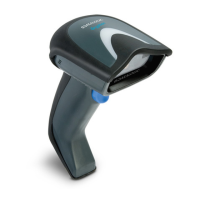
Datalogic Gryphon I GD4132 - User Manual

Datalogic Gryphon I GD4132
354 pages
Print Icon
To Next Page IconTo Next Page
Loading...
Gryphon™ Family
General Purpose Handheld
Linear Imager Bar Code Readers
Gryphon I GD4132/GM4102
Gryphon BT4102
Product Reference Guide

Table of Contents

Other manuals for Datalogic Gryphon I GD4132

Questions and Answers

  • K
    Kent HendersonAug 5, 2025
    What to do if the Datalogic Barcode Reader LED is on, but the barcode does not decode?
    • W
      wilsonallisonAug 5, 2025
      If the LED on your Datalogic Barcode Reader lights up but the barcode isn't decoding, there are a few potential reasons. First, the imager might not be programmed to read that specific type of barcode, so you should ensure it is set up correctly. Secondly, the barcode label itself could be damaged or unreadable, so check for any visible defects and try scanning a different barcode. Finally, the distance between the barcode and the imager could be off, so try moving the imager closer or further away from the barcode.
  • J
    Jennifer RobersonAug 14, 2025
    How to fix Datalogic Gryphon I GD4132 when barcode is decoded but not transmitted to the host?
    • A
      Arthur ParkerAug 14, 2025
      If your Datalogic Barcode Reader decodes the barcode but doesn't transmit it to the host, the imager might not be programmed for the correct host type. To resolve this, scan the appropriate host type barcode.
  • B
    bmeyerAug 25, 2025
    Why nothing happens when I pull the scan button on my Datalogic Barcode Reader?
    • M
      Matthew MorenoAug 25, 2025
      If nothing happens when you pull the scan button on your Datalogic Barcode Reader, there are a couple of things to check. First, make sure the imager is receiving power by checking the system power and ensuring the power supply is properly connected. Also, verify that all cable connections are secure, as loose interface or power cables can prevent the device from functioning.

Datalogic Gryphon I GD4132 Specifications

General IconGeneral
Product NameDatalogic Gryphon I GD4132
CategoryBarcode Reader
TypeHandheld
ConnectivityWired
Interfaces SupportedUSB, RS-232, Keyboard Wedge
Drop Resistance1.5 m
Decode Capability1D
Operating Temperature0°C to 50°C
Storage Temperature-20°C to 60°C
Humidity5% to 95% (non-condensing)
Power Supply5 VDC
Cable Length1.8 m
ComplianceCE, FCC

Related product manuals