EasyManua.ls Logo

Datalogic Gryphon I GBT4200 - User Manual

Datalogic Gryphon I GBT4200
56 pages
Print Icon
To Next Page IconTo Next Page
Loading...
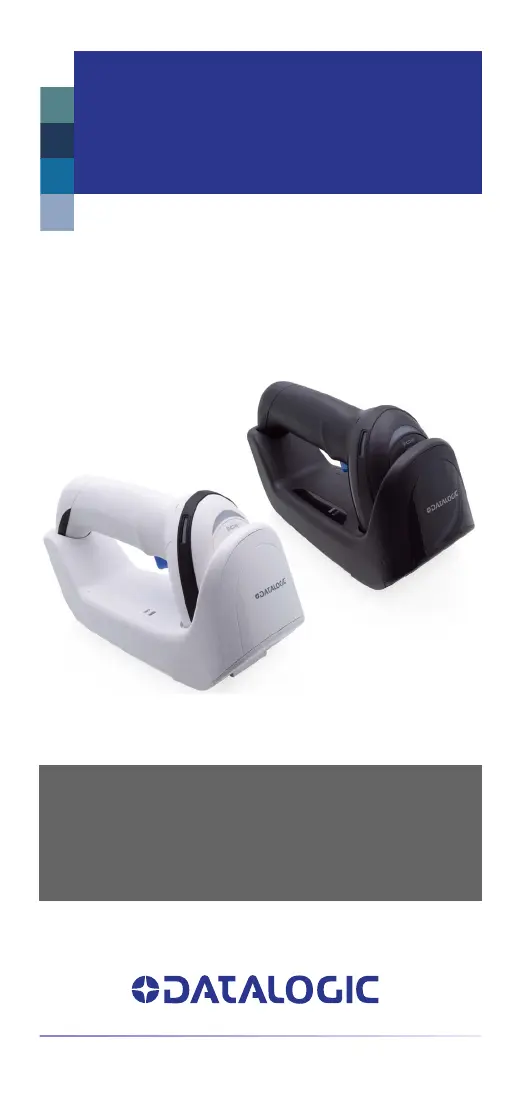
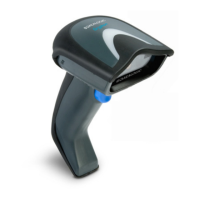
Gryphon™ I
GBT/GM4200
QUICK REFERENCE GUIDE
General Purpose Handheld
Bar Code Reader
with Bluetooth® Wireless Technology or
Datalogic’s STAR Cordless System™

Questions and Answers

  • C
    Carol SmithAug 7, 2025
    What to do if Datalogic Barcode Reader LED is on but not decoding?
    • S
      Savannah SanfordAug 7, 2025
      If the LED is on but the barcode isn't decoding, it could be due to several reasons. First, the reader might not be programmed for the specific barcode type you're scanning, so ensure it is properly programmed. Second, the barcode label might be damaged or unreadable; check the label or try a different barcode. Finally, the distance between the reader and the barcode could be incorrect; try moving the reader closer or further away from the barcode.
  • R
    Richard PetersonAug 14, 2025
    How to fix Datalogic Barcode Reader when nothing happens after pulling the scan button?
    • A
      Anthony CabreraAug 14, 2025
      If nothing happens when you pull the scan button on your Datalogic Barcode Reader, the issue might be due to a lack of power or loose connections. Check the system power and ensure the power supply is properly connected. Also, make sure all cable connections are secure.
  • S
    Samuel SmithAug 21, 2025
    What to do if Datalogic Barcode Reader isn't working on the cradle?
    • B
      brianjacobsonAug 21, 2025
      If nothing happens when the reader is on the cradle (no start-up, blinking LEDs, or charging), there might be foreign objects on the base surface causing incorrect positioning of the reader. Remove any foreign objects and ensure the base surface is clean.
  • S
    Sheryl OlsonAug 29, 2025
    Why is my Datalogic Gryphon I GBT4200 decoding but not transmitting?
    • S
      santiagobrianAug 29, 2025
      If your Datalogic Barcode Reader decodes the barcode but doesn't transmit it to the host, the reader might not be programmed for the correct host type. Scan the appropriate host type barcode to resolve this issue.

Summary

GRYPHON GBT;GM4200 Description

Top Productivity for POS and Document Handling

Explains how the Gryphon GBT/GM4200 enhances productivity for POS and document handling tasks.

Decoding Bar Codes

Details the reader's ability to decode various types of bar codes accurately and rapidly.

Setting Up the Reader

Configure the Base Station

Instructions for initial setup and configuration of the base station.

Charge the Batteries

Guidance on how to charge the scanner's batteries.

Link to the Base Station

Steps to establish a connection between the scanner and the base station.

Select the Interface Type

Instructions for choosing the correct interface type for host connectivity.

Configure the Reader

Optional steps for configuring the reader based on specific needs.

Positioning the Base Station

Details how to set up the base station in horizontal or vertical positions for optimal use.

Reader, Cradle, and LEDs Description

Gryphon Base LEDs

Explanation of the LEDs on the scanner and base station for status indication.

Connecting the Base Station

Base Station Connection and Routing

Steps to connect the base station to a host device via an interface cable.

Securing the DC Power Cord

Optional method to secure the DC power cord for better cable management.

System and Network Layouts

Stand Alone Layouts

Illustrates different configurations for standalone reader systems.

Charging the Batteries

The GBT;GM4200 Scanner

Details on scanner LEDs and battery status indication.

The WLC4190 Radio Base

Radio Base LEDs

Explanation of LEDs on the radio base for status and charging.

Using the Gryphon GBT;GM4200 Reader

Aiming System

Description of the reader's aiming system for targeting bar codes.

Aiming Pattern Size and Location

Visual guide to the aiming pattern's size and placement for successful reads.

Linear Bar Illumination

Explains how the linear bar illumination helps in reading bar codes at different distances.

Green Spot Size and Location

Illustrates the green spot's position for confirming successful bar code reads.

Linking the Reader

Link Datalogic Devices to Base

Procedure to link handheld scanners to the base station.

Link Scanner as Serial Device to Bluetooth Host

Steps to connect the scanner to a host via Bluetooth using SPP profile.

Link Scanner as HID Device to Bluetooth Host

Instructions for connecting the scanner to a host via Bluetooth using HID profile.

Powering Off the Reader

Procedure to shut down the handheld reader.

Selecting the Interface Type

Interface Selection Overview

Overview of supported host interfaces and how to select them.

Configuring the Interface

RS-232 and IBM Interface Configuration

Configures RS-232 and IBM interfaces using specific bar codes.

USB Interface Configuration

Instructions and bar codes for configuring USB interfaces.

Keyboard Wedge Interface Configuration

Bar codes for selecting various keyboard types for Keyboard Wedge interface.

Programming the Reader

Using Programming Bar Codes

How to use bar codes to reconfigure reader settings.

Resetting Product Defaults

Procedure to restore the reader to its original factory default settings.

Numlock Configuration

Specifies the setting of the Numbers Lock key for keyboard wedge interfaces.

Caps Lock State Configuration

Specifies how the reader sends character data for keyboard wedge interfaces.

Reading Parameters

Good Read Green Spot Duration

Sets the duration for the good read green spot indicator.

Operating Modes

Scan Mode Options

Details the different scanning modes available for the reader.

Technical Specifications

Physical Characteristics

Details the physical attributes of the scanner and base station.

Electrical Characteristics

Provides electrical specifications for power, consumption, and battery.

Environmental Characteristics

Lists environmental operating and storage conditions for the device.

Optical Characteristics

Details the optical sensor, illumination, and field of view specifications.

Reading Characteristics

Details the depth of field and resolution for reading bar codes.

Decode Capability

Lists all the 1D bar code symbologies the reader can decode.

LED and Beeper Indications

Troubleshooting

Warranty Information

Ergonomic Recommendations

Cleaning Procedure

Common Cleaning Solutions

Lists recommended cleaners and disinfectants for the product enclosures.

Cleaning Enclosure and Window Surfaces

Step-by-step instructions for cleaning the scanner and base surfaces.

Replacing the Battery Pack

Battery Safety

Datalogic Gryphon I GBT4200 Specifications

General IconGeneral
ConnectivityBluetooth, USB
Weight245.0 g / 8.6 oz
Light SourceLED
Print Contrast Ratio (Minimum)20%
Humidity5% to 95% (non-condensing)
IP RatingIP52
Operating Temperature0 to 50 °C / 32 to 122 °F
Drop Resistance1.8 m
Radio Range (Open Air)Up to 100 meters (328 feet)
Technology2D
Resolution1D: 4 mils; 2D: 5 mils
Scan Rate320 scans/sec
InterfaceUSB
Power SupplyRechargeable Li-ion battery
Storage Temperature-20 to 70 °C / -4 to 158 °F
Drop Specification2 meters (6.5 feet) onto concrete

Related product manuals