www.datamax-oneil.com 5
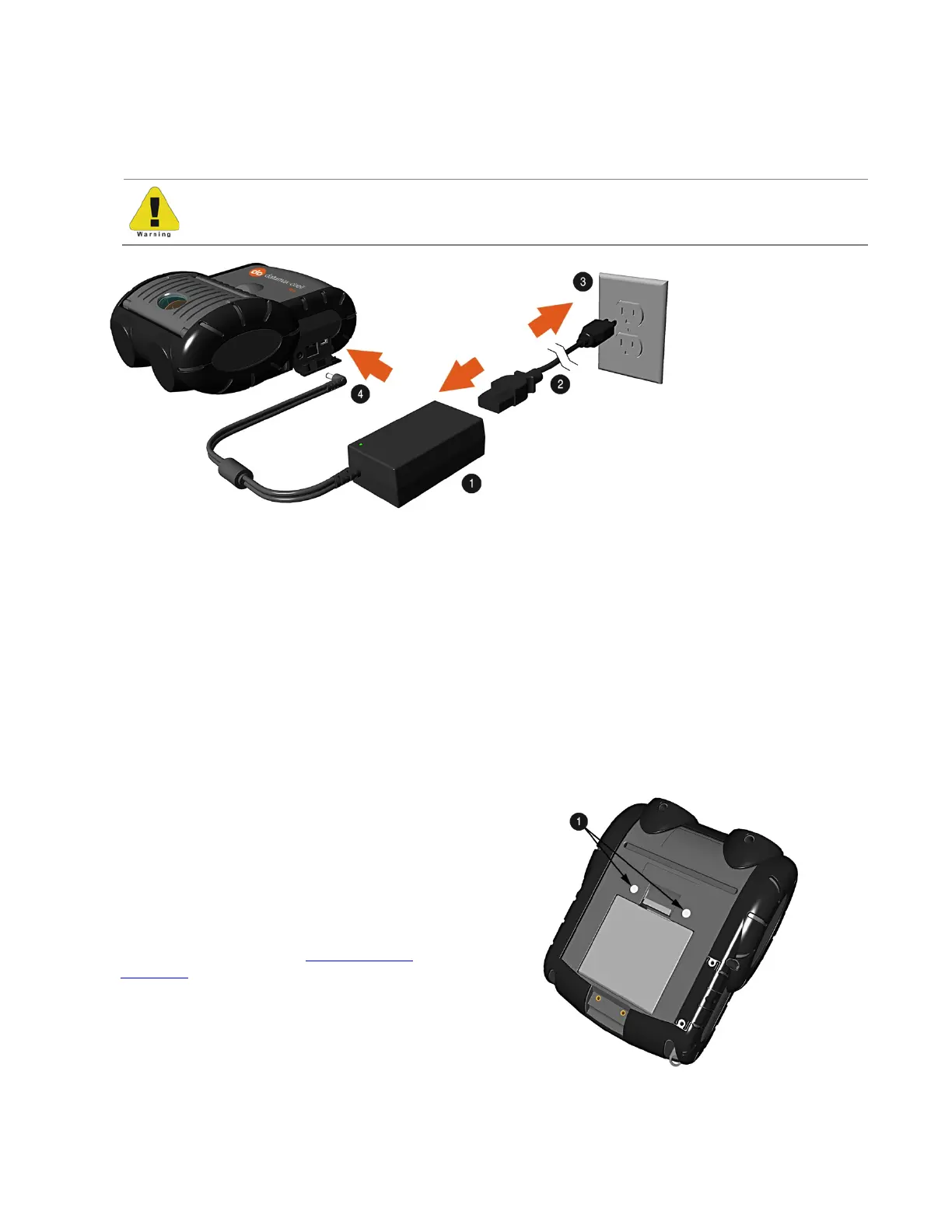
3) Connect the Power Supply to Power Jack of the printer.
4) Connect the AC Power Cord to the Power Supply.
5) Connect the AC Power Cord to an Electrical Outlet.
Battery must be sufficiently charged before operating the printer while connected to an AC power
supply.
312
AC Power Cord
Battery Guidelines:
• DO NOT store batteries in cold or hot conditions
• DO NOT drop the battery pack. In the event of a drop carefully inspect the battery plastic and contacts for damage. If you
suspect damage, do not use the battery.
• DO NOT use sharp tools to remove the pack. If a pack is punctured or cracked, immediately remove from the printer.
• If the pack becomes extremely hot, or begins to smell, DO NOT touch. Place immediately in an empty metal trash can.
• DO NOT use the battery for any product other than the RL3e/RL4e or designated printer
• DO NOT tamper with or attempt to disassemble the battery pack
• DO NOT subject the battery pack to water or liquids of any kind
• Be careful when setting the battery pack down on a flat surface; always store the battery pack with the contacts facing up
• DO NOT stack batteries with the contacts facing each other
• Replacement batteries come in individual boxes, store this way
• Batteries have a shelf life of one (1) year
The printer is also designed with external-
charging capabilities (optional) using Datamax-
O’Neil-approved charging accessories. For more
information on available optional charging
accessories, or a guide to using the multi-bay
charging accessory, go to
www.datamax-
oneil.com and select the RL or RLe printer for a
list of available chargers, or the Install Guide for
information on its use.
External Charging Contacts



 To Next Page