www.datamax-oneil.com 26
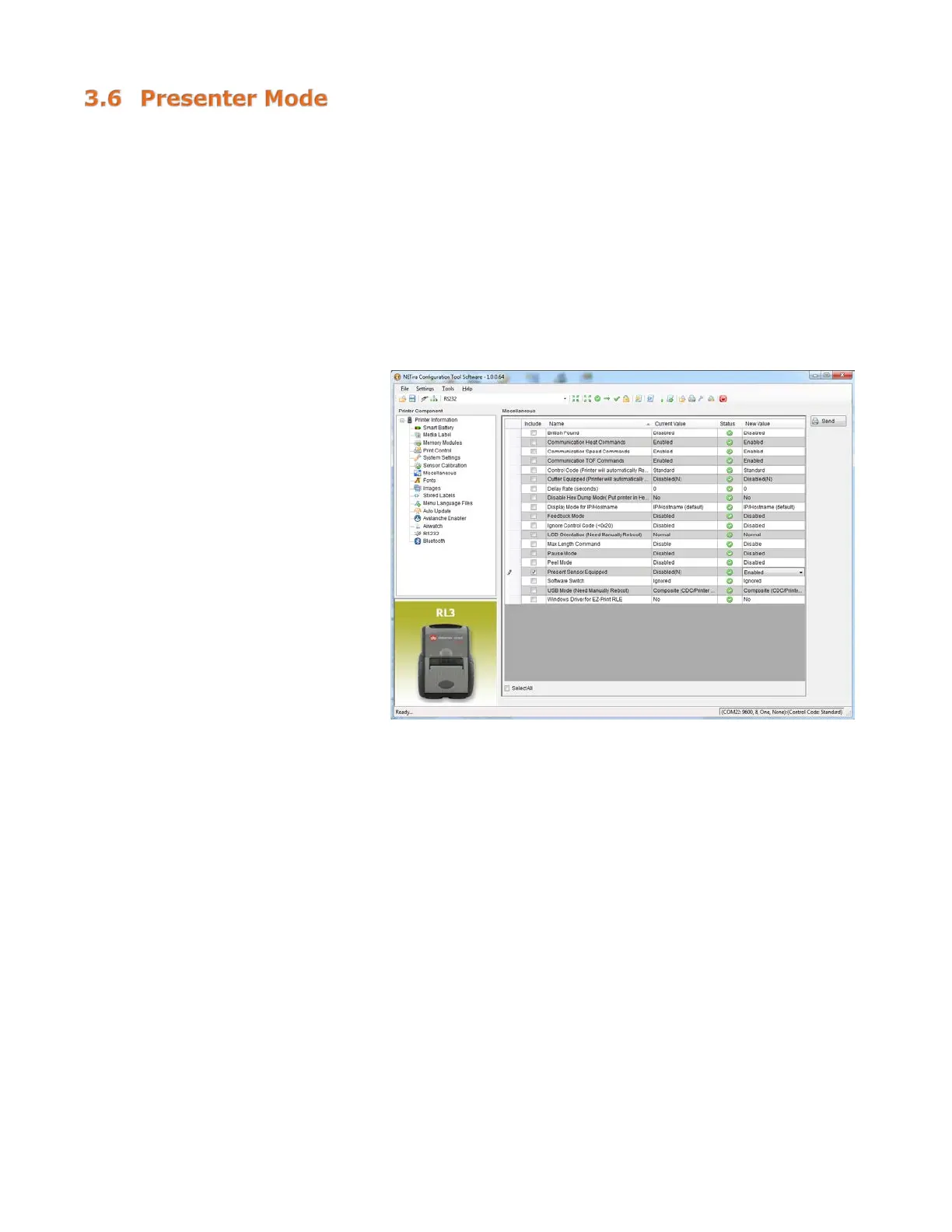
To set the printer to work in Presenter Mode, follow these steps:
- Set the “Presenter Sensor Equipped” parameter to enable the presenter sensor.
- Calibrate the Presenter Sensor to store the media settings (liner and media).
These setting changes can be performed using the NETira
™
CT Printer Configuration Utility (see Section
3.4 for more information on NETira
™
CT).
Launch the NETira
™
CT Printer Configuration Utility and query (connect) to the printer.
Enable the Presenter Sensor:
1) Click on the “Miscellaneous”
printer component.
2) Set the “Present Sensor
Equipped” to Enabled.
3) After updating the “New Value”
column, click the “Send” button
to send this change to the
printer.


 To Next Page