www.datamax-oneil.com 19
3.5.1 Selecting Media Type
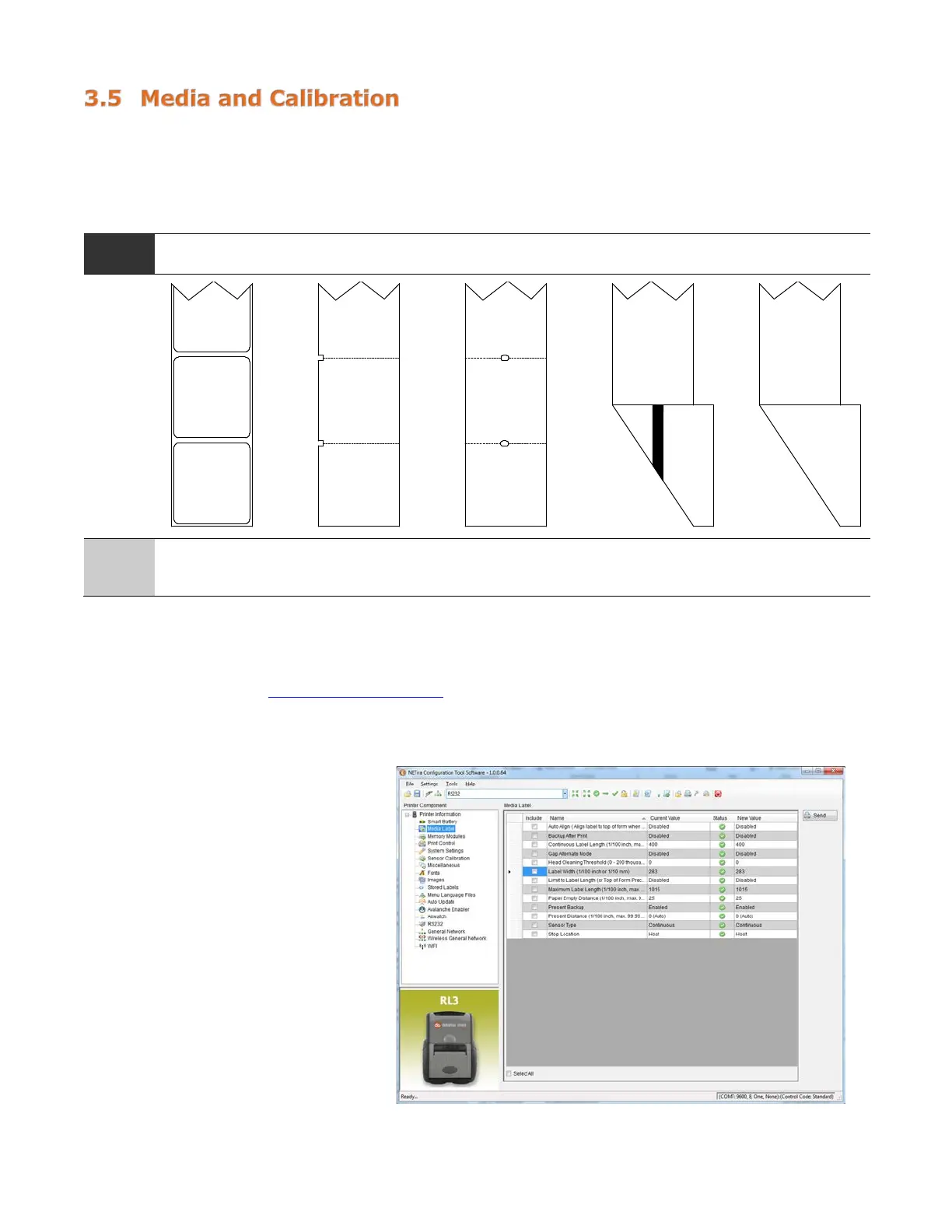
To accommodate a variety of media types, the printer is equipped with two (2) sensors. A transmissive
sensor (for gap and notch-type label media) and a reflective sensor (for “black mark”-type label media).
Several media types and their proper sensor settings are shown below:
Media
Type
Gap Label Media
Notch Media
(Edge)
Notch Media
(Center)
Reflective Media
(Black Mark)
Continuous Media
Sensor
Setting
Gap Not Supported Gap Reflective
Continuous*
*Requires the
“Continuous Label
Most applications that use label media will use the default setting of “Gap.” However, if “black mark” or
continuous media is being used, this setting must be changed.
The Sensor Type setting can be changed using the NETira
™
CT Printer Configuration Utility. You can find
the software utility at www.datamax-oneil.com
and download it from there to your computer’s hard drive.
Follow the instructions on installing the utility to your PC.
Launch the NETira
™
CT Printer Configuration Utility and query (connect) to the printer.
1) Click on the “Media Label
Settings” printer component.
2) To change the different
parameters, select from the
pull-down values or key in a
value.



 To Next Page