www.datamax-oneil.com 18
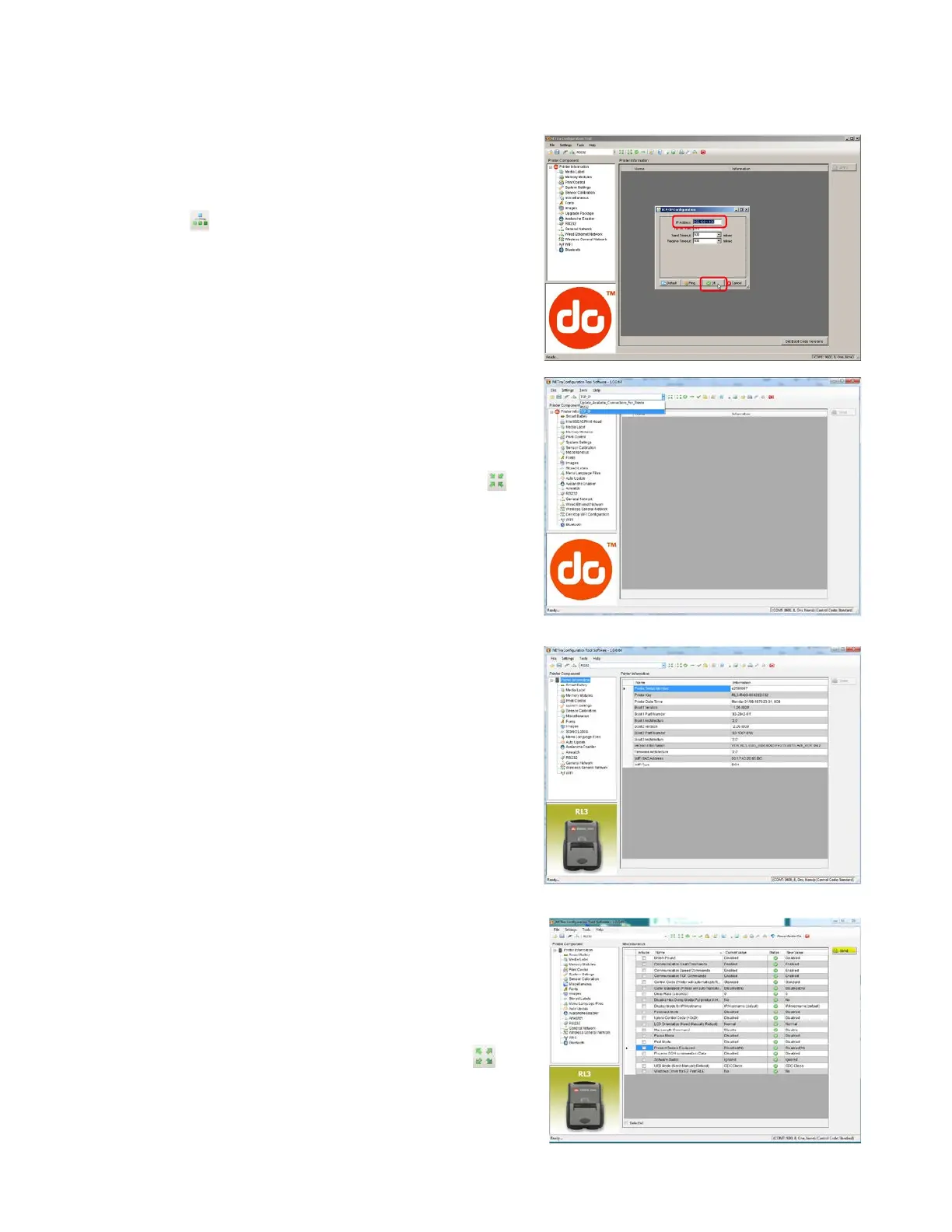
For Wireless LAN Connections:
Close the “Open a configuration file…” dialogue box.
a) In the toolbar, Click on the “TCP/IP Configuration”
Icon .
b) In the “TCP/IP Configuration” dialogue box enter the
IP address of the printer and click “OK.” (The IP
address should be displayed on the home screen of
the printer’s LCD).
c) In the toolbar, from the dropdown menu box, select
“TCP_IP.” Then click on the Query Printer Icon .
3) At this point you may browse the Printer Component
categories and make any changes necessary to the
printer configuration.
4) Once your changes are complete, send the new settings
to the printer using the “Send” button.
NOTE: When using the “Send” button, only the changes
displayed on the current page will be sent.
The “Set current setting to printer” button will
send all changes made to all pages.



 To Next Page