www.datamax-oneil.com D-4
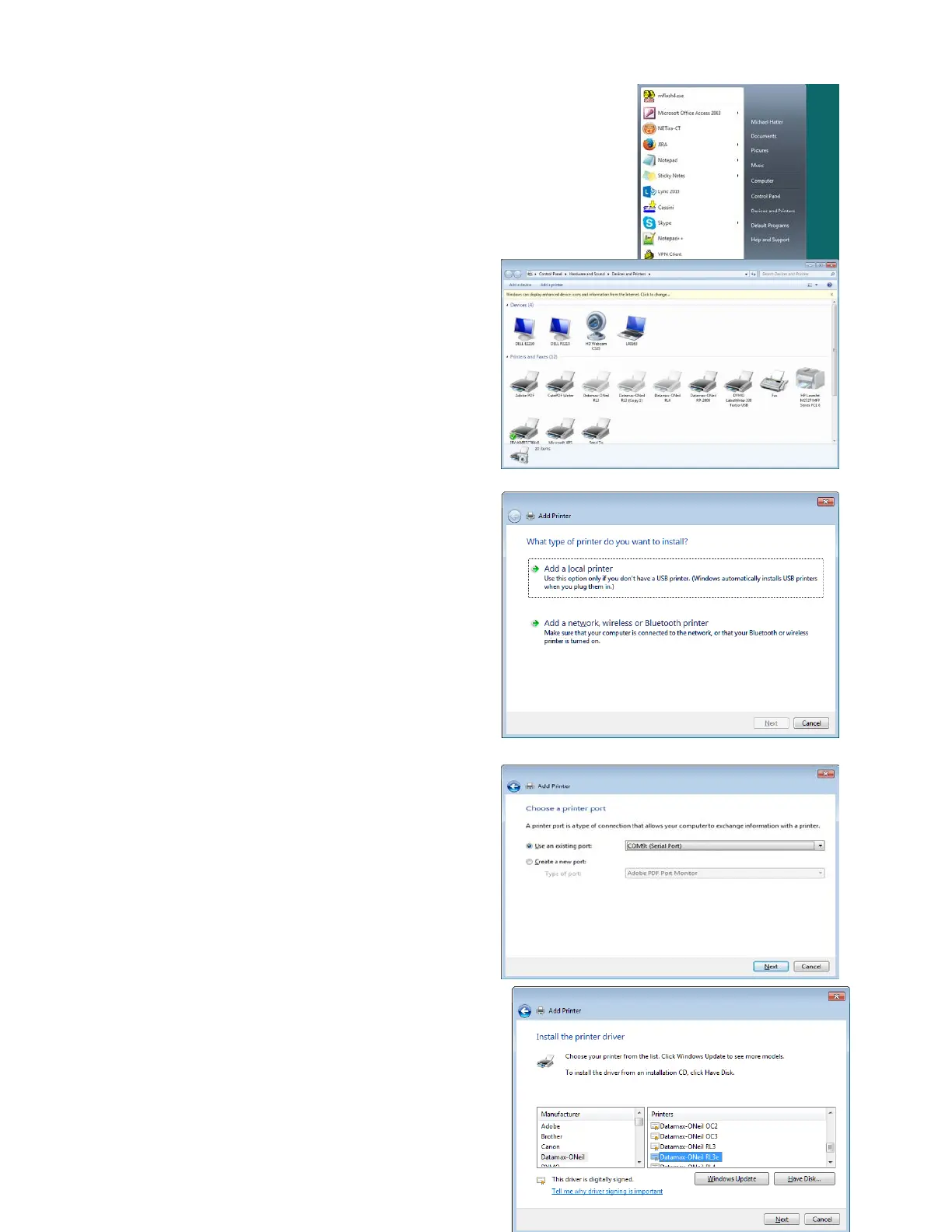
6) Scroll through the “Manufacturer” list and
click on “Datamax-O’Neil.” Scroll through
“Printers” and select the applicable printer.
NOTE: If Datamax-O’Neil or the correct
printer does not appear in the selection
boxes, click on “Windows Update” and repeat
Step 6 once the update is completed.



 To Next Page