SYNCHRONIZATION 18
Here you can either choose the internal timing of this WATCHPAX 60 to be used across your system
or, if an external sync generator is connected to your sync card, set it to “An external house sync
signal”.
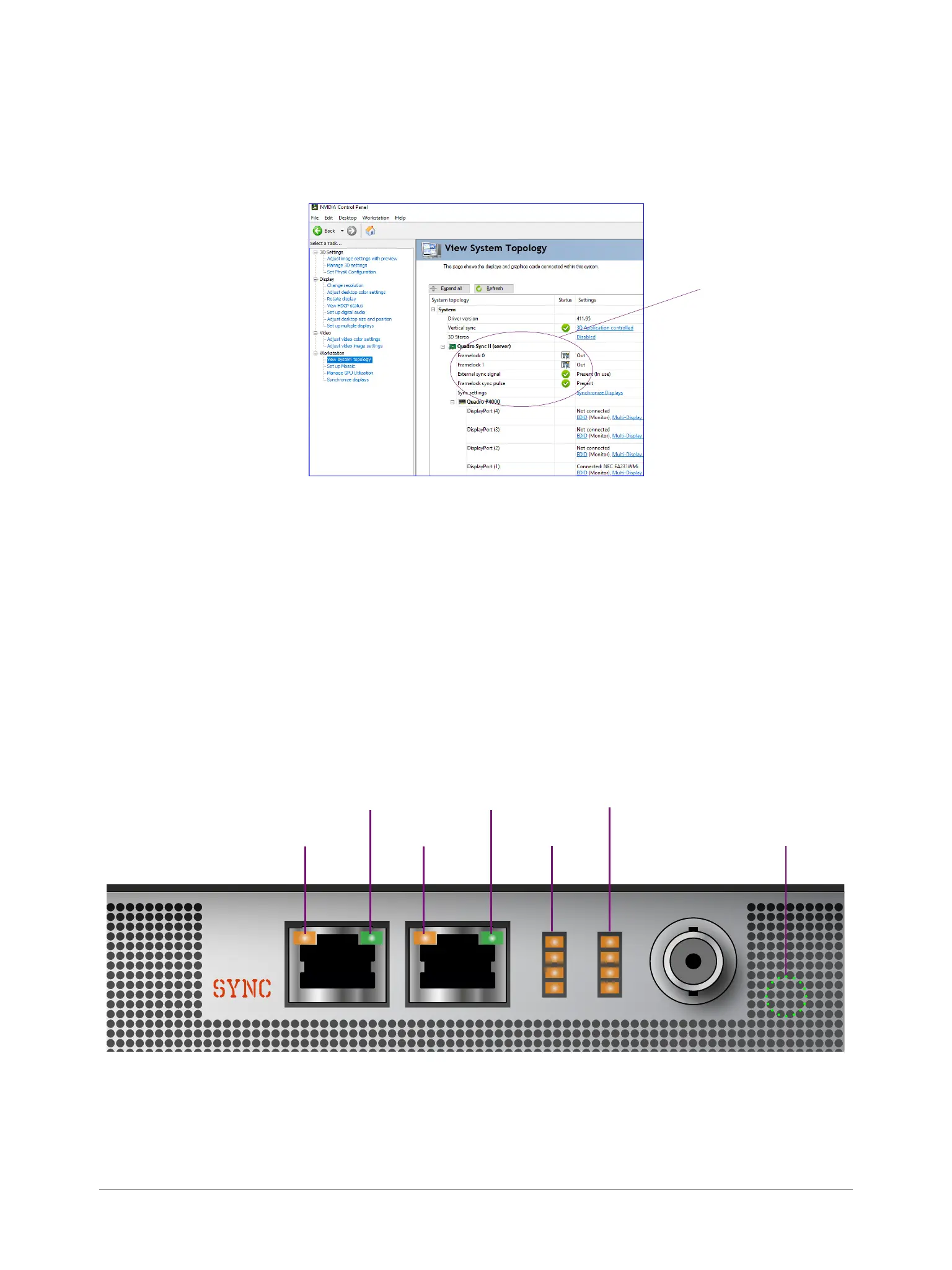
Make sure that synchronization is set up correctly by navigating to “View System Topology”.
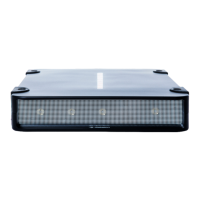
INTERPRET STATUS LEDS
• Solid orange: Port is output but no signal is present.
• Solid green: Port is input but no signal is present.
• Flashing orange: Port is output and transmitting. The ashing frequency indicates the refresh rate of
the signal.
• Flashing green: Port is input and receiving. The ashing frequency indicates the refresh rate of the
signal.
Frame Lock
0 Out
Frame Lock
1 Out
Frame Lock Sync
Status LED
Stereo Phase
Status LED
Frame Lock
1 In
Frame Lock
0 In
HouseSync
Status LED
Check this info!
Rear panel, WATCHPAX 60


 To Next Page