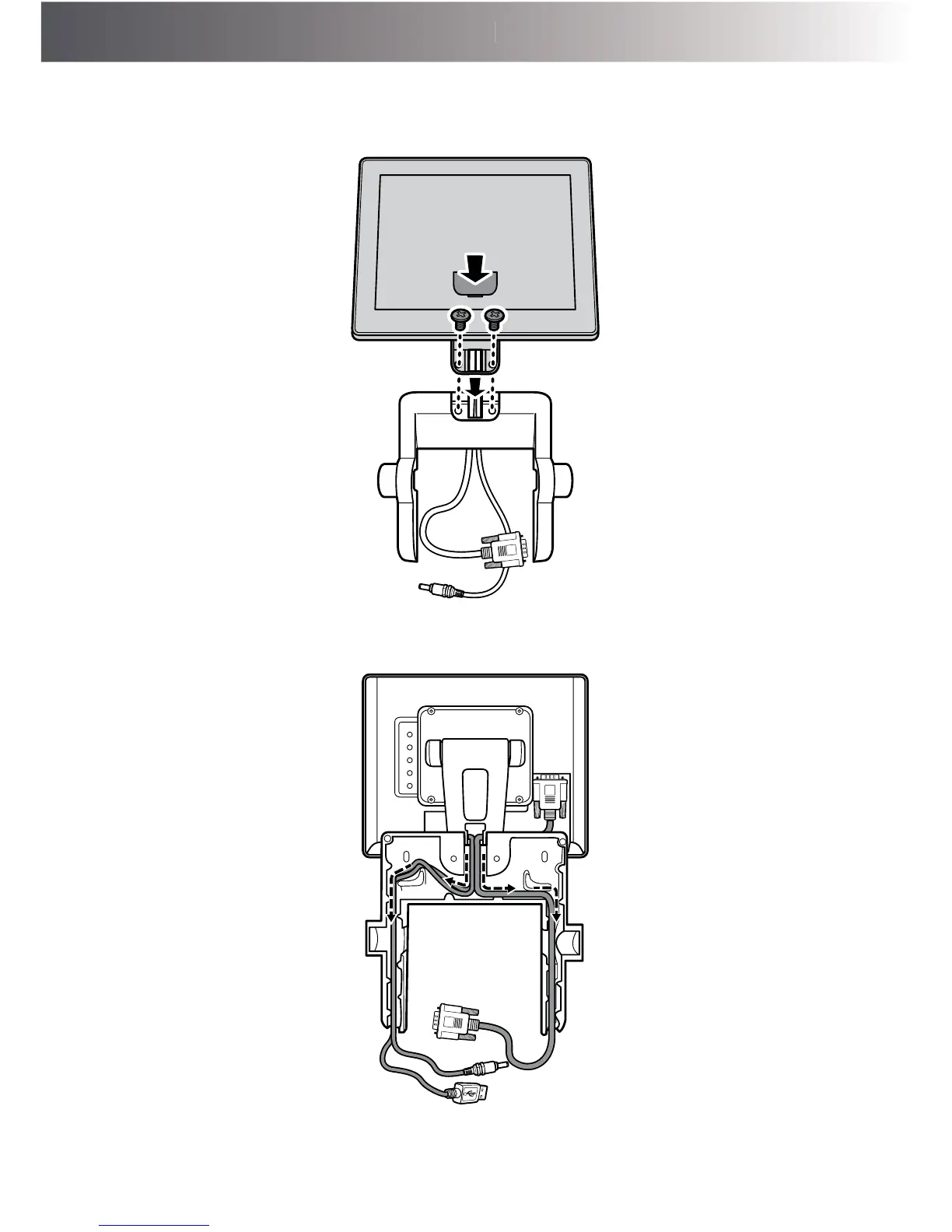
4. Install the secondary LCD display into its slot on the bracket. Then secure the customer
display to the bracket with the two screws (FУM4x6.5) and replace the secondary LCD
display compartment.
5. Route the secondary LCD display’s power cable, VGA cable, and Touch USB cable
(optional) on the cable compartment of the bracket, as shown in the illustration below.



 To Next Page