Home
Datavan
Touch terminals
G-615
Page 56 (Installing the IG-20 L 2-in-1 Identification Reader (Optional))
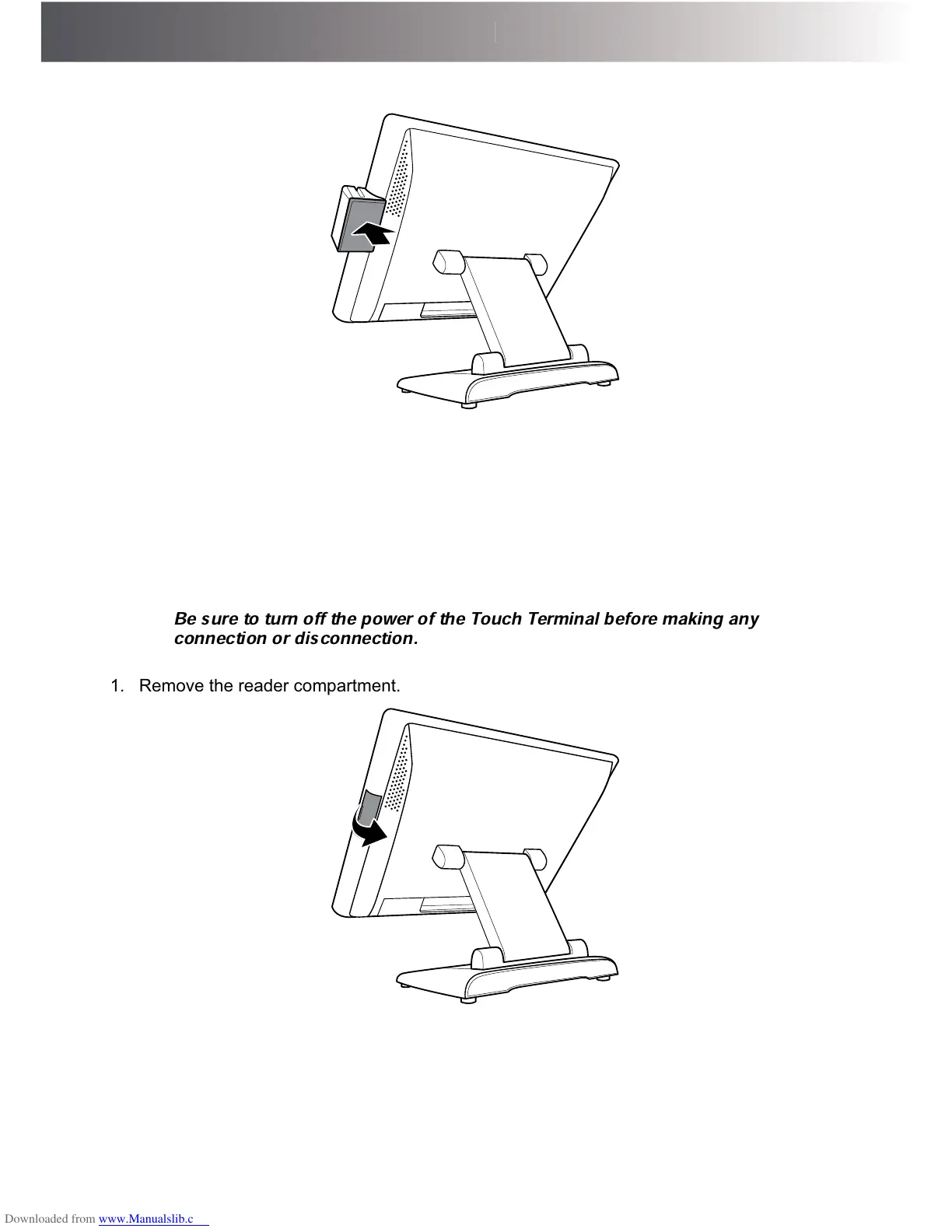
Datavan G-615 - Installing the IG-20 L 2-in-1 Identification Reader (Optional)
74 pages
Manual
Save Page as PDF
To Next Page
To Next Page
To Previous Page
To Previous Page
Loading...
56
HA
R
D
W
A
R
E
I
NS
T
A
L
L
AT
I
O
N
5.
Install the MSR module cover
.
,QVWDOOLQJWKH,*/
LQ,GHQWL¿FDWLRQ5HDGHU
(Optional)
W
ARNING:
Be sure to turn of
f the power of the T
ouch T
erminal before making any
connection or disconnection.
1.
Remove the reader compartment.
55
57
Table of Contents
Main Page
Default Chapter
2
About this Manual
2
Table of Contents
6
Chapter 1: Introduction
8
Package Contents
8
Overview of Glamor Series
9
Front View
9
Rear View
9
Physical Dimensions
11
Chapter 2: Preparing for the Installation
21
System Default Settings
22
G-615
23
G-715
25
G-615S
27
G-715S/G-715Sr
30
Signal Convergence Board Connector
33
Extension I/O Brick Board Connector (for G-715SR Only)
34
G-615 / G-715
35
G-715S/G-715Sr
36
Calibrating the Touch Screen in Windows
37
Setting the LCD Brightness
39
G-715
40
G-715S/G-715Sr
43
Chapter 3: Hardware Installation
44
Adjusting the System Stand
44
Installing the Power Cord, Power Adapter, and Network Cable
46
Installing the Customer Display (Optional)
48
Installing the Secondary LCD Display (Optional)
50
Installing the IG-20L MSR (Optional)
54
Installing the Secondary Hard Disk Drive (Optional)
59
Installing the Wireless Module (Optional)
62
Installing the UPS Kit (Optional)
64
Installing the VESA Mount (Optional)
66
Chapter 4: Frequently Asked Questions (FAQ)
69
Question 1: Why Does the System Appear Unstable after Updating BIOS
69
Question 2: How Do I Clear CMOS
71
Question 3: How to Use Boot Menu
74
Related product manuals
Datavan G-615S
74 pages
Datavan Glamor Series
74 pages
Datavan Wonder Series
2 pages
Datavan S-615W
48 pages



 To Next Page