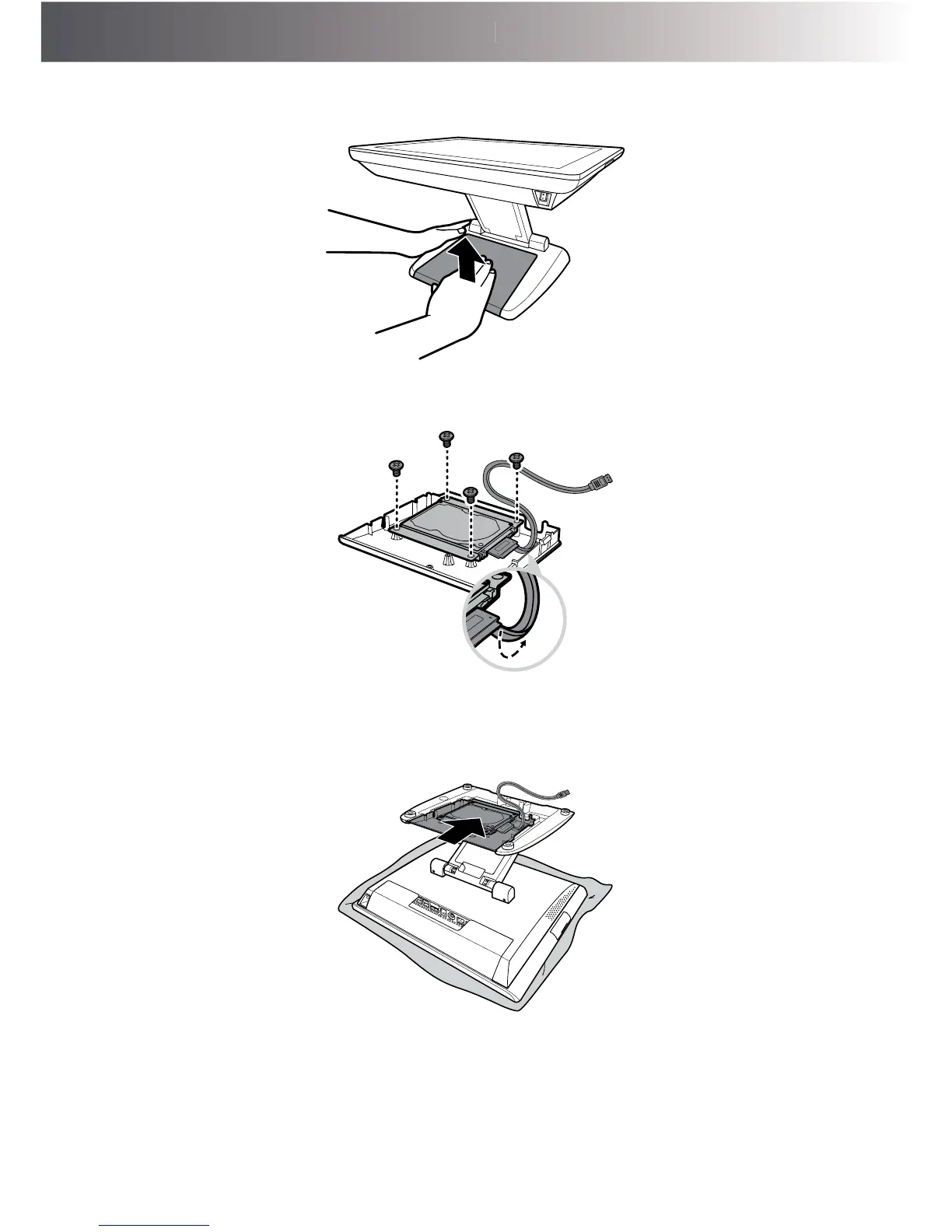
3. 6XSSRUWWKHVWDQG¿UPO\ZLWKRQHKDQGZKLOHGHWDFKLQJWKHVWDQGFRYHUIURPWKHVWDQGZLWK
the other hand.
4. Install the HDD bracket into its slot on the stand cover, as shown in the illustration below.
Then secure the HDD bracket to the stand cover with the four screws (M3x6).
5. 3ODFHWKH7RXFK7HUPLQDORQDVRIWDQGÀDWVXUIDFHZLWKWKH/&'SDQHOIDFLQJGRZQ,QVWDOO
the stand cover onto the stand.



 To Next Page