9
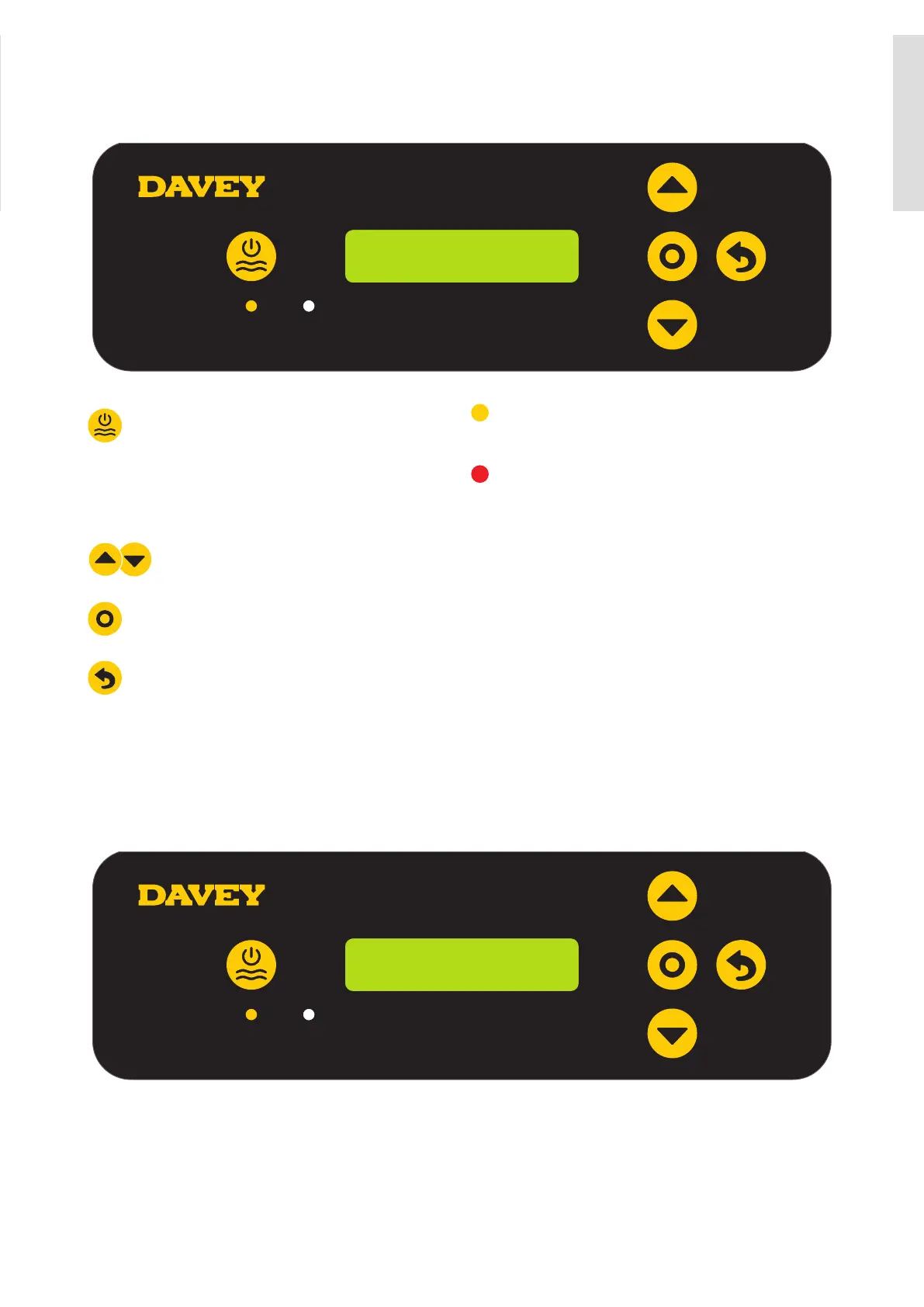
CONTROL PANEL
LAYOUT
100% – 09:29 AM
ON
Manual on/off
Depending on software of your EcoSalt2, this
button may be disabled. In that case you will
need to decrease the production to 0% to
turn off the chlorine production
Menu up/down
Menu/setting select
Menu/setting cancel (go back)
Power indicator
(lit when EcoSalt2 on)
Alarm indicator
(asheswhenalarmactive)
Time out
(whenever device is left for 30 seconds
without input from user, settings are saved,
and home screen displayed)
INITIAL START-UP
Once the salt level in the pool is correct the unit may be switched on.
Note: Once the unit starts there is a short time delay until the cell operates to ensure the filtration
system is primed with water.
• The first time the EcoSalt2 is turned on, the following screen is shown on start-up:
DAVEY
V1.2.1 EU 15L
> This screen shows the version of software (ie v1.2.1 shown) and your model of EcoSalt2 (ie EU 15L
shown, meaning DES2-15EL).
• The display then automatically reverts to the following screen:
ENGLISH
ENGLISH




 To Next Page