Running the Software
16
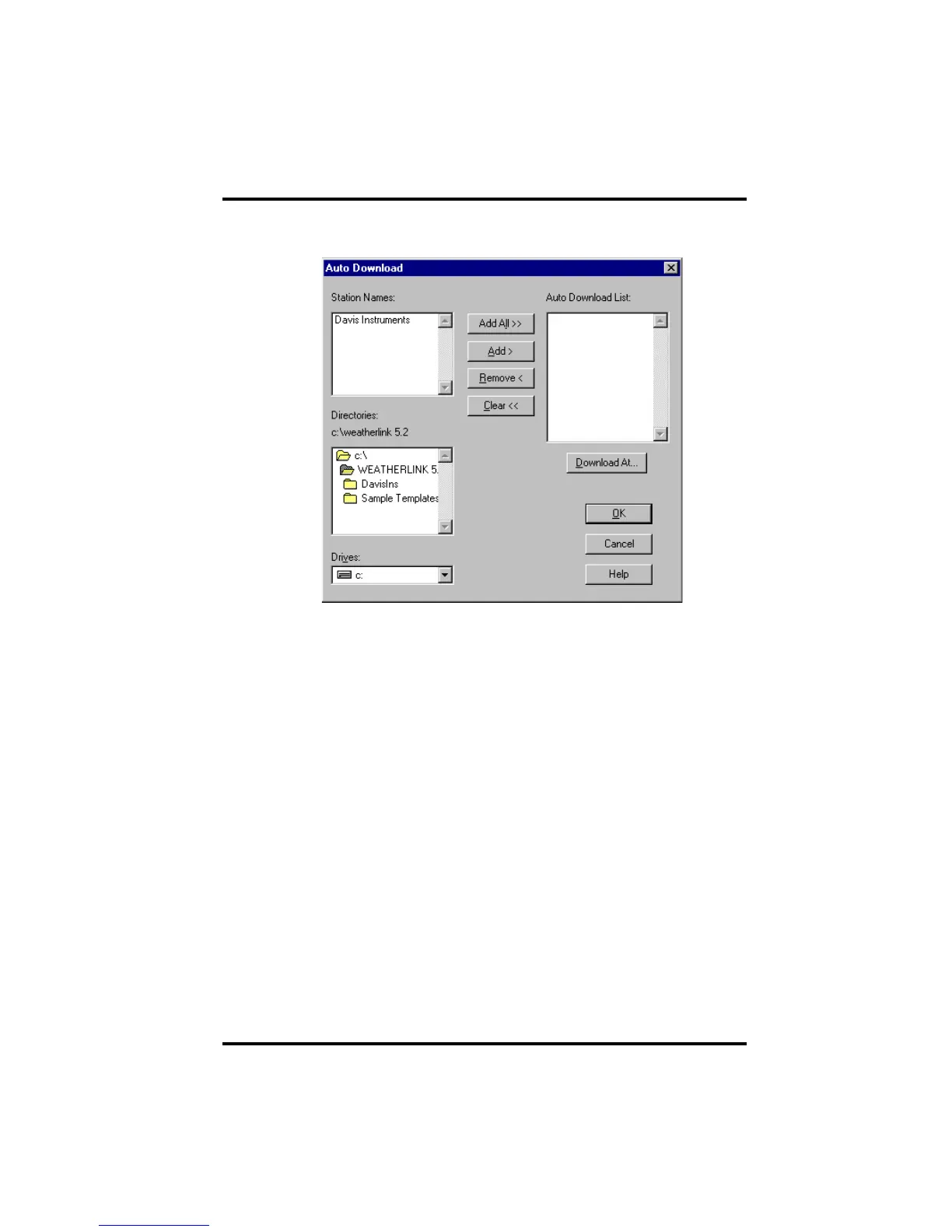
The Auto Download dialog box appears. The stations which appear in the
Auto Download List will be downloaded automatically.
2. To add a station to the Auto Download List, double-click on the station
name or select the station from the Station Names list and click Add.
The station name moves to the Auto Download List. You may select more
than one station before clicking Add to add several stations at once. You
may quickly add all stations in the Station Names list by clicking Add All.
3. To remove a station from the Auto Download List, select the station and
click Remove.
The station name removes from the Auto Download List. You may select
more than one station before clicking Remove to remove several stations at
once. You may quickly remove all stations in the list by choosing Clear.
4. To set the time(s) at which the selected station should be downloaded,
choose Download At.
















 To Next Page