Weather Data Measured & Calculated
17
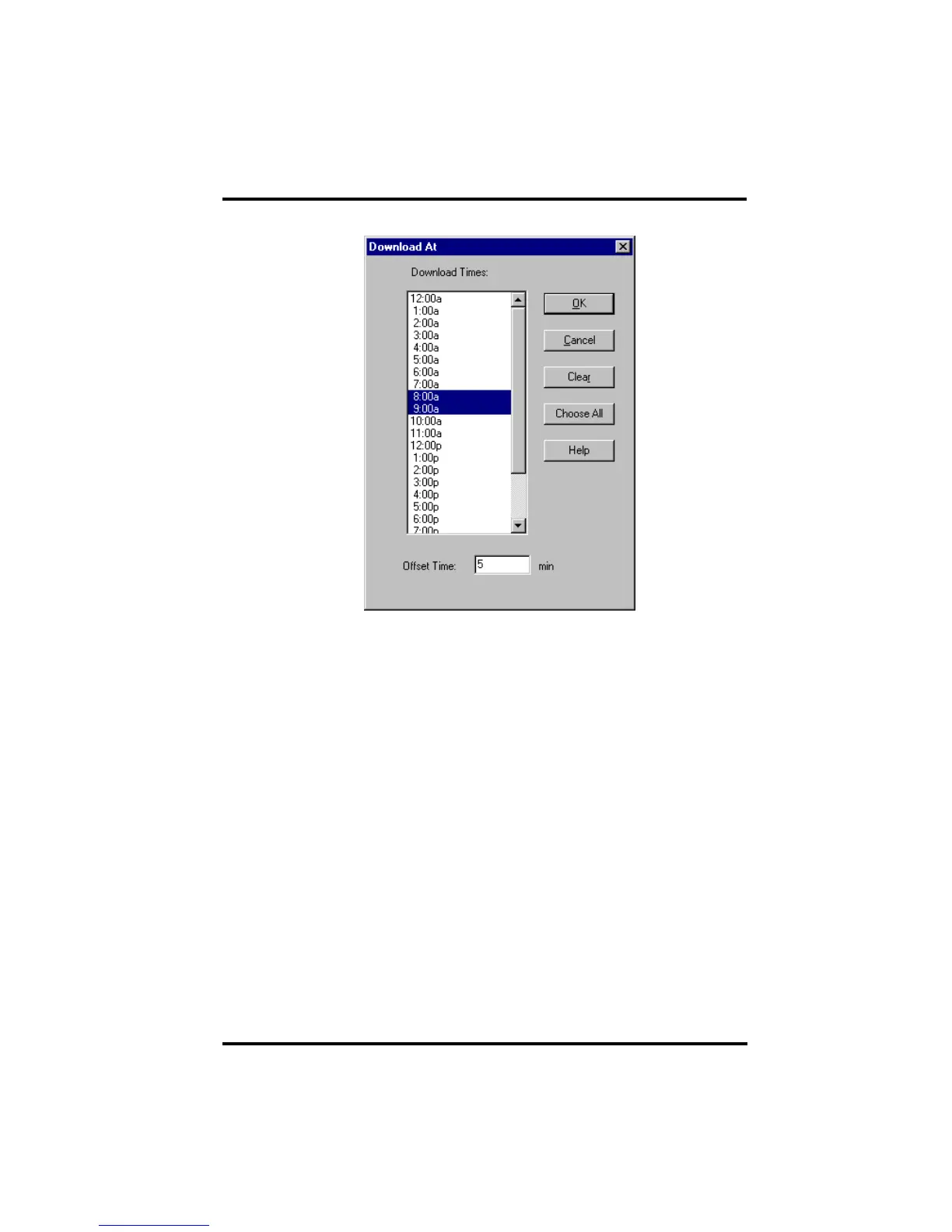
The Download At dialog box appears.
5. Enter the following information:
• Download Times - Select the hour(s) at which the software should automati-
cally download information from this station by clicking on the desired hour in
the list. You may select as many download hours as you want; the software will
download data from your station during each of the specified hours. To de-select
a previously selected hour, click on it again. To quickly select all hours, choose
Choose All. To quickly clear all selected hours, choose Clear.
• Offset Time - To force the software to automatically download a specific num-
ber of minutes after the selected hour(s), enter the number of minutes here. For
example, in the illustration above the software would automatically download at
8:05 and 9:05 am.
6. After setting the download time(s), click OK.
The software saves the automatic download time settings.
Weather Data Measured & Calculated
This section outlines each of the weather conditions measured and/or calcu-
lated by the Weather Envoy, by the Vantage Pro Integrated Sensor Suite (ISS),
and by optional Vantage Pro sensors. Each section includes a brief discussion
of the weather condition and a listing of the various ways in which the unit dis-
plays or stores that condition. Be aware that some of the weather conditions
require an optional sensor in order to measure or calculate a value.
















 To Next Page