3KP64 - 3.12
3000PLUS WITH 5D64 INSTRUCTION MANUAL V. SB.2
SETUP STAGE 4(AX): ABSOLUTE TRANSDUCER CALIBRATION
(
cont’d)
When the
3000PLUS
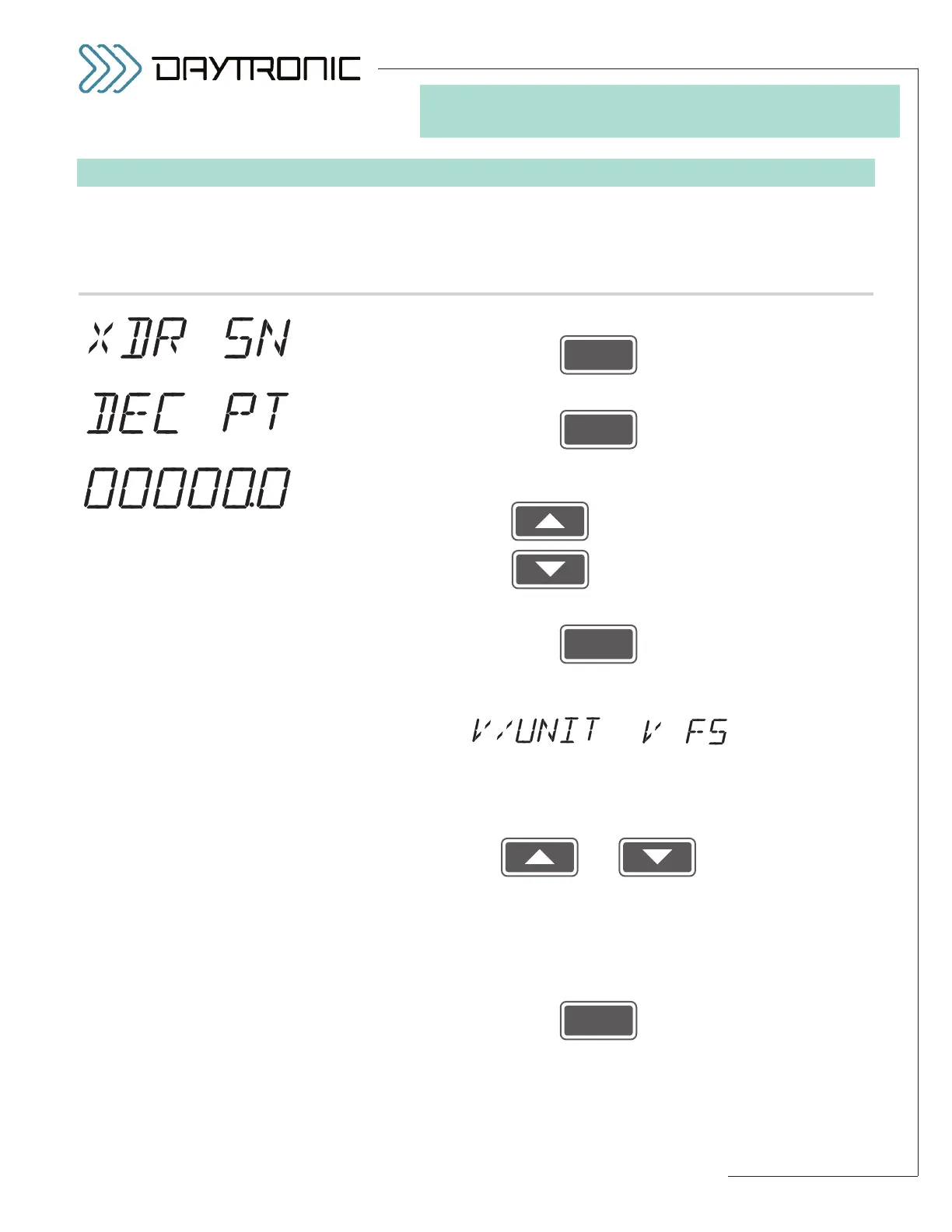
displays this . . . Do this . . .
ST
and
CL
are lit.
3. FRONT-PANEL CONFIGURATION
AND CALIBRATION
4(AX).e. Press
4(AX).f. Press
4(AX).g. You should now indicate the desired
DECIMAL-POINT PRECISION
for the TRANSDUCER SENSITIVITY value you wish to enter*:
Pressing will cycle the decimal point to the
left.
Pressing will cycle the decimal point to the
right.
4(AX).h. Then press
4(AX).i. The last-entered
TRANSDUCER SENSITIVITY will be displayed, alter-
nating with either
or
—depending on the
SENSITIVITY MODE selected in Step 4(AX).b,
above—and with the decimal-point resolution specified in the previous
step.
Use
and
as explained in Section 3.A to adjust the displayed number to the
desired value. This will normally be the
rated output sensitivity of the
source transducer, expressed in either volts per unit or volts full scale
,
as stated by the transducer manufacture. The number you enter here
should always be a
positive nonzero number.
Then press
The BLINKING DECIMAL
POINT (here shown to yield a
number precise to
tenths) will
appear in the position to which
it was last set.*
Daytronic Corporation
2211 Arbor Blvd. Dayton, OH 45439 • (800) 668-4745
Tel: (937) 293-2566 • Fax: (937) 293-2586 • www.daytronic.com
* This decimal-point setting applies
ONLY to the TRANSDUCER SENSI-
TIVITY entry (Step 4(AX).i); it does
not affect the resolution estab-
lished in Step 2.d for the instru-
ment’s FULL-SCALE OUTPUT
(“FSU”).



 To Next Page