3KP64 - 3.17
3000PLUS WITH 5D64 INSTRUCTION MANUAL V. SB.2
SETUP STAGE 4(AV): ABSOLUTE VOLTAGE CALIBRATION
When the
3000PLUS
displays this . . . Do this . . .
ST
and
CL
are lit.
3. FRONT-PANEL CONFIGURATION
AND CALIBRATION
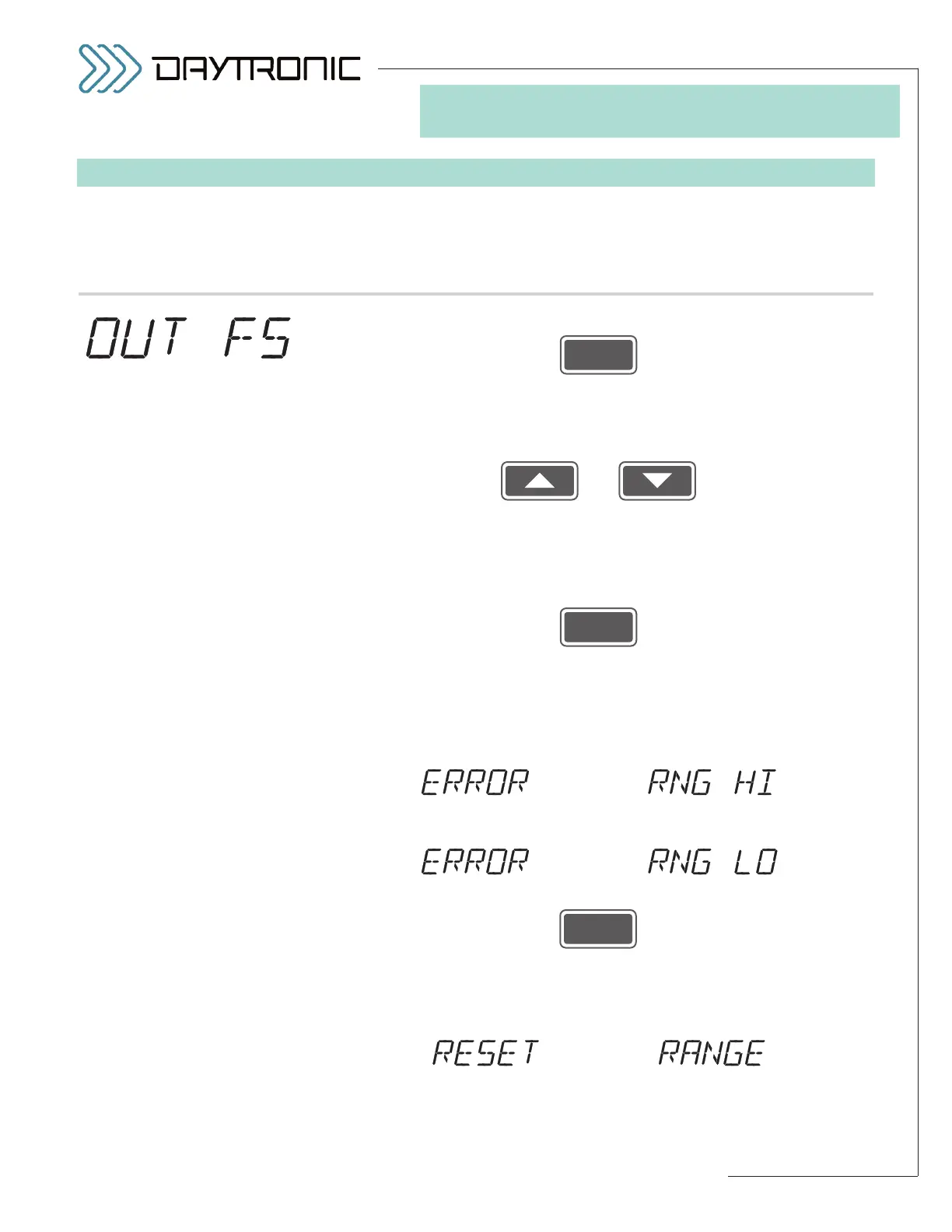
4(AV).a. Press
4(AV).b. The desired
FULL-SCALE OUTPUT IN ENGINEERING UNITS value
which you entered in Step 2.g will be displayed (having the decimal-
point precision specified in Step 2.d). If you now need to change this
number, you may use
and
as explained in Section 3.A to do so. Remember: Since
“ABSOLUTE
VOLTAGE”
calibration was selected in Step 4.b, this is the instrument
VOLTS reading that is to correspond to a full-scale analog output of
+5.000 volts.
Then press
NOTE: The 3000PLUS will now calculate a MODULE SCALING FAC-
TOR (MSF)
from the three numbers you have just entered (as
explained in Section 4.E and Appendix B, the
MSF is used as a gain
factor for the instrument’s full-scale input range). If this calculation
yields a gain that is too low (less than 1.0000, given the
FULL-SCALE
RANGE
value established in Step 2.b), you will see a display of
alternating with
If the calculated gain is too high (greater than 1.5999, given the current
RANGE value), you will see a display of
alternating with
Press
to acknowledge the high or low range condition.
If the 3000PLUS is able to reset the
RANGE value so that a “legal”
MSF may be calculated from the present calibration numbers, it will
display
alternating with
(cont’d)



 To Next Page