3KP64 - 3.20
3000PLUS WITH 5D64 INSTRUCTION MANUAL V. SB.2
Daytronic Corporation
2211 Arbor Blvd. Dayton, OH 45439 • (800) 668-4745
Tel: (937) 293-2566 • Fax: (937) 293-2586 • www.daytronic.com
SETUP STAGE 4(T): TWO-POINT CALIBRATION
When the
3000PLUS
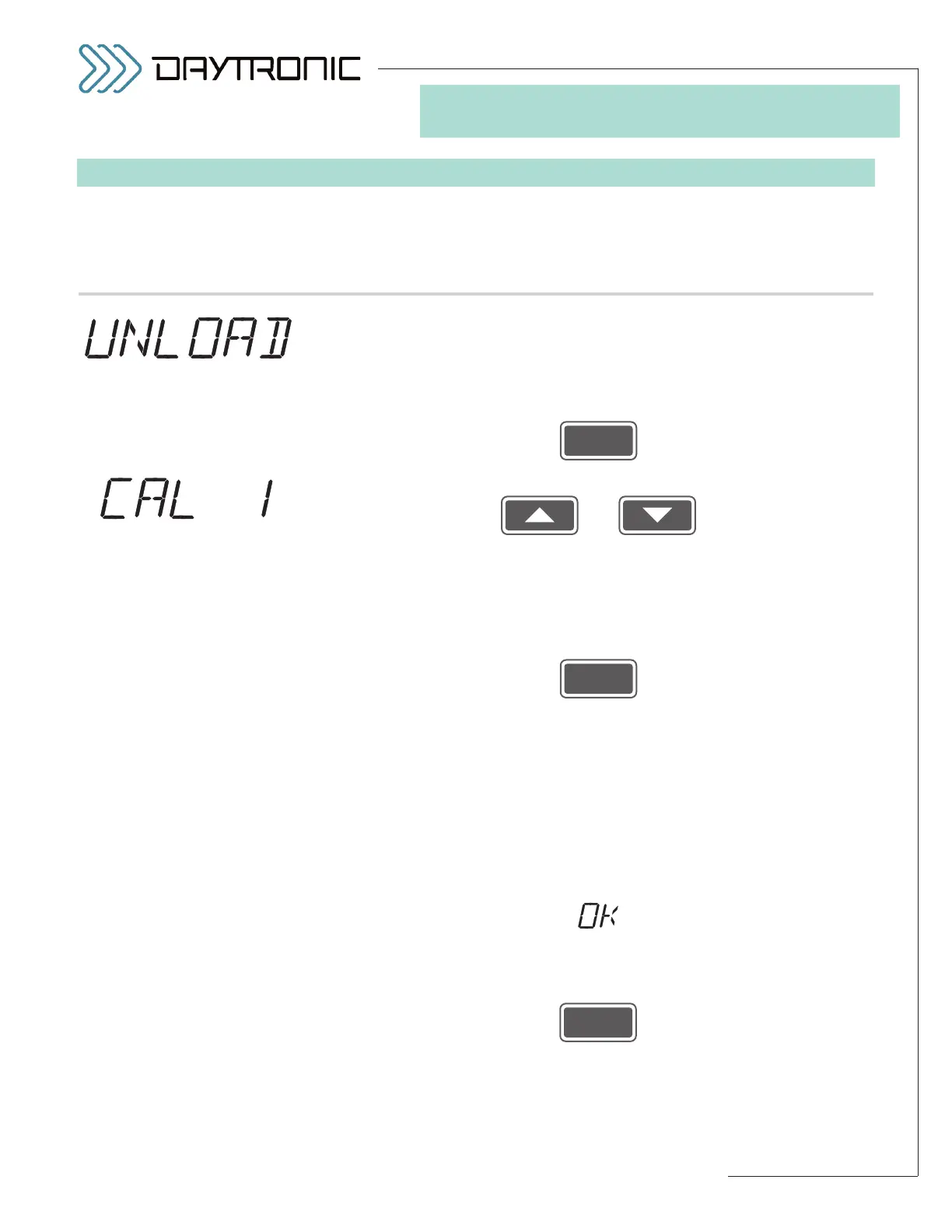
displays this . . . Do this . . .
4(T).a. Before you can enter your first calibration point (ZERO POINT), you
must establish your transducer “zero” condition (less than 20% of full
scale). Normally, you would either remove all load from the source
transducer or apply a small but precisely known amount of load that is
to be continuously “tared” from the final measurement. When the trans-
ducer is fully “unloaded,” press
4(T).b. Use
and
as explained in Section 3.A to adjust the displayed number (if neces-
sary) to the desired
ZERO POINT OUTPUT READING, expressed in
measurement units. The number you enter here should be less than
20% of the
FULL-SCALE OUTPUT IN ENGINEERING UNITS which you
entered in Step 2.g.
Then press
If you have
not changed the displayed number (alternating with “CAL 1”)
via the
UP/DOWN buttons, you should proceed directly to entry of the
“CAL 2” point in Step 4(T).c, below.
If, however, you have changed the displayed zero-point (
“CAL 1”) num-
ber, the 3000PLUS will calculate a new
MODULE INPUT OFFSET
(MIO)
, based on the entered reading, the current full-scale output set-
ting, and the
FULL-SCALE RANGE entered in Step 2.b—see Section 4.E
of this manual for more information on the
MIO parameter.
If this calculation yields an allowable offset value, that value will be
applied to the output, and you will see a display of
alternating with the
“LIVE” SCALED OUTPUT READING.
If the reading that is now displayed corresponds sufficiently to your
desired
ZERO POINT OUTPUT READING, press
and proceed to Step 4(T).c.
(cont’d)
ST
and
CL
are lit.
3. FRONT-PANEL CONFIGURATION
AND CALIBRATION
alternating with the
“LIVE” SCALED
OUTPUT READING
(CHANNEL 1)*
* The 3000PLUS instrument’s MOD-
ULE INPUT OFFSET (MIO)
will be
automatically reset to “00.00”
(zero) before the “live” output
reading is invoked. The previously
entered
CAL1 number may
appear for a second or two while
this occurs.



 To Next Page