3KP64 - 4.11
3000PLUS WITH 5D64 INSTRUCTION MANUAL V. SB.2
Daytronic Corporation
2211 Arbor Blvd. Dayton, OH 45439 • (800) 668-4745
Tel: (937) 293-2566 • Fax: (937) 293-2586 • www.daytronic.com
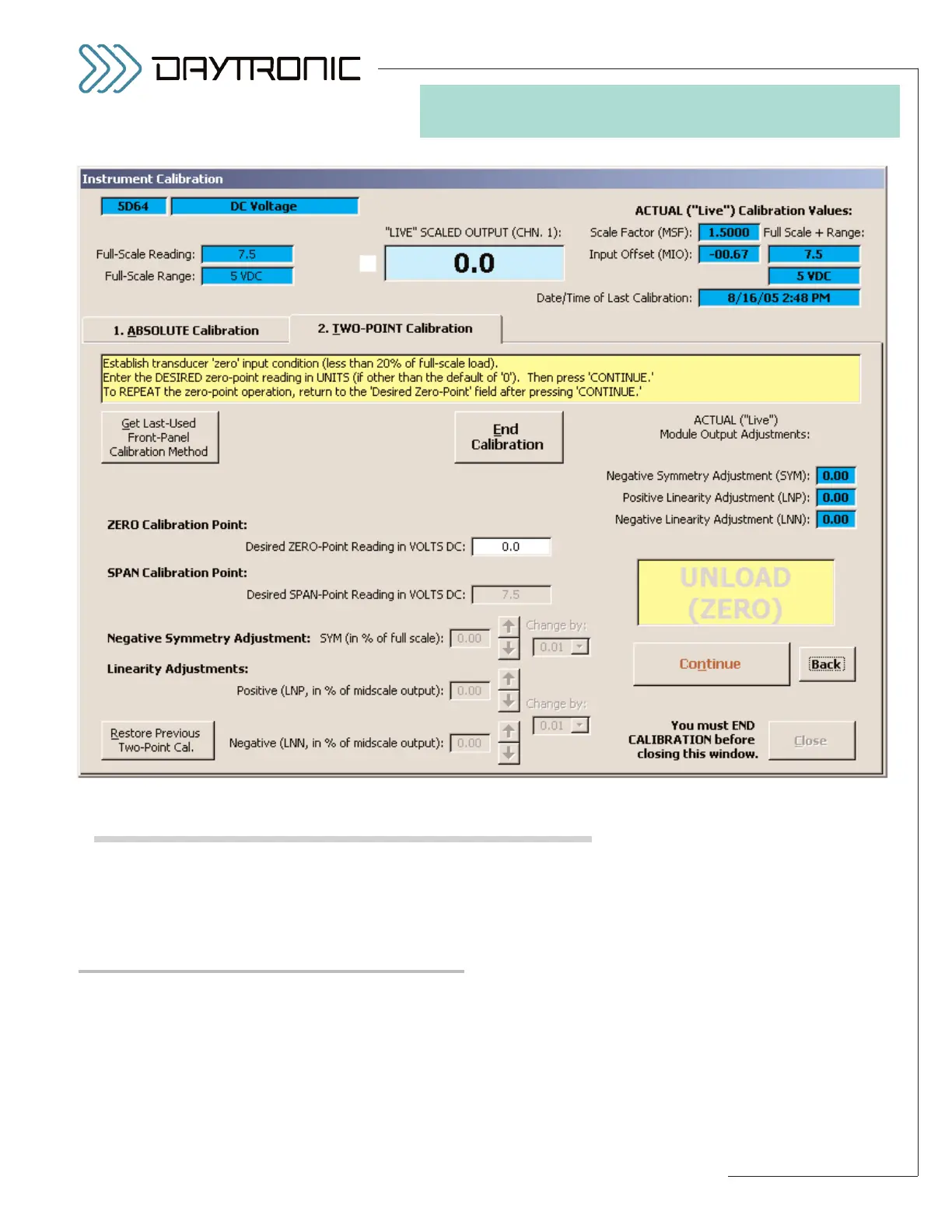
calibration that existed before you last pressed the
Begin Calibration button, you may do so by pressing
the
Restore Previous Two-Point Calibration button,
as explained in the Configurator ON-LINE HELP.*
MIDSCALE LINEARITY CORRECTIONS
The Configurator’s LINEARITY POSITIVE (LNP) and
LINEARITY NEGATIVE (LNN) fields are for entry of a
midscale linearity correction in the positive and nega-
tive domains, respectively (see Fig. 15). The linearity
improvement furnished here is useful in cases where
the output linearity error increases and decreases
smoothly (with no inflections) with increasing values of
input.
You may wish to determine through standard error-plot
analysis the approximate correction that needs to be
applied to the output midway between zero and posi-
tive (or negative) full scale, as a
plus or minus percent
of the actual output reading at that point
(it cannot
exceed ±2.00 % of midscale output). You would then
enter this number directly in the
LNP (or LNN) field,
after which you should observe the actual midscale
4. SOFTWARE CONFIGURATION
AND CALIBRATION
* While this operation will return the connected 3000PLUS instru-
ment
to its previous calibration state by issuing appropriate
RNG, MSF, MIO, FAZ, and SYM commands, it will NOT
change the corresponding values currently stored
in the pre-
sent configuration
.
Fig. 14
Two-Point Calibration Page for Installed Model 5D64



 To Next Page