3KP64 - 4.12
3000PLUS WITH 5D64 INSTRUCTION MANUAL V. SB.2
Daytronic Corporation
2211 Arbor Blvd. Dayton, OH 45439 • (800) 668-4745
Tel: (937) 293-2566 • Fax: (937) 293-2586 • www.daytronic.com
output reading to see if further adjustment is necessary
(if so, you may use the corresponding
UP / DOWN
ARROW
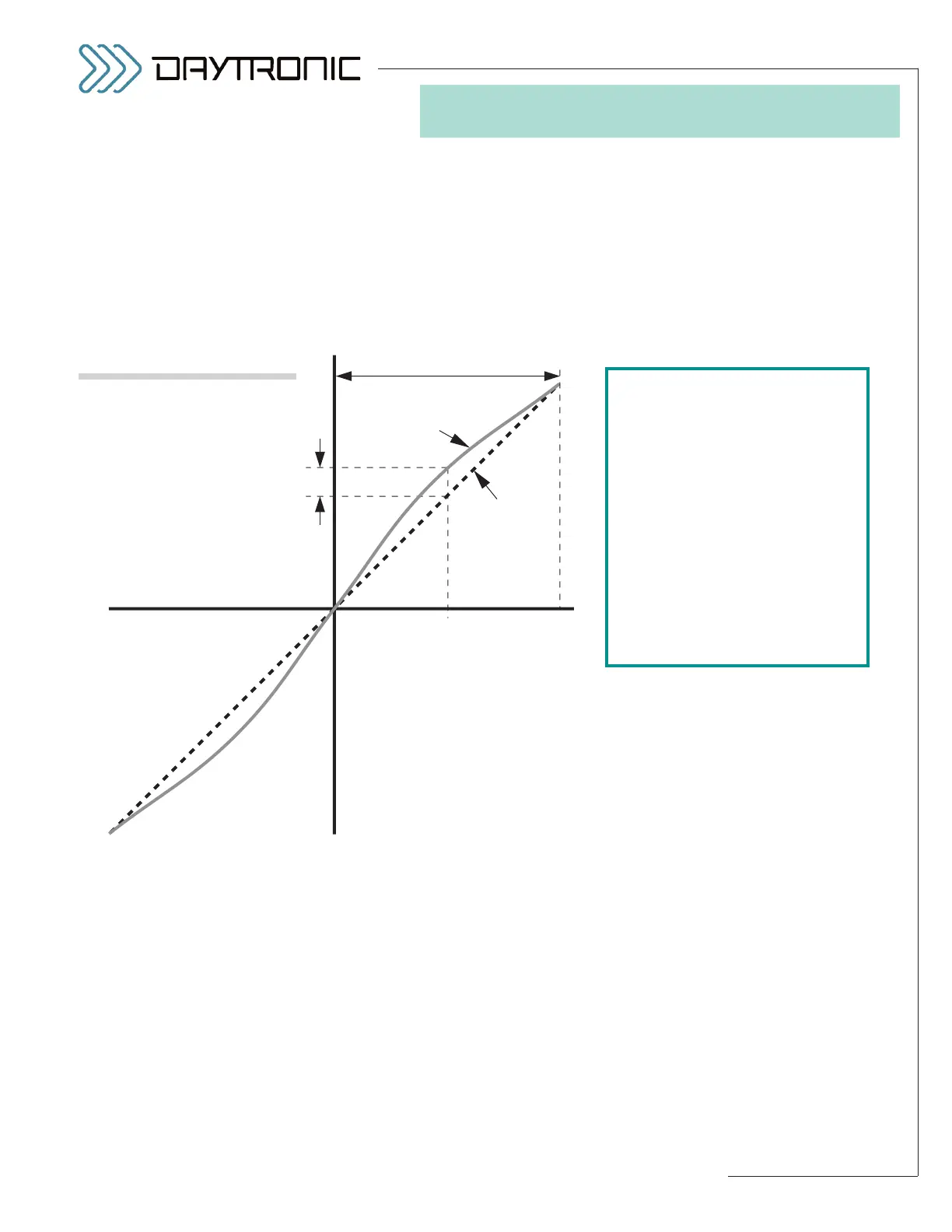
buttons). Fig. 15 illustrates a typical nonlineari-
ty in need of both positive and negative midscale cor-
rection.
NOTE: A
positive LNP value moves the positive-domain
midpoint
upwards (yielding a larger positive reading at
that point), while a negative LNP value moves it down-
wards
(yielding a smaller positive reading). Similarly, a
positive LNN value moves the negative-domain mid-
point
upwards (yielding a smaller negative reading at
that point), while a
negative LNN value moves it down-
wards
(yielding a larger negative reading).
4. SOFTWARE CONFIGURATION
AND CALIBRATION
has been exaggerated in this figure.
Fig. 15
Linearity Correction
in the Positive Domain
To correct for positive-directed non-
linearity in the positive domain, enter
a
POSITIVE LINEARITY (LNP)
command of
LNP = –(∆y/y
d
*
100)
A negative LNP value is entered
because the midpoint of the actual
output curve needs to be pushed
downward (in the negative direction).
A comparable
positive NEGATIVE
LINEARITY (LNN)
value would be
entered to move the output curve
upward (in the positive direction) in
the negative domain.



 To Next Page