109
Ethernet Cable Recommendations & Diagrams
Straight-Through
Use straight-through CAT5, CAT5e, or CAT6 Ethernet cables to connect the VENU360 to your network switch/router. The
below diagrams show the pinout of straight-through Ethernet cables. These are the most common type of Ethernet cables
available.
TIA/EIA 568A Straight-Through Cable Pinout TIA/EIA 568B Straight-Through Cable Pinout
RJ-45
(8-Position)
RJ-45
(8-Position)
8 8
Brown
1 1
White / Green
2 2
Green
3 3
White / Orange
4 4
Blue
5 5
White / Blue
6 6
Orange
7 7
White / Brown
RJ-45
(8-Position)
RJ-45
(8-Position)
8 8
Brown
1 1
White / Orange
2 2
Orange
3 3
White / Green
4 4
Blue
5 5
White / Blue
6 6
Green
7 7
White / Brown
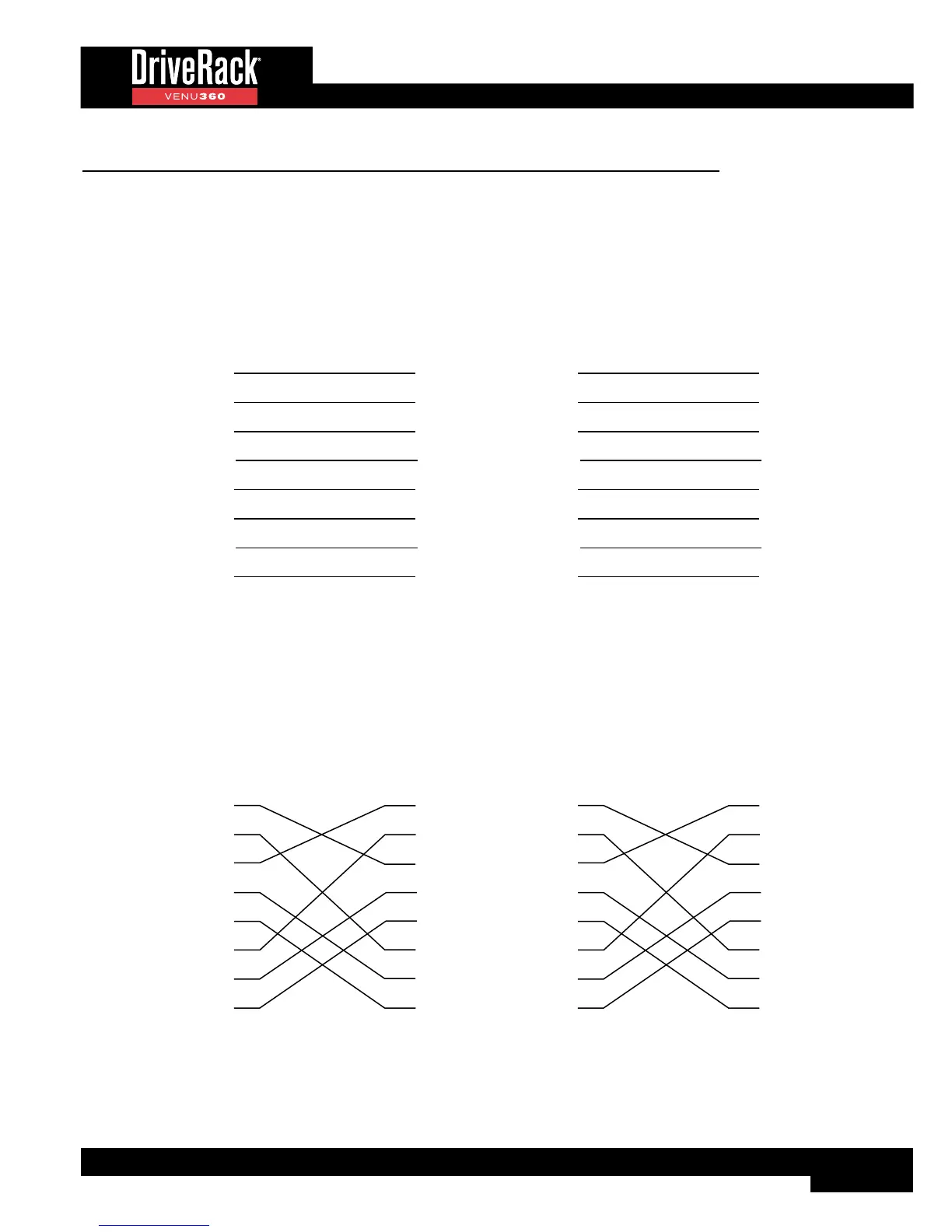
Crossover
CAT5, CAT5e, or CAT6 crossover Ethernet cables can be used with network switches/routers which support auto-MDI/
MDIX sensing. This feature allows the switch/router to detect whether a straight-through or crossover cable is connected and
re-configure itself accordingly. Crossover cables must be used when connecting a desktop or laptop computer directly to the
VENU360 for network control. The below diagrams show the pinouts of crossover cables.
TIA/EIA 568A Crossover Cable Pinout TIA/EIA 568B Crossover Cable Pinout
RJ-45
(8-Position)
RJ-45
(8-Position)
8 8
Br
Br
1 1
Gr/Wh
Gr/Wh
2 2
Gr
Gr
3 3
Wh/Or
Wh/Or
4 4
Bl
Bl
5 5
Wh/Bl
Wh/Bl
6 6
Or
Or
7 7
Wh/Br
Wh/Br
RJ-45
(8-Position)
RJ-45
(8-Position)
8 8
Br
Br
1 1
Wh/Or
Wh/Or
2 2
Or
Or
3 3
Wh/Gr
Wh/Gr
4 4
Bl
Bl
5 5
Wh/Bl
Wh/Bl
6 6
Gr
Gr
7 7
Wh/Br
Wh/Br



 To Next Page