Inputs 1-4
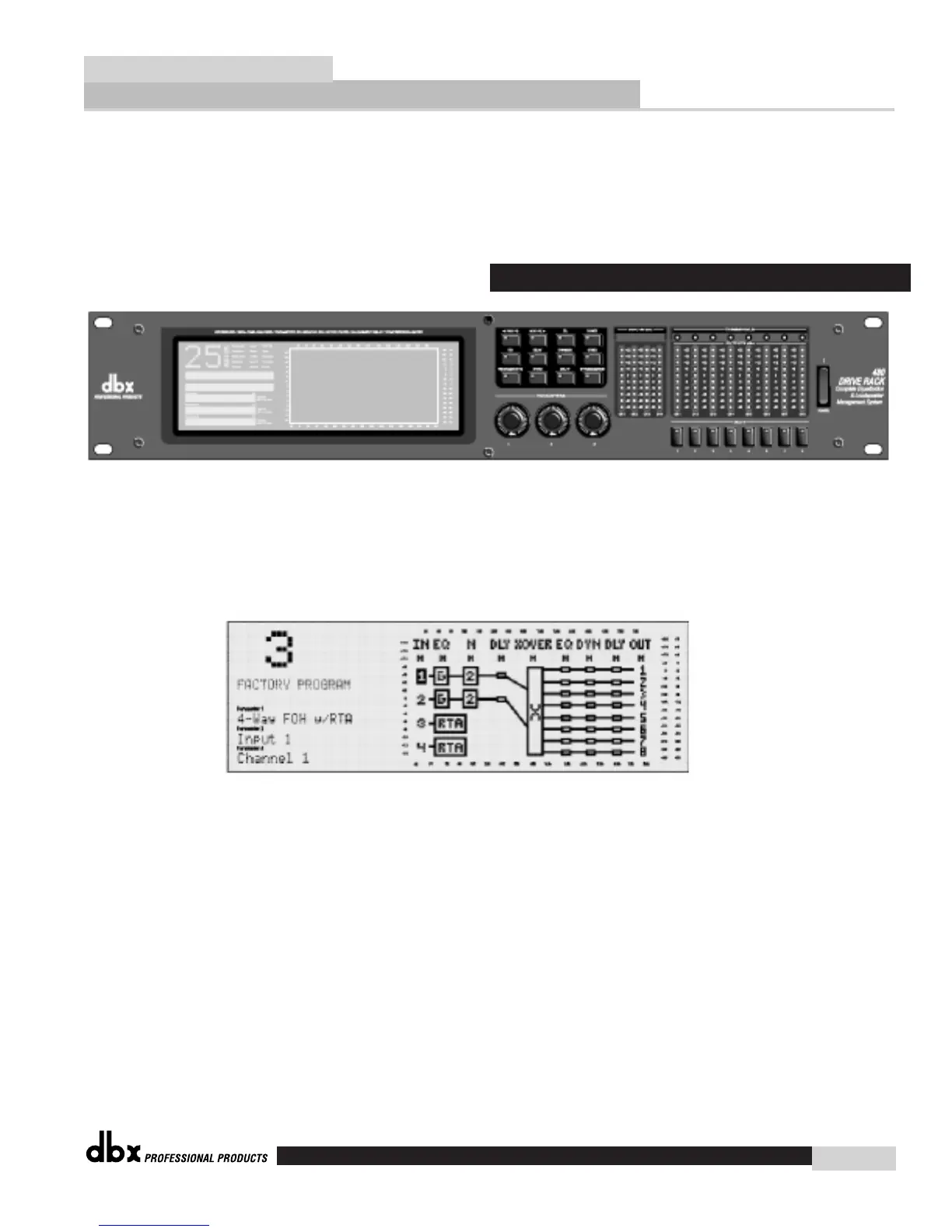
The input section of the 480 DriveRack™ offers four electronically balanced XLR connectors.
Inputs 3 and 4 offer Line/RTA switches that allow you to run a real time audio analyzer micro-
phone directly into the input of the 480 DriveRack™. The four XLR inputs of the 480 Drive also
offer Pin 1 lift switches which lift the ground of the selected XLR input when pressed.
LCD Display
The large LCD display of the 480 DriveRack™ provides the user with all of the vital processing
information of the DriveRack™ including: signal routing, configuration modes, effect block editing
and RTA displays.
Function Buttons
The function buttons of the 480 DriveRack™ allow access to all editing and navigating functions
of the 480 DriveRack™.
Parameter Knobs
The parameter knobs of the 480 DriveRack™ allow the user to edit parameters of selected effects
of the 480 DriveRack™. The parameter knobs of the 480 and 480R DriveRack™ units also incor-
porate light display Logicators™ which surround the knob itself and indicate levels of parameter
and effect activity. The parameter knobs of the 480 DriveRack™ also provide the user different
modes of functionality including: coarse/fine encoding and horizontal-vertical navigators, which
allow the parameter buttons (when used in program and configuration mode) to navigate the pro-
gram screen horizontally and vertically.
Front Panel (480)
Monitor Application Guide
DriveRack™
dbx
11














 To Next Page