Key Operations
27
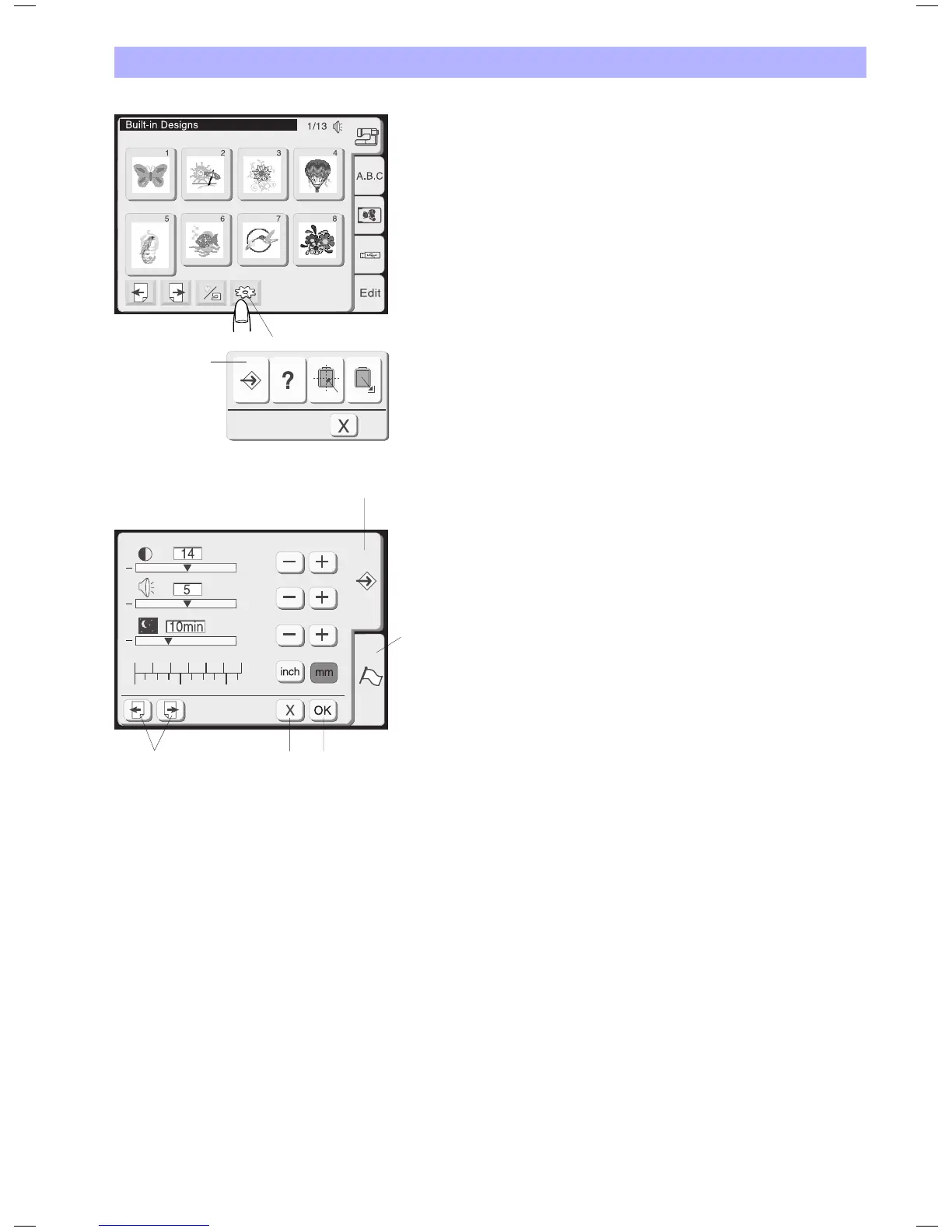
Adjust User Preferences / Setup
Use these screens to personalize the functions on the emboridery
computer. All these settings are stored permanently until they are
overwritten.
1 Press Utilities - Setup to open the setup screens.
2 Setup key
Press this key to open the setup window.
In this mode there are two tabs to choose from:
• Setuptab
• Languageselectiontab
3 Setup tab
Press this key to open the machine settings page.
4 Language selection tab
Press this tab to select the language for the screen display. You can
select one of 6 languages.
5 Page keys
Press either one of these keys to scroll between the pages of this
menu.
6 OK key
Press this key to register the new settings.
7 Close key
Press this key to cancel the new settings and close the setup
window.
2
+
+
+
1
1
0234
5
2
3
3
6
7
5
4
1


 To Next Page