Embroidery
39
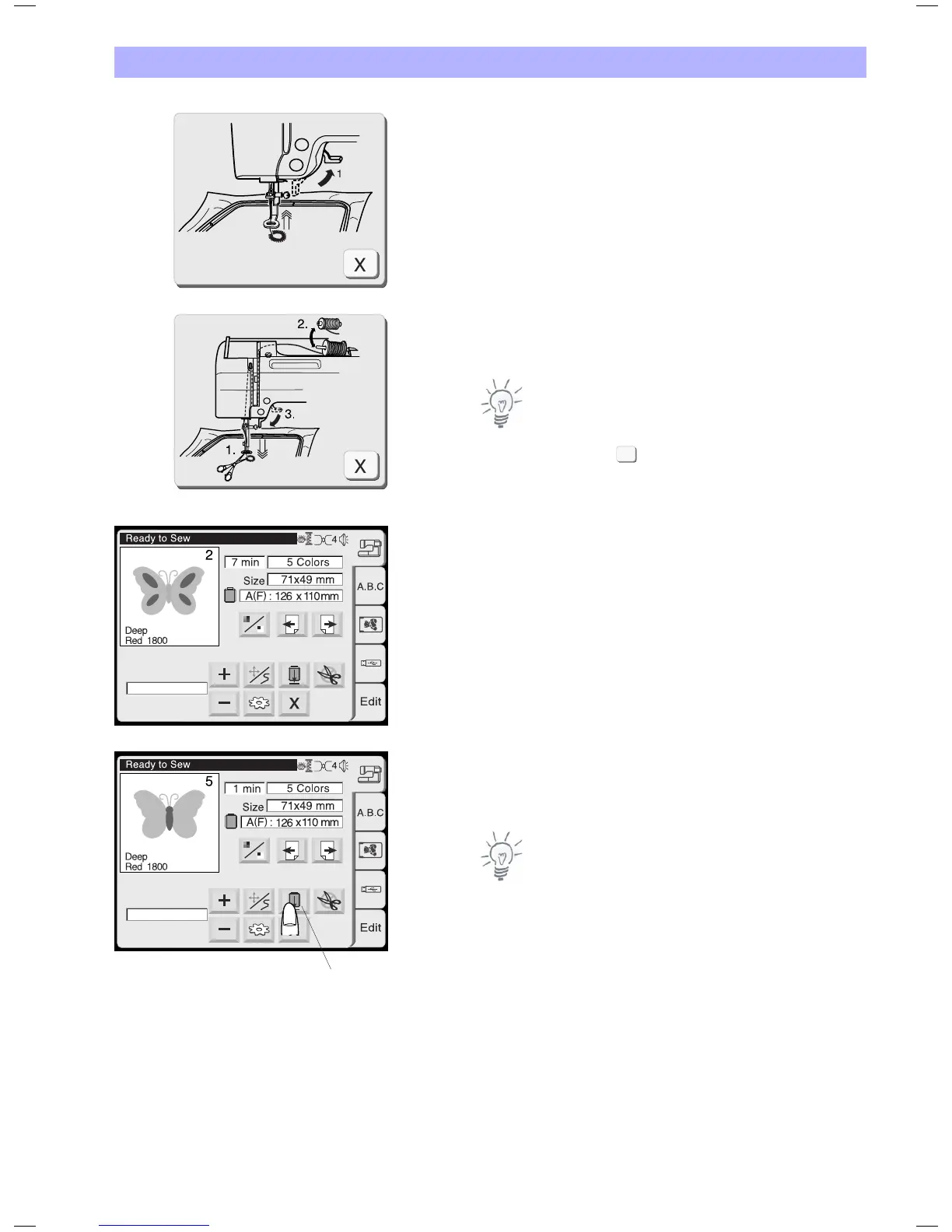
After finishing the first section, the screen will show the instruction
window (C).
Raise the presser foot. The screen will show the instruction
window (D).
• IfAutoThreadCutterissettoON,themachinehastrimmedthe
threads automatically.
• IfAutoThreadCutterissettoOFF,trimthethreadswithscissors
or by pressing the Thread Cutter button
Note:
Instruction window (D) closes automatically after a few seconds in
order to give you free sight to the new colour to be used for
threading. Press Close , to speed up this process.
Change the thread to the next color.
Lower the presser foot and press the start/stop button to stitch the
second color section.
Press the Carriage to Front key after finishing the last section to
return the carriage to the unload position.
1. Carriage to Front key
Note:
Be sure to return the carriage to the unload or idle position before
turning the power switch off. Use the keys Utility and Return
Carriage as described on page 25.
# 02260
# 04095
1
X
C
D


 To Next Page