Lettering
43
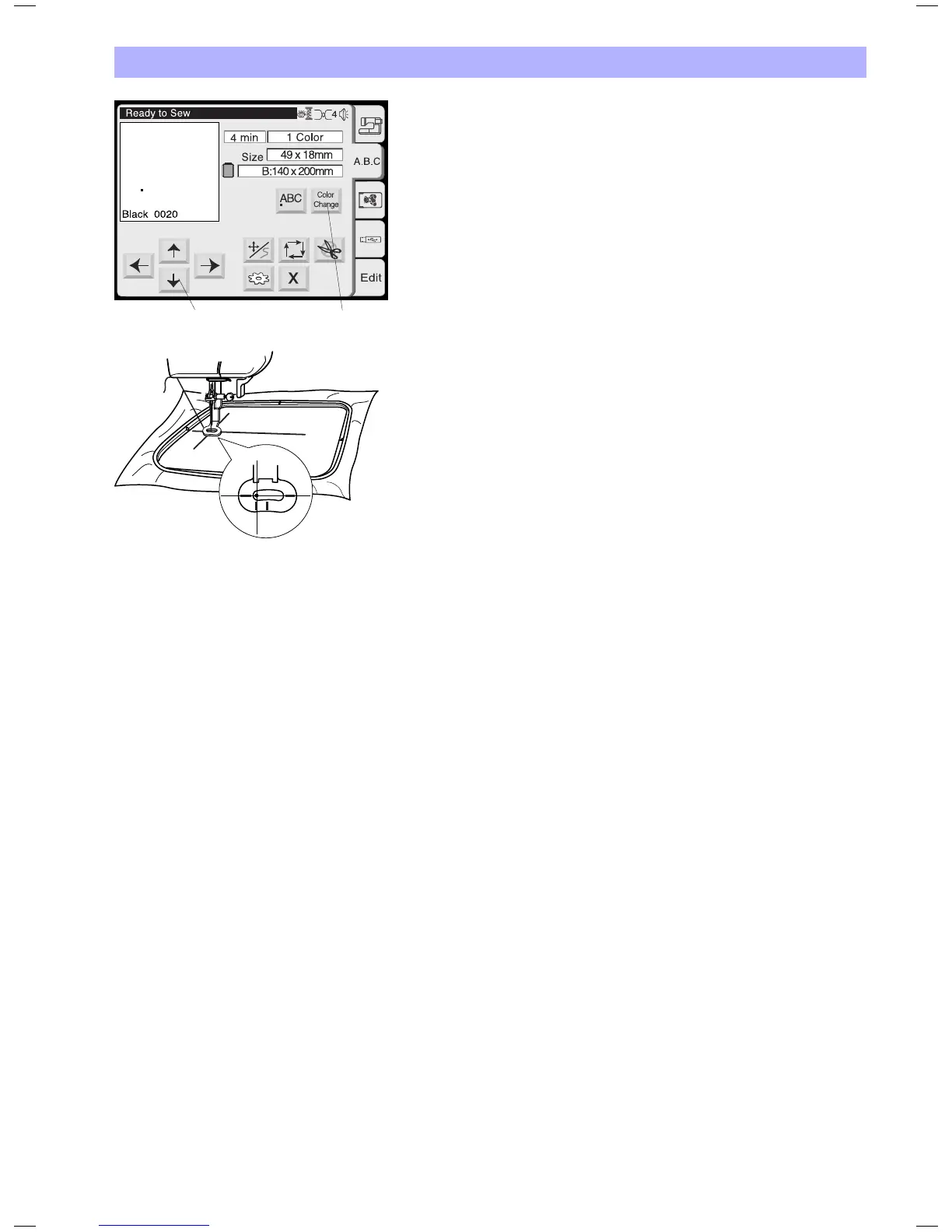
1 Color change key
Press this key to stitch a multi-color lettering.
The machine will stop automatically when each character is finished.
Change the thread and stitch the next character.
2 Jog keys
Press these keys to adjust the hoop to the start position for lettering
Starting to embroider
Lower the presser foot and press the Start/Stop button. The
computer will stop automatically after stitching 5 stitches and
requests the user to cut the thread tail. Refer to detailed process
description on Page 38, «Starting to Embroider»)
Depending on the setting of the Color change key the embroidery
computer will stop after each letter and ask to change the thread or
it will stop only after the last letter has been stitched.
Bear
2
1


 To Next Page