Editing and Combining Designs
50
Editing and Combining Designs
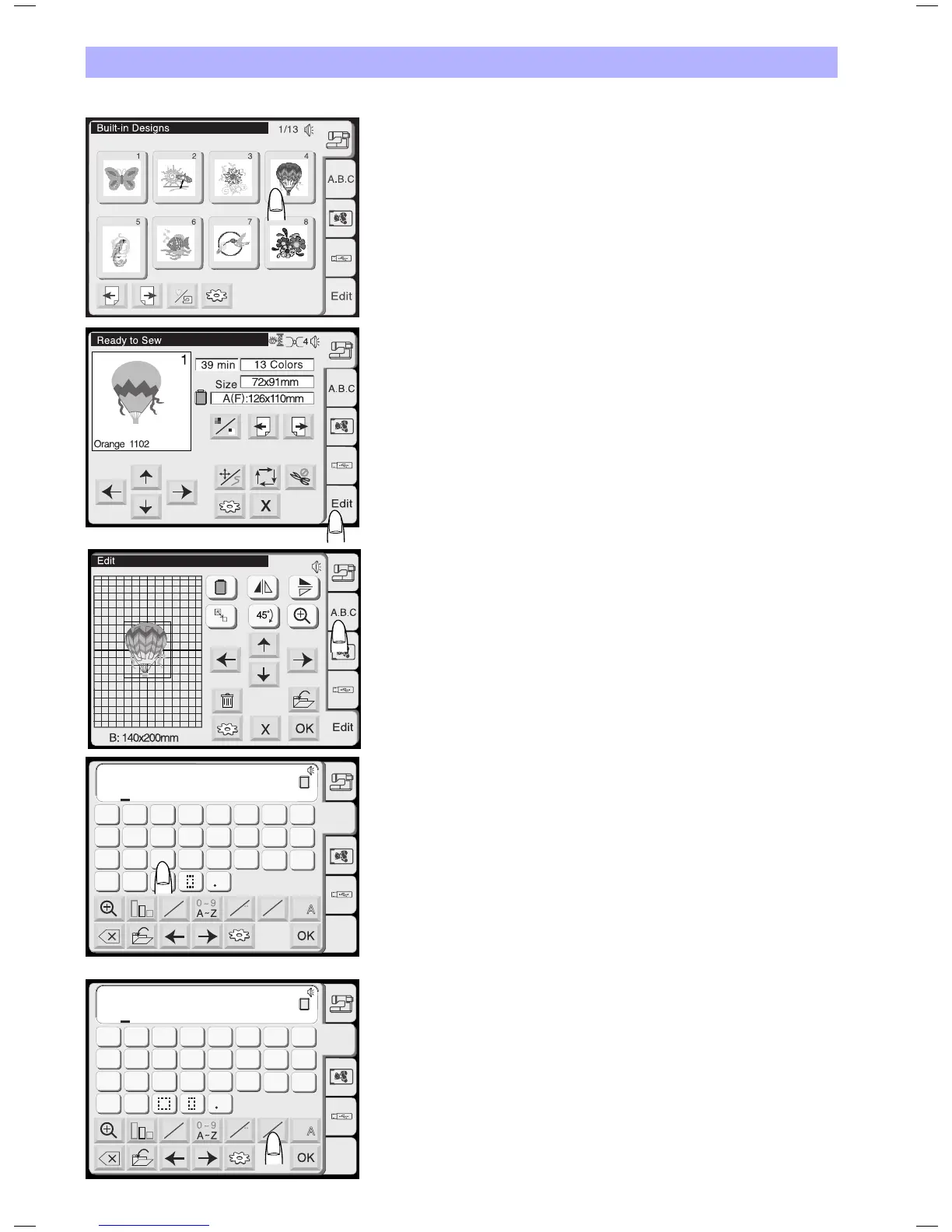
Example: Combine the built-in design #4 and text «Sky»
1. Selectdesign#4fromthebuilt-indesigns.
2. Press the Editing tab.
3 Select the hoop B.
4. Press the Lettering tab.
5. Select «S» (Upper case letter in Gothic style).
6. Press the letter case key to select lower case letters.
AB
AB
G
H
IJKL
M
N
OP
Q
RST
U
V
W
X
YZ
A
B
C
DEF
AB
B
Gothic
A.B.C
Edit
A
a
A
A
A A
L M
S
S
AB
AB
AB
B
Gothic
A.B.C
Edit
A
a
A
A
A A
L M
S
B
g
h
ijkl
m
n
o
p
q
rst
u
v
w
x
yz
a
b
c
def



 To Next Page