Design Transfer and Compatibility
56
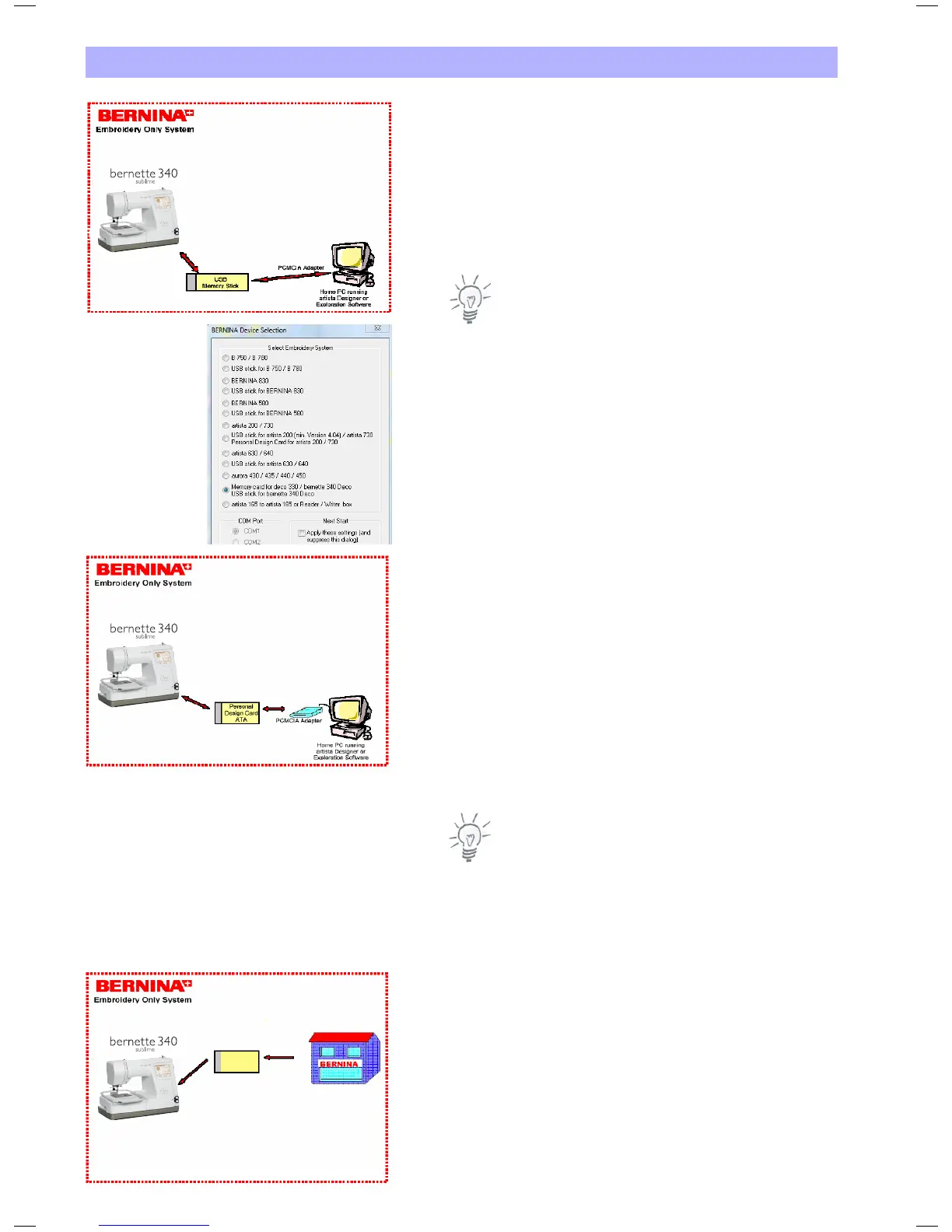
File Transfer with USB Stick
Use a USB Stick to store embroidery designs from the Deco 340.
These files may be stored on a PC and can be further processed with
Bernina Embroidery Software or OESD Explorations Software.
Embroidery designs created on the PC with Bernina Embroidery
Software or OESD Explorations Software can be transferred to the
Deco 340 by the USB Stick.
Note: In the Device Selection Menu use «deco 330 (write to
BERNINA card)» for exporting complete designs including color
information.
artista embroidery designs on a CD can be read on the PC and
stored as .EXP+ files on the USB Stick using Bernina Embroidery
Software or OESD Explorations Software.
File Transfer with ATA Card
Use an ATA Card or a PCMCIA adapter card with other memory
media to store embroidery designs from the Deco 340.
These files may be stored on a PC and can be further processed with
Bernina Embroidery Software or OESD Explorations Software.
A PCMCIA Card Reader or the appropriate reader for your memory
media is required when working with a desktop PC.
Embroidery designs created on the PC with Bernina Embroidery
Software or OESD Explorations Software can be transferred to the
Deco 340 by the ATA Card.
Note: In the Device Selection Menu use «deco 330 (write to
BERNINA card)» for exporting complete designs including color
information.
artista embroidery designs on a CD can be read on the PC and
stored as .EXP+ files on the ATA Card using Bernina Embroidery
Software or OESD Exploratinons Software.
Studio BERNINA USB Stick
Every Studio BERNINA USB Stick can be read directly by the
Deco 340. Just plug them in and select the design.
Studio
BERNINA
USB Stick


 To Next Page