6.2. System Settings and Administration
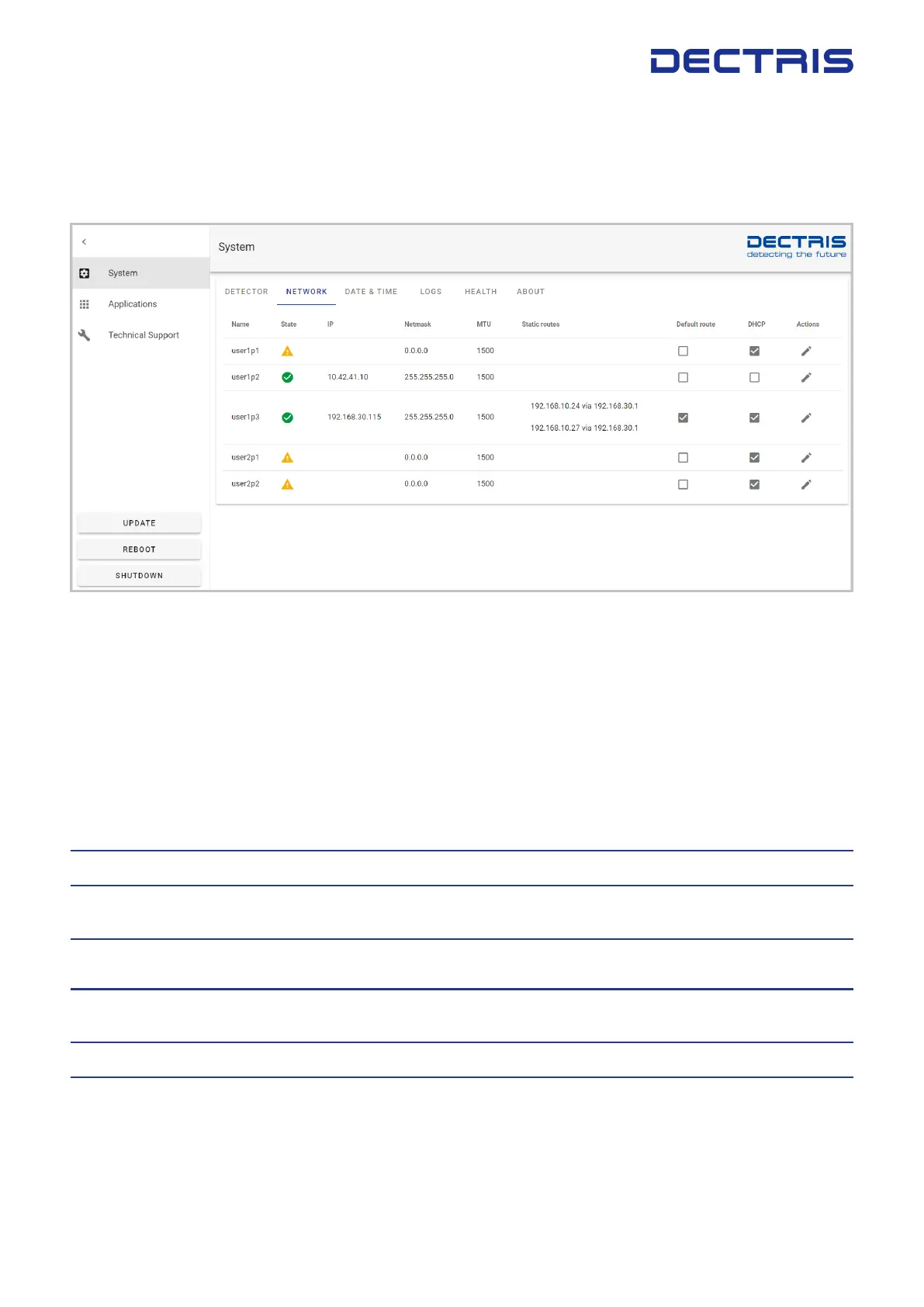
To access the EIGER2 system settings, click on the corresponding tab on the homepage. The system tab allows
to congure the detector control unit network settings and get some status and system informations.
Figure 6.2: Screenshot of the system settings showing the network conguration page.
Table 6.2 summarises menu items available for conguration
Table 6.2: Menu Items for Conguration/Testing
Detector See the detector status and initialize the detector. The detector status
can only be read out when the detector is initialized and the detector
application is running.
This tab also provides a way to quickly check the quality of the detector
connection using the ”Check connections” button. Typical values are
above 0.15 mW for the TX power and above 0.3 mW for the RX power.
Network Congure the user accessible network interfaces.
Date & Time Congure date and time on the detector control unit. Provides the
possibility to add an NTP server.
Logs Select and view detector logs, including error, warning and debugging
information.
Health View system health information, such as temperature and humidity
history, as well as board errors.
About Display system details.
DECTRIS EIGER
®
2 User Manual v1.8.2 12 | 36



 To Next Page