8. REGION OF INTEREST (ROI)
8.1. 4M ROI mode
The Region Of Interest (ROI) feature enables the user to read out a reduced area of an EIGER2 X/XE 16M or
EIGER2 X/XE 9M detector at higher frame rates. The ROI mode is also available on the EIGER2 S 16M or EIGER2
S 9M without the increase in frame rate. Refer to the corresponding Technical Specications document for the
ROI frame rate specications.
Information #5
Please consult the API reference for further details concerning the usage of the region of interest
detector conguration parameter (roi_mode).
Information #6
Please consult the Technical Specications for further details about the ROI capability of your
detector.
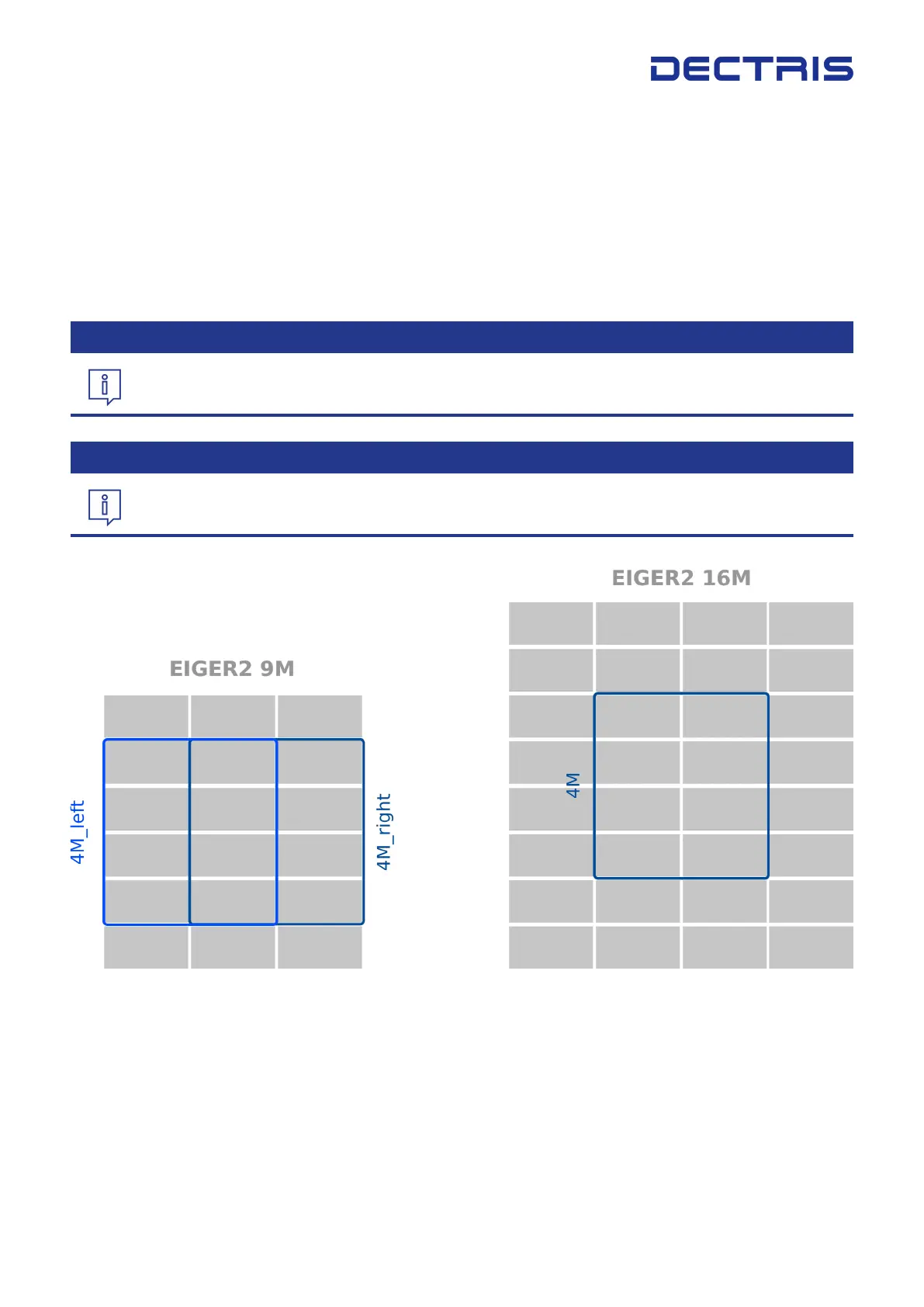
Figure 8.1: The dierent ROI modes for EIGER2 X 9M (left) and EIGER2 X 16M (right) as seen from the front of the detector.
The ROI mode is disabled by default and the full active area is read out (gure 8.1, grey and blue areas).
Changing the ROI mode to another value (eg. ”4M”, ”4M_left”, ”4M_right”, gure 8.1, blue frame) from the list
of allowed values will cause the detector to only read out the selected modules. In the EIGER2 X/XE detectors
the selected ROI can be read out using an increased frame rate compared to a full detector read out.
DECTRIS EIGER
®
2 User Manual v1.8.2 18 | 36



 To Next Page