User_Manual-PILATUS-V1_2.doc 32/57
9.3 Exposure series
With PILATUS detector systems, it is possible to take image series with a
frame rate of up to 300Hz (depending on the system) and a shortest exposure
time of 1 µs. All timings are controlled by a crystal clock on the DCB.
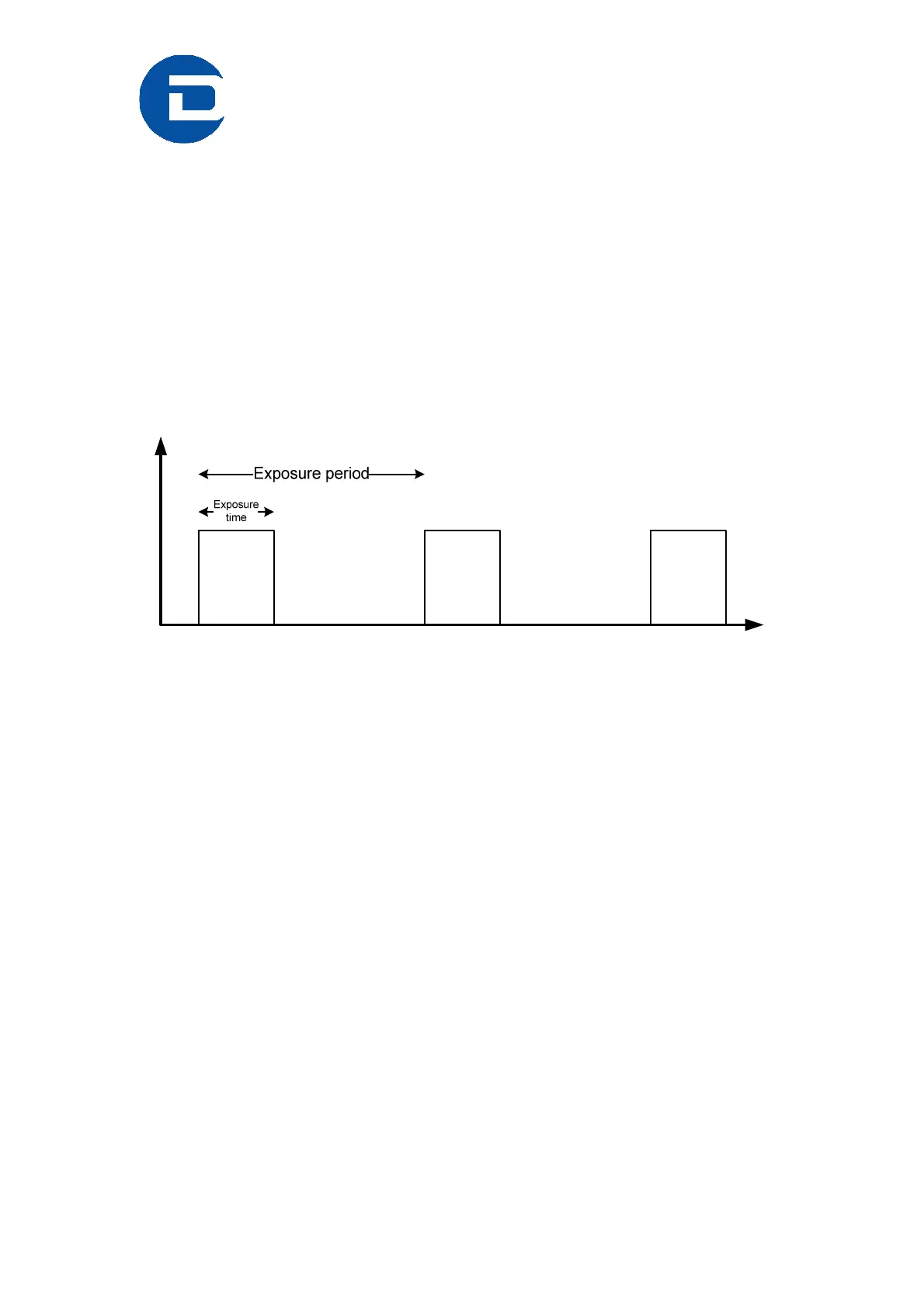
Define the following variables in the Camserver window:
• ExpTime (expt)
• Number of images (ni)
• Exposure period (expp)
Figure 14 Timing diagramm
The exposure series can be started either from the Camserver window with
‘exposure filename’ or from the TVX window with ‘expo’ (a macro). The
images are stored according the defined imagepath and filename; without a
defined filename, the images are stored in the next automatic filename.
9.4 Integration into other systems
Basically, the client connects to camserver via a socket connection, and
issues plain text commands to the camera. The command syntax over the
socket is identical to the syntax to be typed directly in the camserver window.
Thus, direct typing is helpful for testing.
The reply from camserver (acknowledgement) consists of a command index
number, followed by a space and either "OK" or "ERR", followed by another
space and possibly a message. The acknowlegement arrives after the
requested action is completed, typically in 1-2 ms; some commands, such as
SetThreshold, take longer, especially for a big detector. All
acknowledgements end in 0x18 (ASCII 'CAN') without a linefeed; there may
be internal linefeeds in long messages. (Since there is no terminating linefeed,
MS Windows sockets must be opened in binary mode; this is not a
consideration for unix-like systems.)



 To Next Page