User_Manual-PILATUS-V1_2.doc 21/57
Command or Macro Description
Camserver. E.g, so that a beamline operating system
like EPICS can take control over the Camserver.
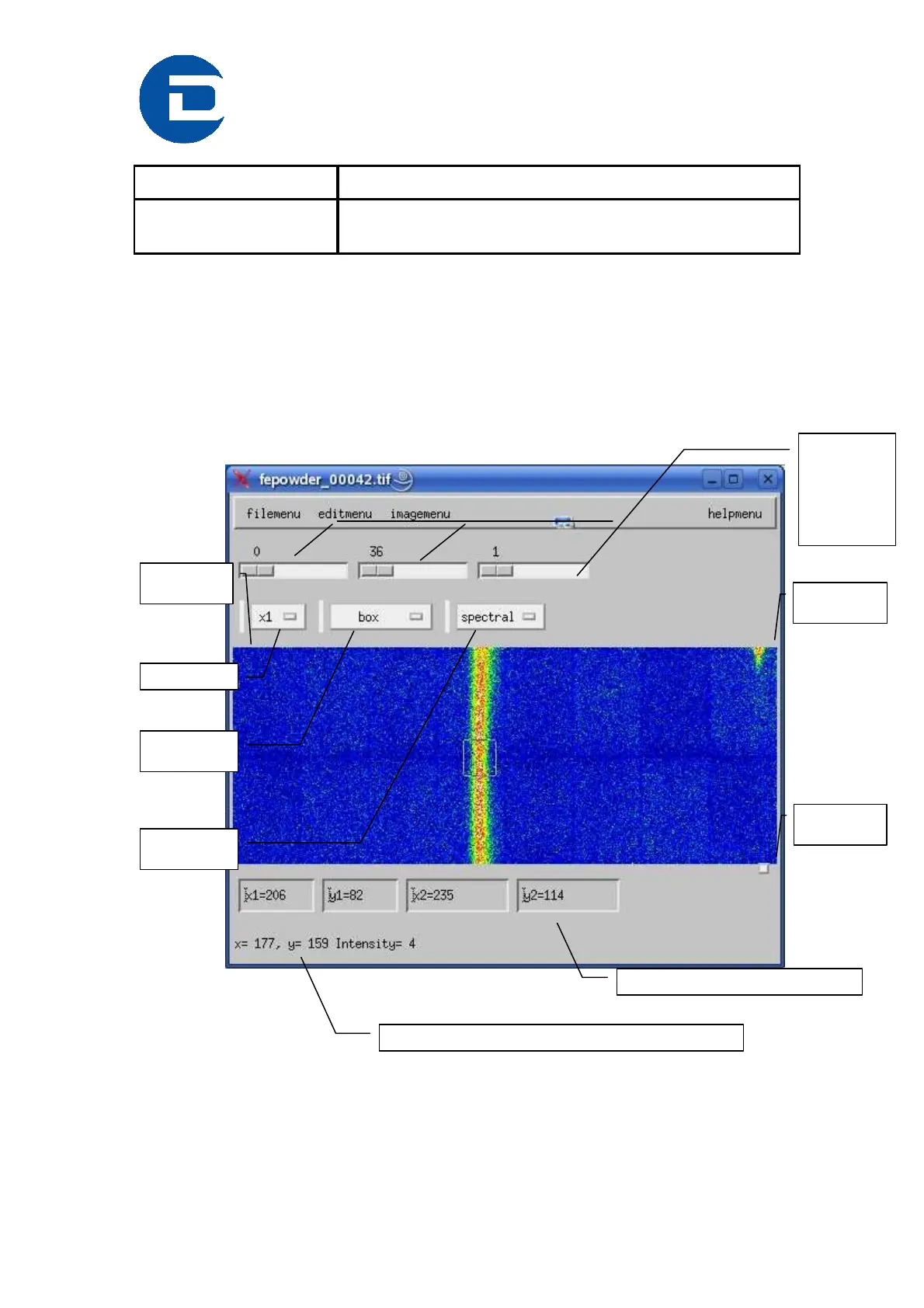
8.3 Description of the image display
After an exposure, the image will be shown in a separate window, the image
window.
Selection
tool
Color
scheme
Actual position of the cursor and the intensitiy of the pixel
Numerical values for the selection tool.
Coordinate:
(0,0)
Coordinate:
(487,0)
Coordinate:
(487,195)
3 sliders to
control the
contrast and
the color
range:
low, high,
factor
Zoom factor



 To Next Page