Cleaning the Main Brush
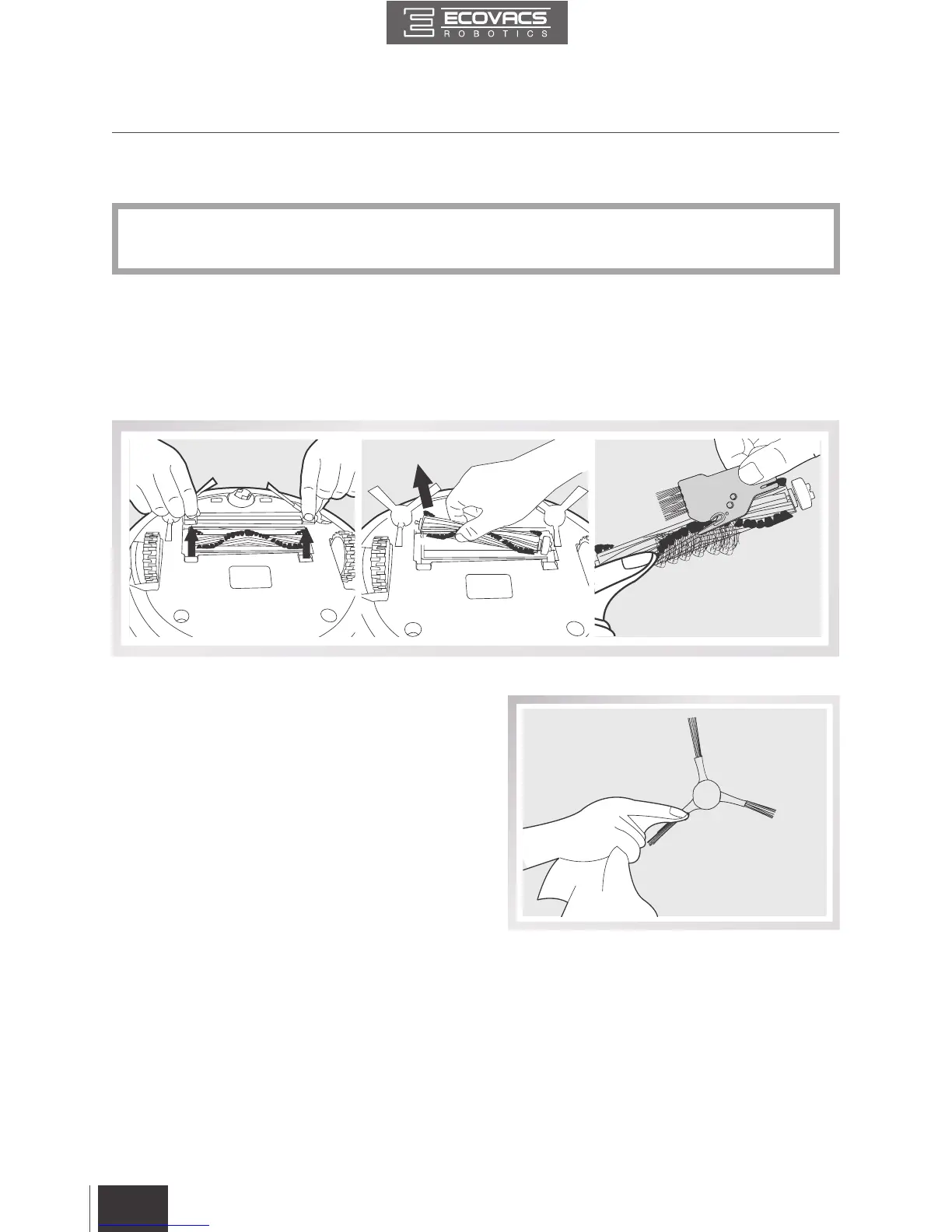
Turn the robot over. Push both buttons on the Main Brush Cover and remove it.
Remove the Main Brush.
Use the Multi-Function Cleaning Tool to cut off and remove any hair tangled around the Main Brush.
4.3 Main Brush and Side Brushes
Cleaning the Side Brushes
Remove the Side Brushes. Wipe the Side Brushes
and their slots with a dry cloth.
*
A Multi-Function Cleaning Tool is provided for easy maintenance. Handle with care, this
cleaning tool has sharp edges.
4. Maintenance


 To Next Page