EasyManua.ls Logo

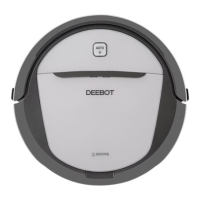
DEEBOT R95 User Manual

Default Icon
160 pages
To Next Page IconTo Next Page
Page #1 background imageLoading...
Page #1 background image
DE
1
Instruction Manual
EN
Manuel d'instructions
FR
Benutzerhandbuch
DE
Manuale d'uso
IT
Manual de instrucciones
ES
Manual de instruções
PT

Table of Contents

Questions and Answers:

DEEBOT R95 Specifications

General IconGeneral
Suction Power1000 Pa
Run Time110 minutes
App ControlYes
CompatibilityiOS, Android
Water Tank Capacity300 ml
Charging Time4-5 hours
MappingYes
Battery TypeLi-ion
ConnectivityWi-Fi
Auto RechargeYes
Virtual BoundaryYes
SchedulingYes
Cleaning ModeAuto, Spot, Edge
Compatible Floor TypesCarpet

Summary

Important Safety Instructions

Package Contents and Technical Specifications

Package Contents

Lists all items included in the product packaging, including the robot, charging dock, and accessories.

Technical Specifications

Details the technical parameters of the DEEBOT R95, such as voltage, battery, and power.

Product Diagram

Illustrates the different parts of the DEEBOT robot and its control panel with numbered labels.

Operating and Programming

Notes Before Cleaning

Provides crucial advice and precautions to take before operating the DEEBOT for cleaning.

Quick Start Guide

Step-by-step instructions for initial setup, including charging dock placement and brush installation.

Cleaning Mode Selection

Explains how to choose and use different cleaning modes like AUTO, Spot, and Area cleaning.

Robot Programming and Scheduling

Details how to schedule cleaning times using intelligent scheduling or time scheduling via the app.

Additional Settings and Features

Covers advanced features like Virtual Boundary and Continued Cleaning with Do Not Disturb.

Optional Mopping System

Instructions for attaching and using the optional wet/dry mopping system for enhanced cleaning.

Voice Reporting

Lists voice reports from the DEEBOT and their corresponding situations or solutions.

Maintenance

Dust Bin and Filter Maintenance

Guides on cleaning and maintaining the dust bin, filter net, and high-efficiency filter.

Mopping System Maintenance

Instructions for cleaning and drying the wet/dry cleaning cloth and reservoir.

Brush Maintenance

Details on how to clean and maintain the main brush and side brushes for optimal performance.

Other Component Maintenance

Instructions for cleaning universal wheel, sensors, charging contacts, and bumper.

Troubleshooting

Declaration of Conformity

Related product manuals